The quick answer
- Only have Rokus? Use the free official Roku app. It has everything, including private listening.
- Find it cluttered? Rokie is the most popular touchpad-first alternative.
- Roku plus a Samsung or LG? RemoteTv runs them all without ads, with a one-time price.
- Don't subscribe to a Roku-only remote. The official app already does what they charge for.
Search the App Store for “Roku remote” and you get dozens of results, most free to download. Only one is free to use from top to bottom: Roku's own. The rest charge for something, usually a touchpad, a keyboard or, in one case, the volume buttons.
We compared the official app with the 5 most useful alternatives, including the two most-rated unofficial Roku remotes and our own universal remote. We looked at what each one does that Roku's app doesn't, what it costs, and what it does with your data.
Roku remote apps compared
Filter by what matters to you. Scores are explained in how we compared.
| App | Score | What's free | Paid plan | Ads | Tracks you* | US rating |
|---|---|---|---|---|---|---|
 1. Roku (official)Best overall |
Everything | None | Not mentioned | Yes | 4.7 (6.4M) | |
 2. RemoteTvBest for mixed-brand homes · Our app |
First connection, up to 24 hours | Optional ($0.99/yr or $2.99 once) | Never | No | New | |
 3. RokieBest alternative |
Remote, touchpad and channel launcher | Not stated in the listing | Not stated | Not checked | 4.5 (715K) | |
 4. RoByteSimple, but volume costs extra |
Basic remote and playback | Premium (price not stated in the listing) | Not stated | Not checked | 4.5 (256K) | |
 5. TV Remote (EVOLLY)Most popular universal remote |
Basics, with ads | Weekly, monthly, yearly or one-time | Yes, until you pay | Yes | 4.4 (637K) | |
 6. Universal Remote for RokuSubscription only |
Not stated | Weekly, monthly or yearly | Not stated | Not checked | 4.4 (34K) |
*From the App Store privacy label (“Data Used to Track You”), read on November 12, 2026. “Not checked” means we haven't read that app's label yet, so the “No tracking” filter hides it. Prices, ads and features as stated in each US App Store listing on November 17, 2026; “Not stated” means the listing doesn't say.
The 6 Roku remote apps, reviewed
Roku Remote (Official)
What we like
- Completely free: remote, keyboard, voice search and casting
- Private listening through headphones plugged into your phone
- Add and launch Roku apps from your phone
- Updated for iOS 27 this month
Keep in mind
- Its privacy label lists data used to track you
- Some features need you to sign in to your Roku account
- Voice search is limited to English and Spanish in a few countries
Roku's own app is the benchmark, and it's hard to beat. It has every button of the physical remote, a keyboard for search boxes and Wi-Fi passwords, voice search, and photo and video casting. You can also add new apps to your Roku and launch your favourites from your phone.
Private listening is the feature people keep it for. Plug headphones into your iPhone, or use wireless ones, and the TV's sound plays through them while the room stays quiet. Nothing is behind a paywall. The downside is privacy: when we read its label on November 12, 2026, it listed contact info, search history, identifiers and usage data as data that may be used to track you.
The best Roku remote for nearly everyone, and it's free. Start here.
RemoteTv
What we like
- Never shows ads, even before you pay
- A one-time lifetime price
- One app for Samsung, LG, Roku, Vizio and Google TV
- No data collected, according to its privacy label
Keep in mind
- The free session lasts one connection, up to 24 hours
- Too new to have US ratings yet
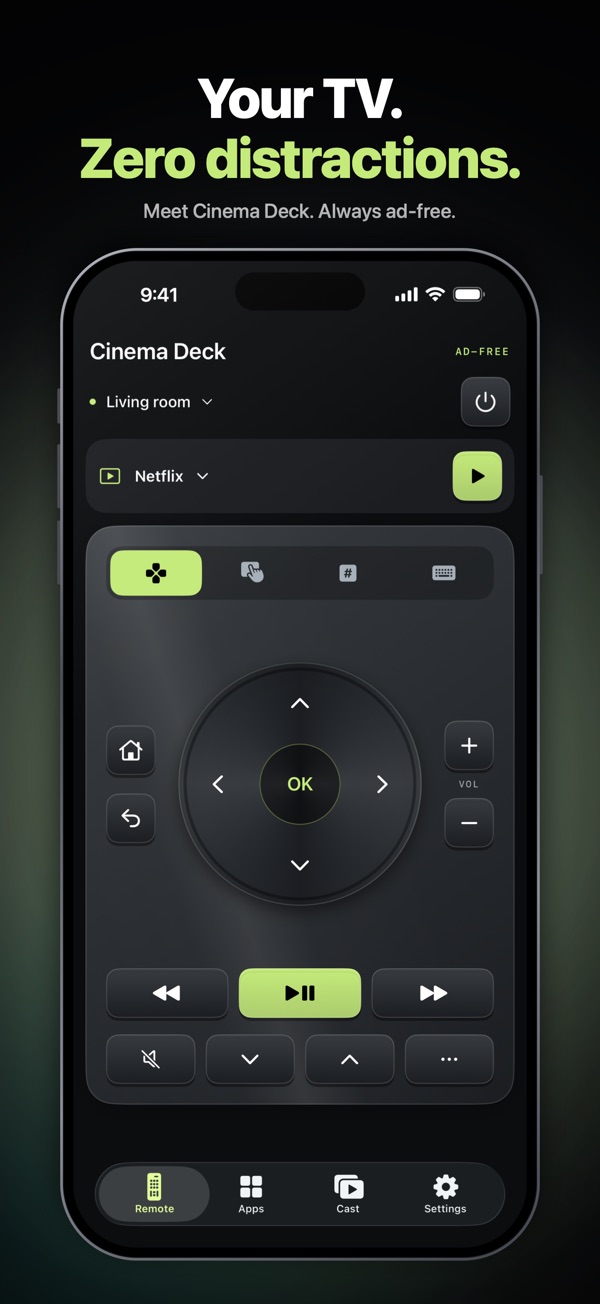
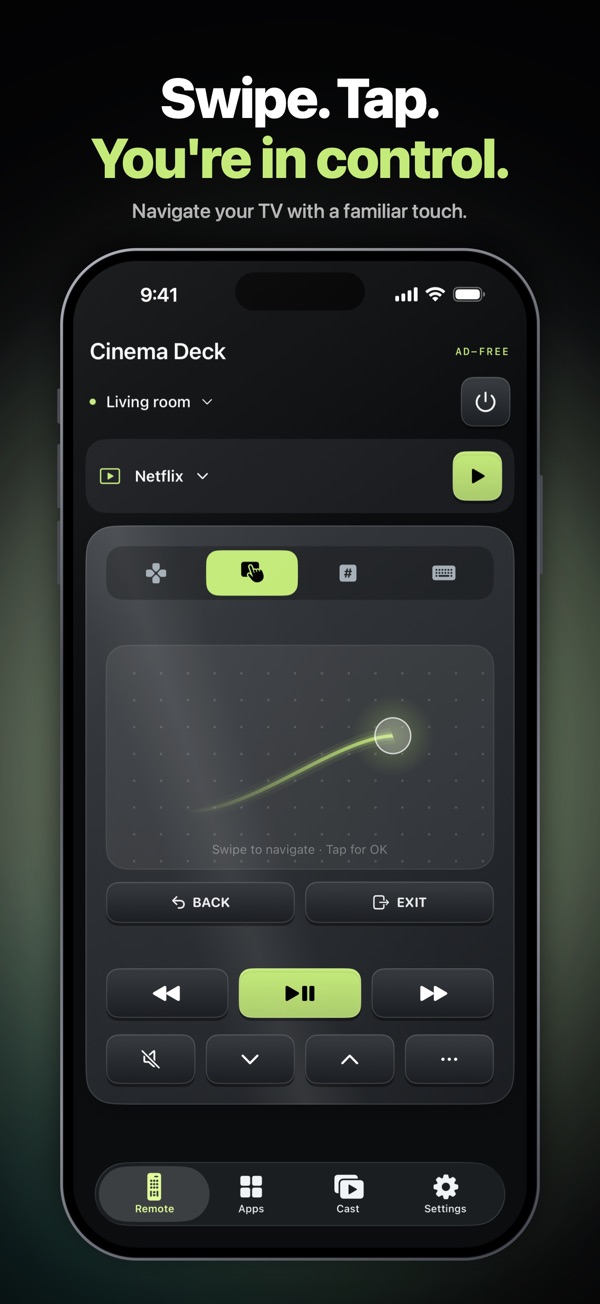
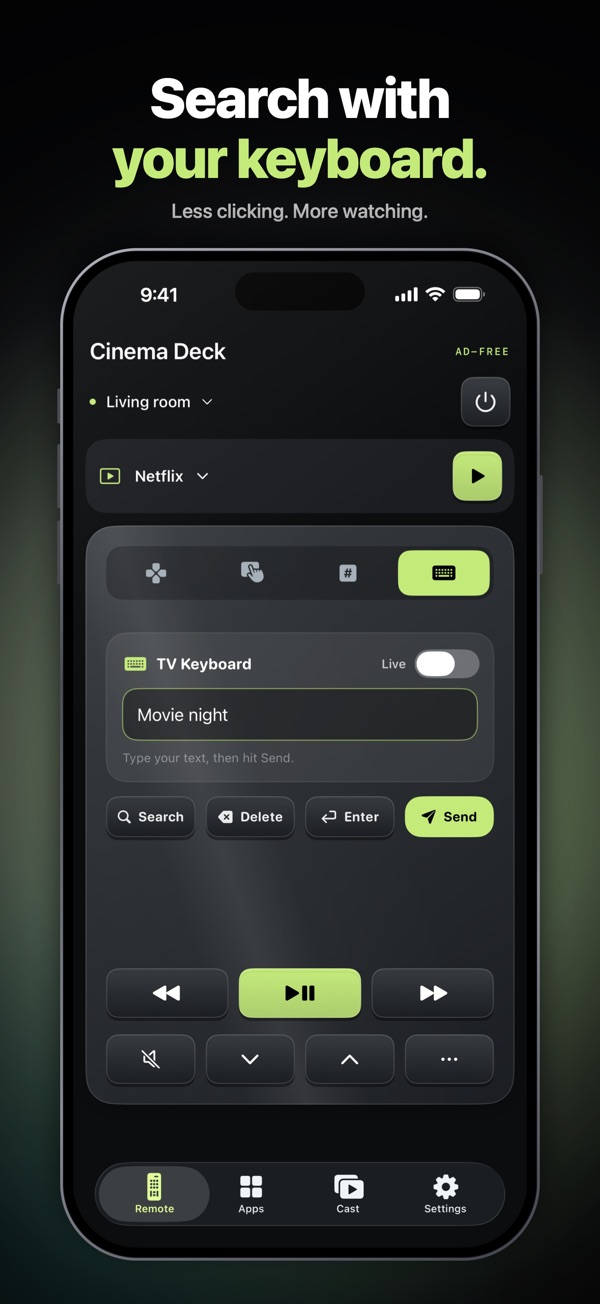
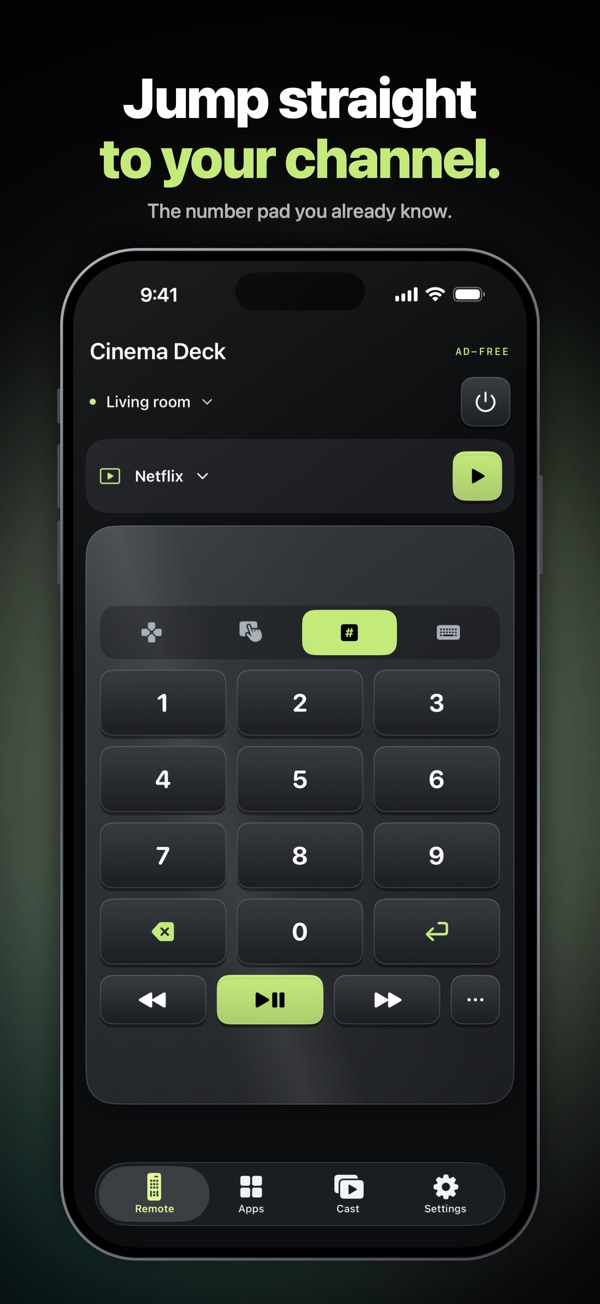
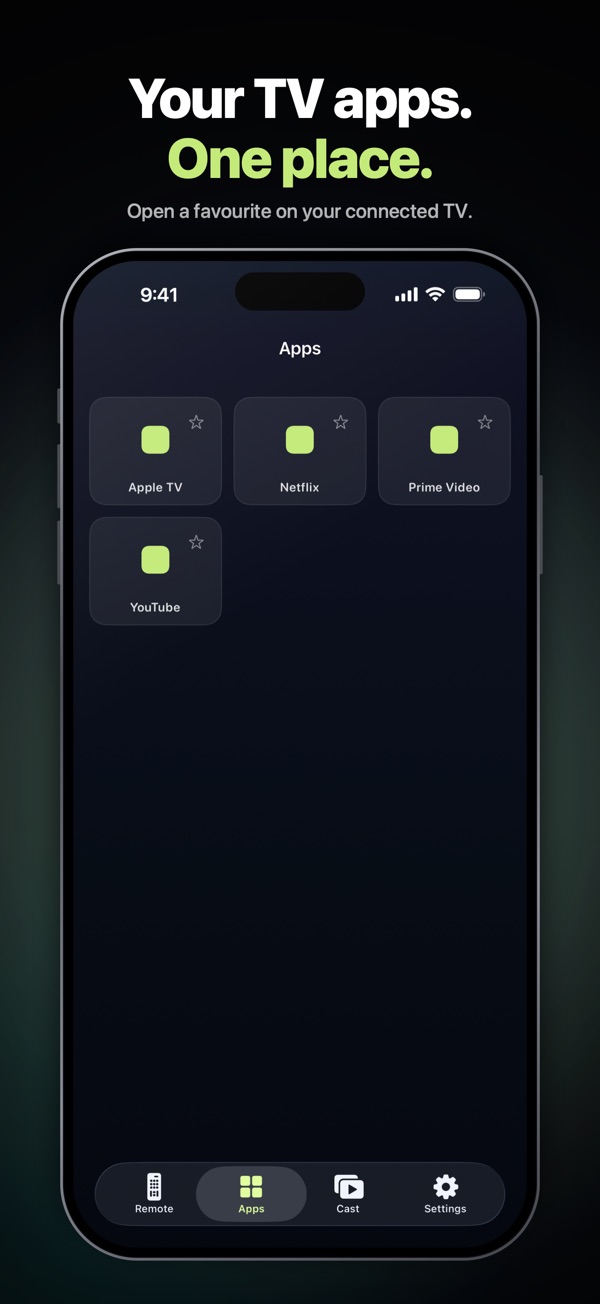
This one is ours, so weigh our words accordingly. RemoteTv is a universal remote, and Roku is one of the systems it supports, alongside Samsung, LG, Vizio and Google TV. On a Roku you get a directional pad, a touchpad, a number pad and a keyboard, plus app shortcuts and photo and video casting.
If Roku is the only thing you own, the official app is free and does more, including private listening. RemoteTv makes sense when the Roku sits next to a Samsung or LG in another room. It never shows ads and collects no data. Your first connection is free for up to 24 hours, then you can pay once or yearly.
The ad-free choice if you have more than one brand of TV. Try it on your own TV before paying.
Rokie – Remote for Roku Player
What we like
- A big touchpad instead of a grid of buttons
- Finds your Roku on Wi-Fi automatically
- Works with every Roku model, from Roku 1 to Roku TV
- Updated this month, after more than ten years on the App Store
Keep in mind
- Fewer extras than the official app: no private listening is listed
- Some apps, such as YouTube, ignore the iPhone keyboard
- The listing doesn't say what, if anything, costs extra
Rokie is the most popular unofficial Roku remote, with more than 700,000 ratings since 2015. It's from Kraftwerk 9, which also makes Remotie for Samsung TVs and a universal remote. The appeal is the design: a large touchpad and a short list of buttons, which some people find quicker than the official app's full remote layout.
It finds your Roku automatically and launches channels directly. The listing is upfront about one limit: apps that use their own on-screen keyboard, such as YouTube, won't accept typing from your iPhone. It doesn't describe any paid plan, and we couldn't check its privacy label for this update.
Worth a try if the official app feels cluttered. Keep the official app for private listening.
RoByte: Remote for Roku TV App
What we like
- Finds your Roku automatically, or connect by IP address
- Pairs with several Rokus around the house
- Clear help for connection problems in the listing
- Works on iPhone and iPad
Keep in mind
- Volume control, the touchpad, the keyboard and voice search are Premium features
- The listing doesn't give Premium's price
- Not updated since August 2026
RoByte keeps things simple, and its free version covers the basics: the remote, play and pause, rewind and fast forward, and pairing with more than one Roku. If you have a complicated network, you can type your Roku's IP address when the automatic scan doesn't find it.
The catch is what's missing from the free tier. Volume control, the channel switcher, the touchpad, keyboard and voice search all need Premium. The official Roku app gives you every one of those for free, so RoByte is hard to recommend unless you prefer its layout.
Pleasant and well rated, but it charges for features Roku's app includes free.
TV Remote – Universal Control
What we like
- Finds TVs on your Wi-Fi automatically
- Large touchpad, keyboard and voice search
- Works with eight TV brands, including Fire TV
- A one-time Premium option
Keep in mind
- Ads until you pay
- The paywall also offers weekly and monthly plans
- Its privacy label lists data used to track you
The most-rated universal remote on the App Store also covers Roku. It finds the TV on your network, and the touchpad, keyboard and voice search work well. It's a sensible pick if you also have a Fire TV, which some universal remotes skip.
The free version shows ads. Premium removes them, and the listing offers a one-time payment as well as yearly, monthly and weekly plans. If you upgrade, take the one-time option. Its privacy label, which we read on November 12, 2026, lists location, identifiers and usage data as data used to track you.
Good, broad and popular. If you pay, pay once and skip the weekly plan.
Universal remote for Roku tv
What we like
- Detects your Roku automatically
- Mirrors the layout of the original remote
- Works on iPhone and iPad
Keep in mind
- Premium is a weekly, monthly or yearly subscription, with no one-time option
- Not updated in a year
- Only works with Roku devices
Despite the name, this one only works with Roku. It connects automatically and copies the original remote's layout, which is all many people need.
Premium is sold as a weekly, monthly or yearly subscription, with no one-time option. Since the official Roku app is free and fuller-featured, we can't see a reason to pay for this one.
It works, but there's no reason to subscribe when Roku's own app is free.
Which Roku remote app should you get?
If your iPhone can't find your Roku
Almost every connection problem comes down to one of three things. First, your iPhone and Roku must be on the same Wi-Fi network. A guest network, or a mesh system that keeps devices apart, will stop the app finding the Roku.
Second, check that your Roku accepts phone control. On the Roku, go to Settings, System, Advanced system settings, Control by mobile apps, and make sure it's enabled. Third, restart the Roku and the app. Some third-party apps, such as RoByte, also let you type the Roku's IP address, which you'll find under Settings, Network, About.
One thing no app can do is work without Wi-Fi. iPhones have no infrared blaster, so they can't send signals the way the plastic remote does. If your Roku has lost its network connection, you'll need the physical remote, or a cheap replacement, to reconnect it.
More TV remote guides
Got more than one kind of TV? Our guide to the best TV remote apps covers every big brand, and we also compared the best Samsung TV remote apps for iPhone.
How we compared
On November 17, 2026 we read each app's US App Store listing and latest release notes: price, what's free and what needs a paid plan, ads, supported models, rating, number of ratings and the date of the last update. We read the privacy labels of 3 of these apps on November 12, 2026. The others show “Not checked”, and we'll add them in our next update.
Each app gets four scores out of 10, combined with fixed weights: remote features 35%, value 25%, privacy 20%, reputation 20%. Value rewards apps that are free to use, not just free to download, and marks down weekly subscriptions and paywalled basics. Privacy starts at 10 and drops for data used to track you or linked to you. Apps whose label we haven't checked get a neutral 6. Prices and plans change often. If you spot something out of date, tell us via our about page.
Roku remote app FAQ
What is the best Roku remote app for iPhone?
For most people, the official Roku Remote app. It's free, has no paywall, and includes a keyboard, voice search, casting and private listening. Rokie is a good alternative if you prefer a touchpad, and RemoteTv suits homes with Roku and other TV brands.
Is the Roku remote app free?
Yes. Roku Remote (Official) is free to download and use, with no in-app purchases for remote features. Some extras need you to sign in to your Roku account.
Can I use my iPhone as a Roku remote without Wi-Fi?
No. iPhones don't have an infrared blaster, so Roku remote apps talk to your Roku over your home Wi-Fi. Your iPhone and Roku must be on the same network.
Why won't the Roku app find my Roku?
Make sure your iPhone and Roku are on the same Wi-Fi network, not a guest network. On the Roku, check that Control by mobile apps is enabled under Settings, System, Advanced system settings. Then restart both. Some apps let you enter the Roku's IP address manually.
How do I use private listening on my iPhone?
Open the official Roku app, connect to your Roku and open the remote. Turn on private listening and the TV's sound plays through your phone, so you can listen with wired or wireless headphones.
Can I type on my Roku with my iPhone keyboard?
Yes, the official Roku app and most alternatives let you type with your iPhone's keyboard. Some apps on the Roku, such as YouTube, use their own on-screen keyboard and may not accept typing from your phone.
Is there a Roku remote app with no ads?
Yes. The official Roku app doesn't list any ads in its remote, and RemoteTv never shows ads. Several universal remotes show ads until you pay.
Do I need to pay for a Roku remote app?
No. The official app is free and complete. Paid Roku remotes mostly charge for features the official app already includes, such as volume control, the keyboard and voice search.
Sources
- US App Store listings and release notes for each app, checked November 17, 2026. Privacy labels for Roku, EVOLLY and RemoteTv read on November 12, 2026.
- Roku Support