 Roomly · Free up iPhone storage, safely
Roomly: More room.
Same memories.
See what's filling your iPhone, then free up space without losing what matters. Shrink videos, clear duplicates and old chat media, and keep your contacts backed up. Everything happens on your device.
Free up space
without regrets.
A storage cleaner that shrinks before it deletes, and asks before it does either.
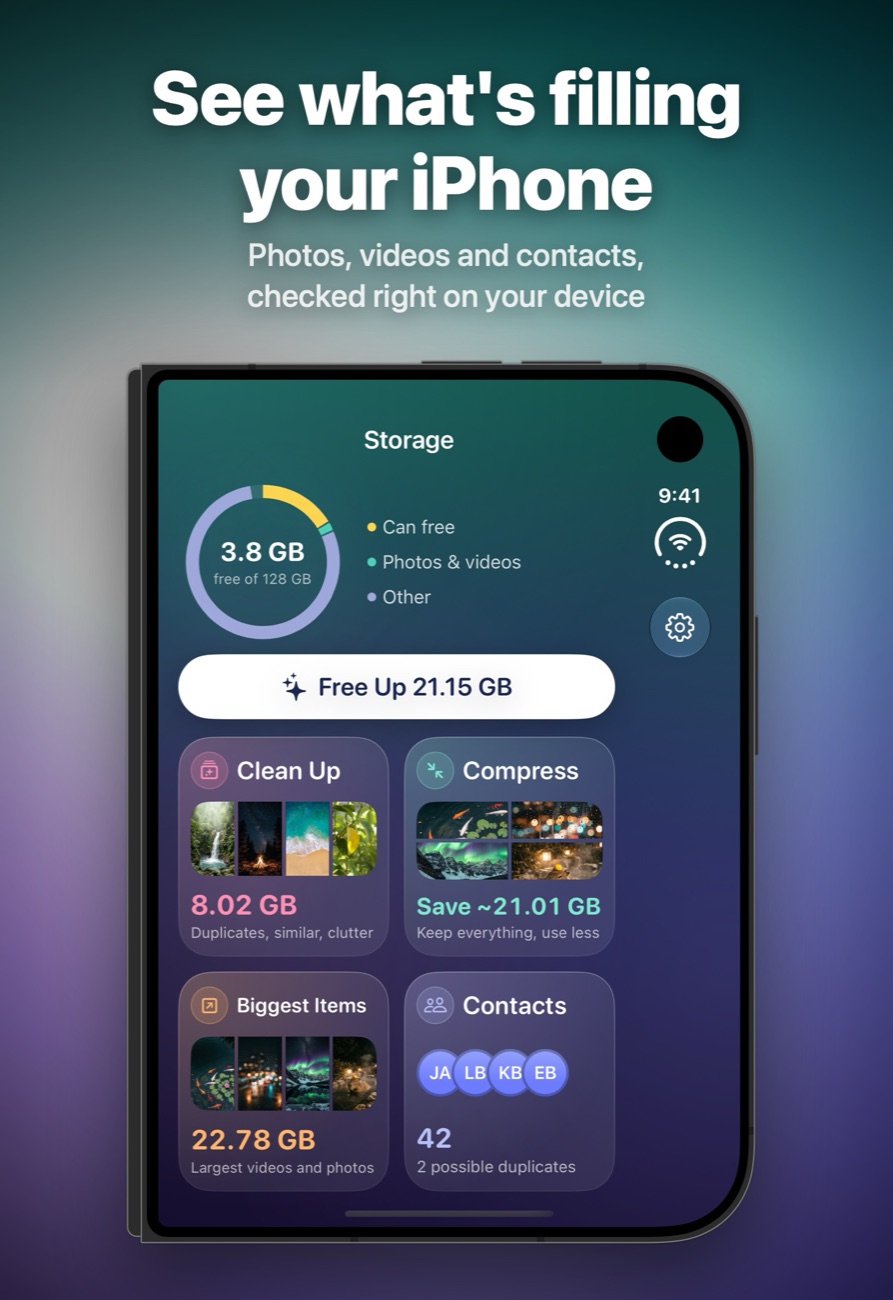
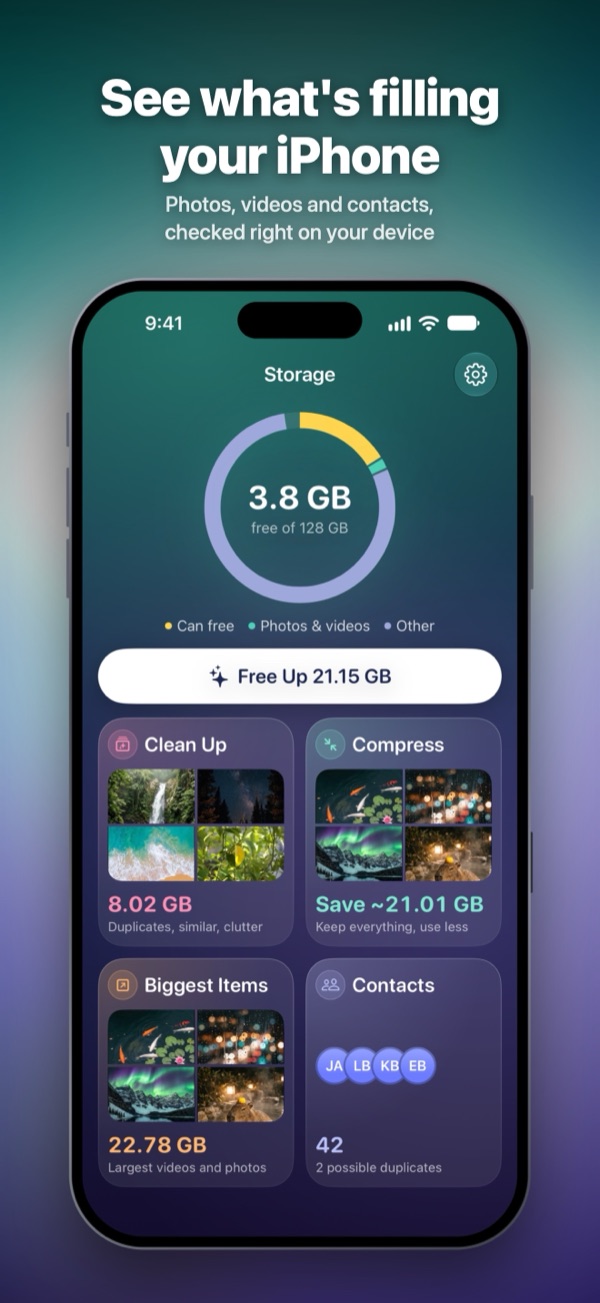
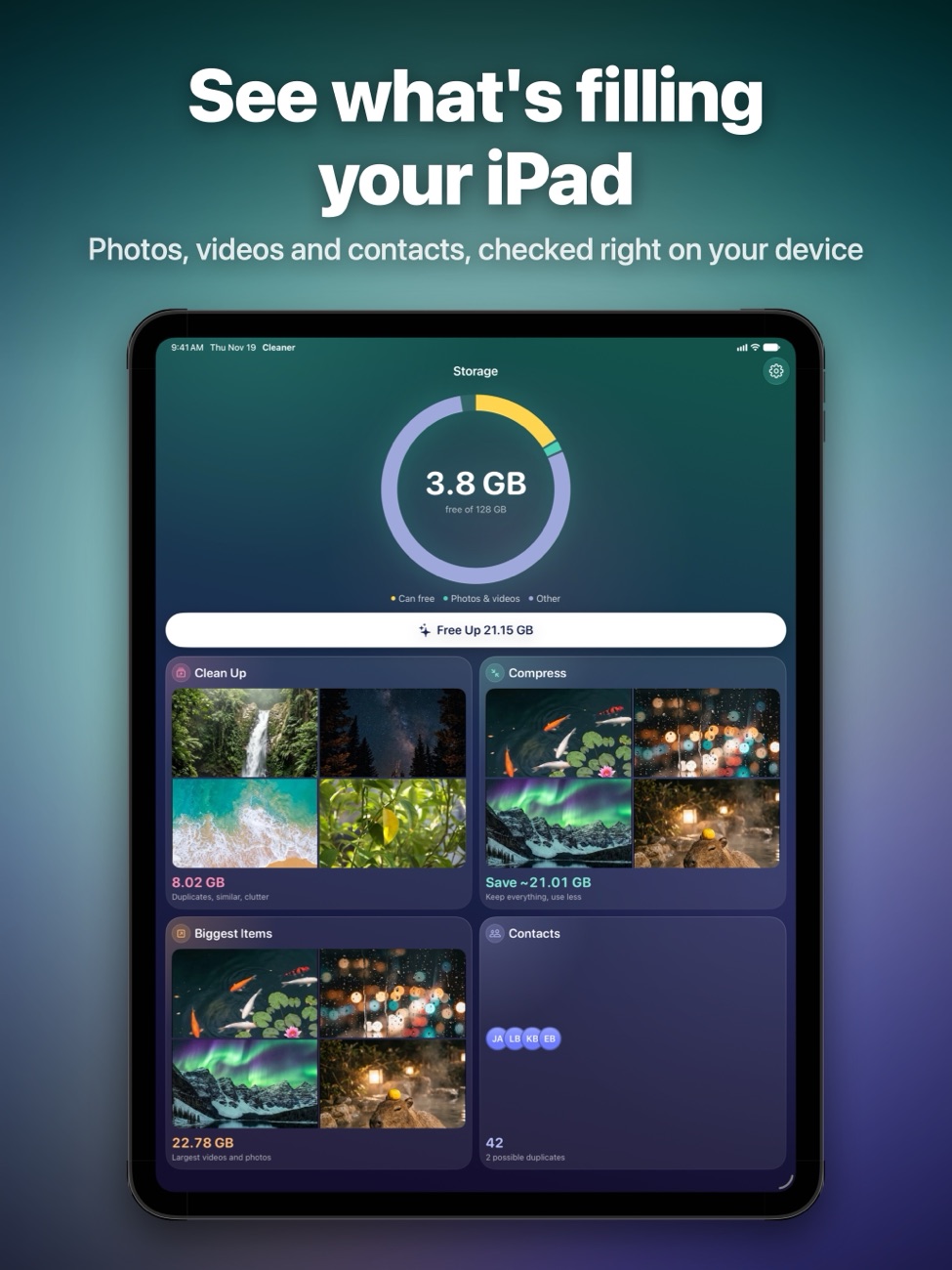
See what takes up space
A clear overview of what can be freed, your photos and videos, and everything else, plus your biggest items in one place. All checked on your iPhone; nothing is uploaded.
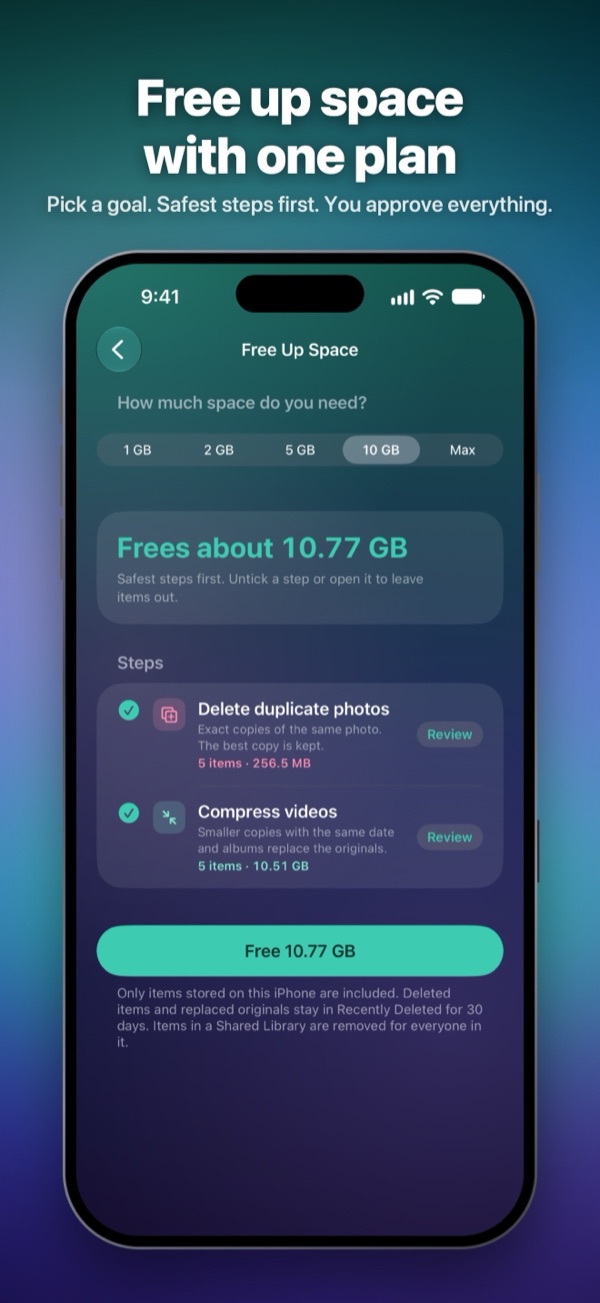
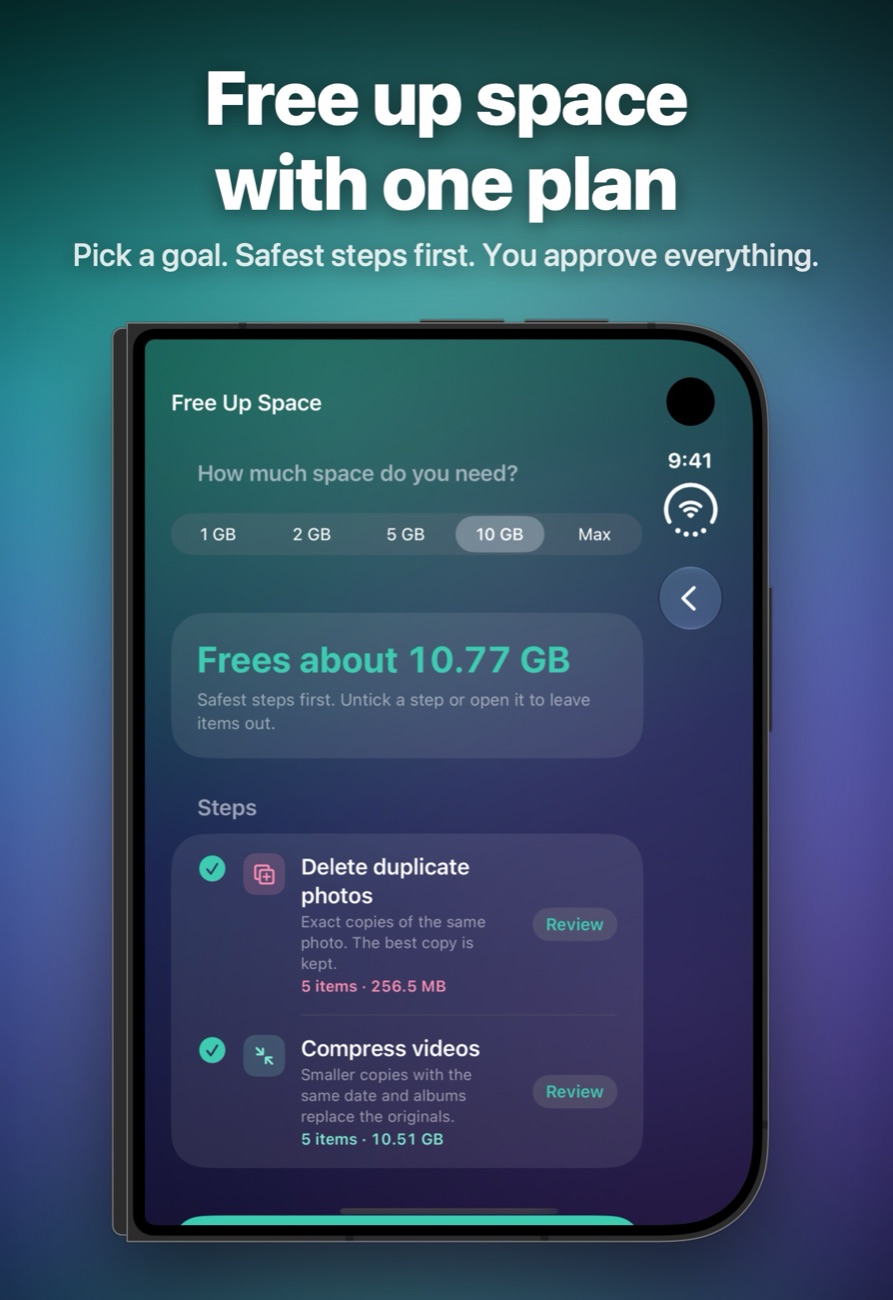
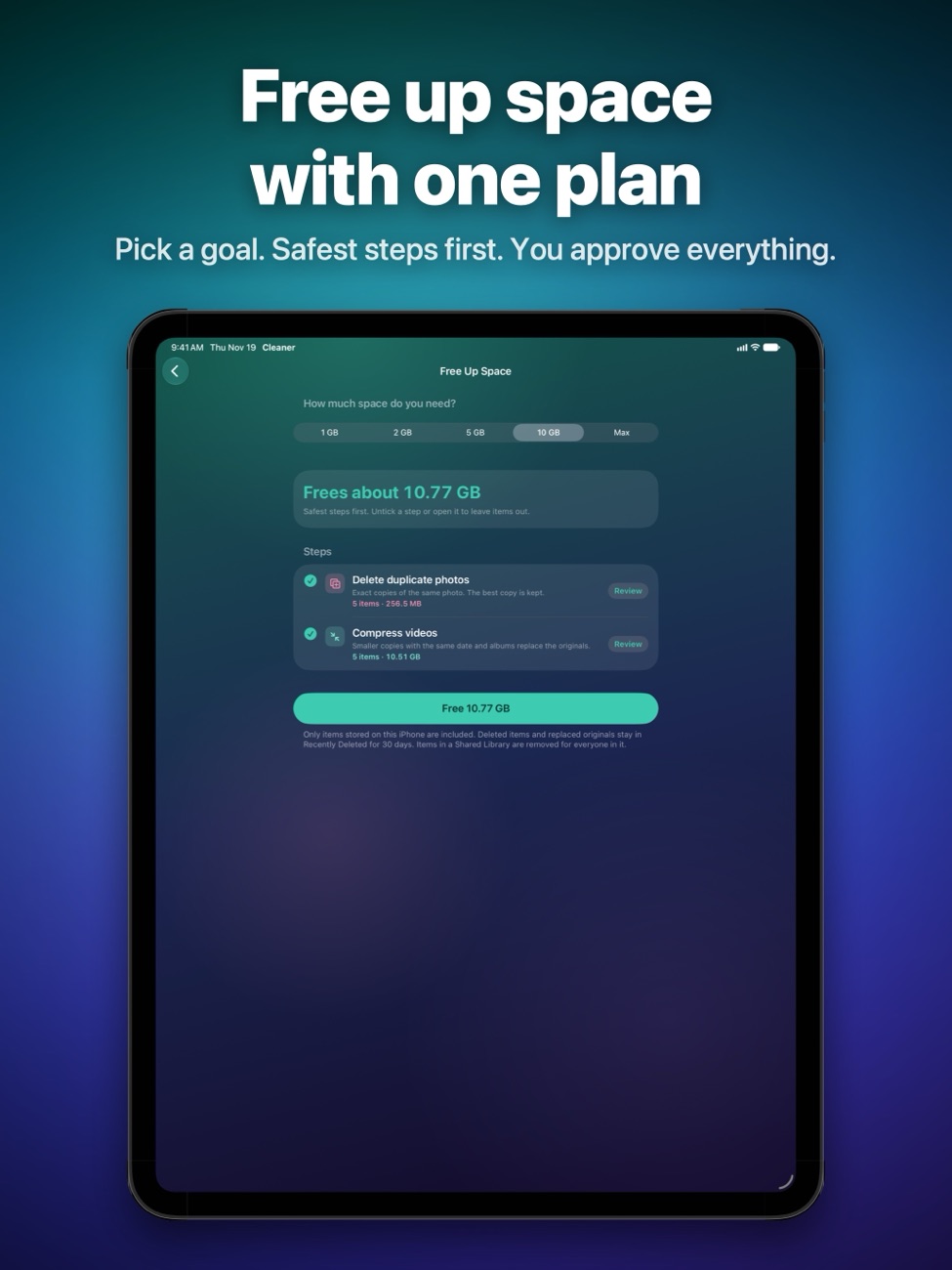
One plan, your goal
Pick 1, 2, 5 or 10 GB, or as much as possible. Roomly builds a plan from the safest steps first. Review every step, untick anything, then confirm once.
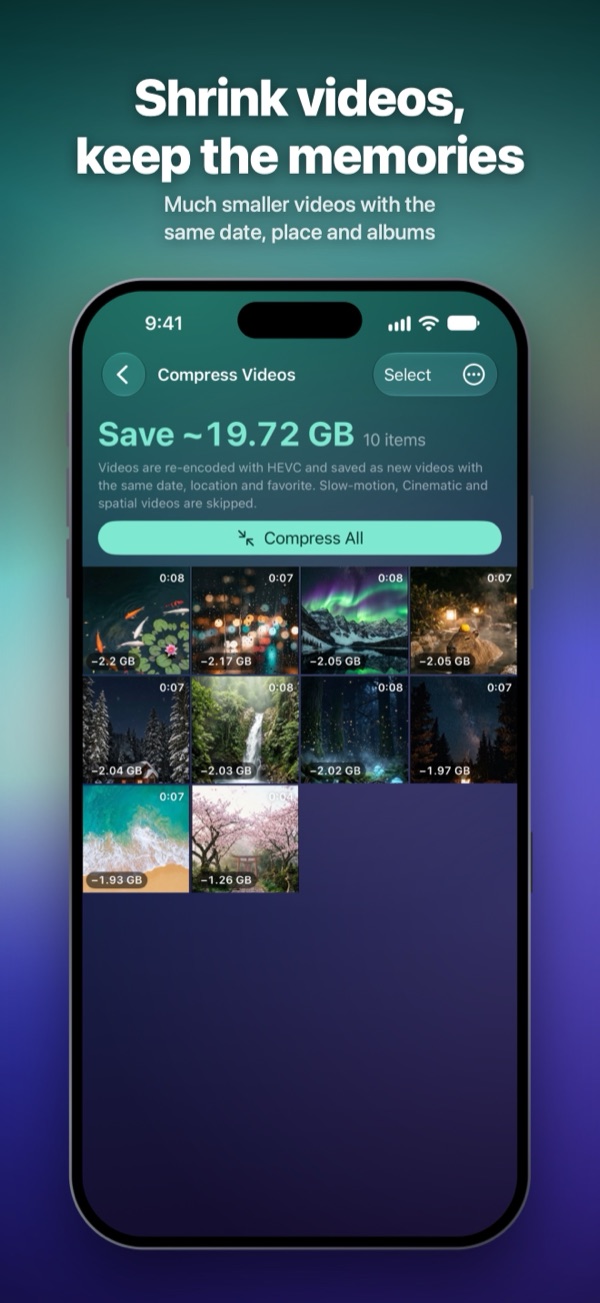
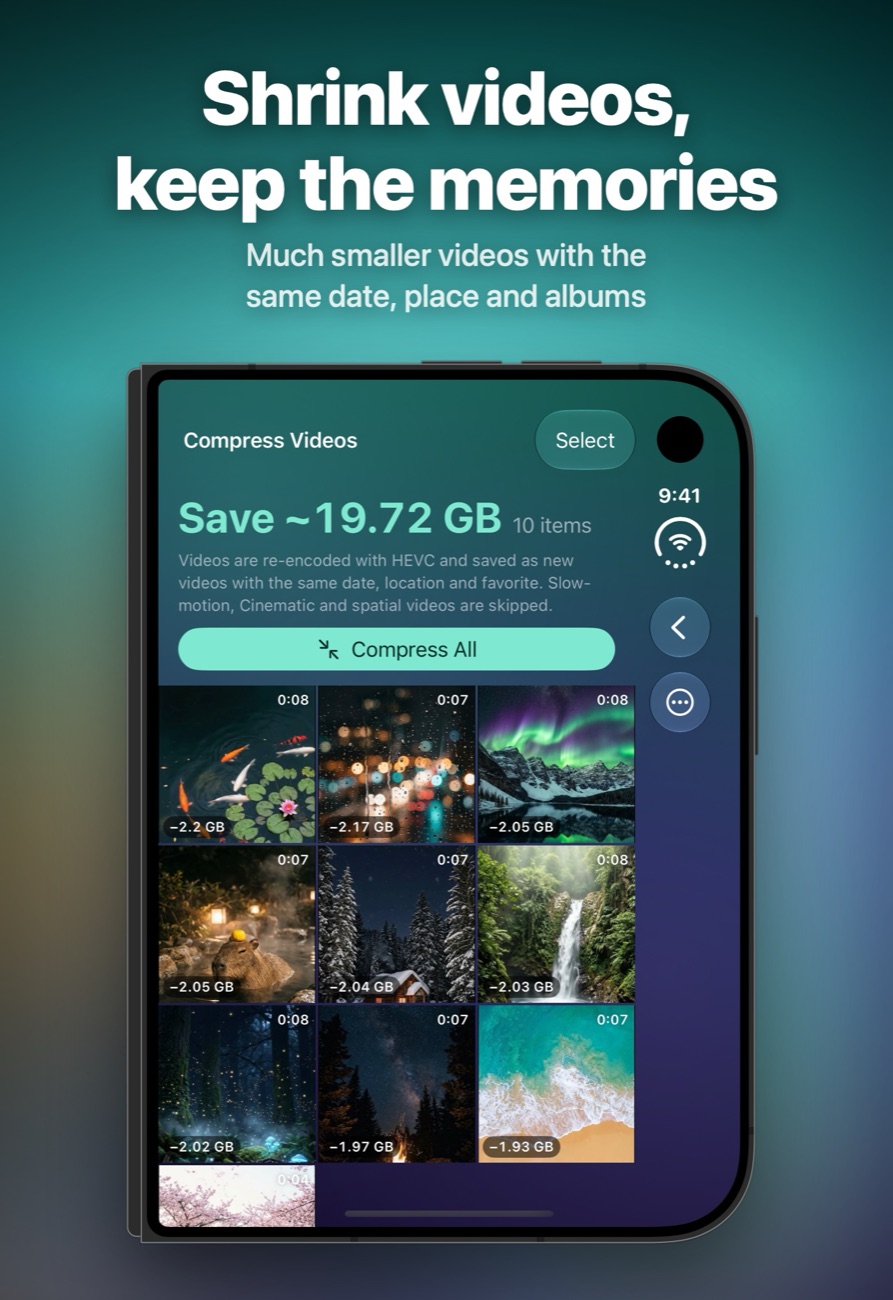
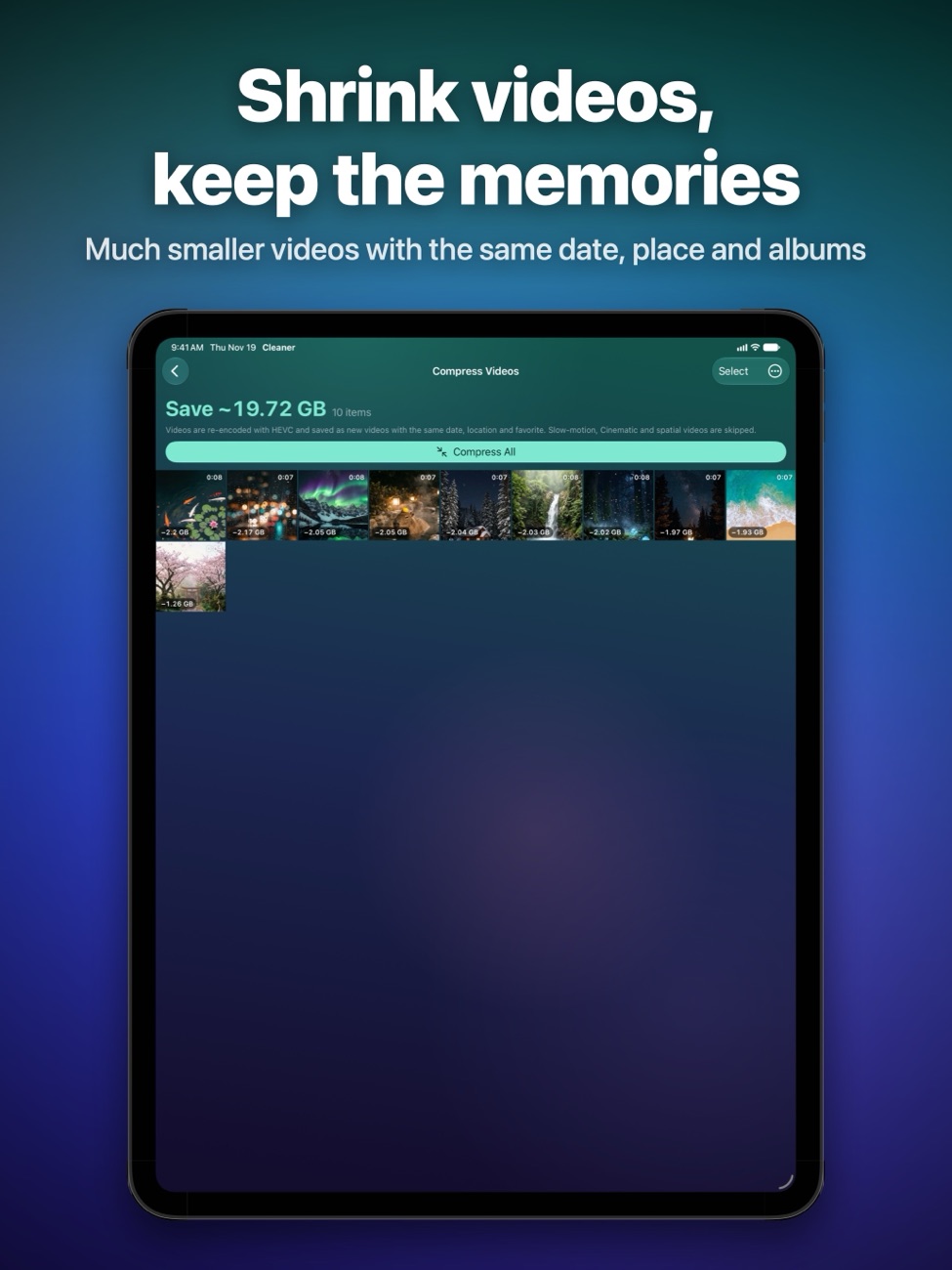
Shrink videos, keep the memories
Large videos are re-encoded with HEVC, often to less than half the size. The new copy keeps its date, location, favorite and albums.
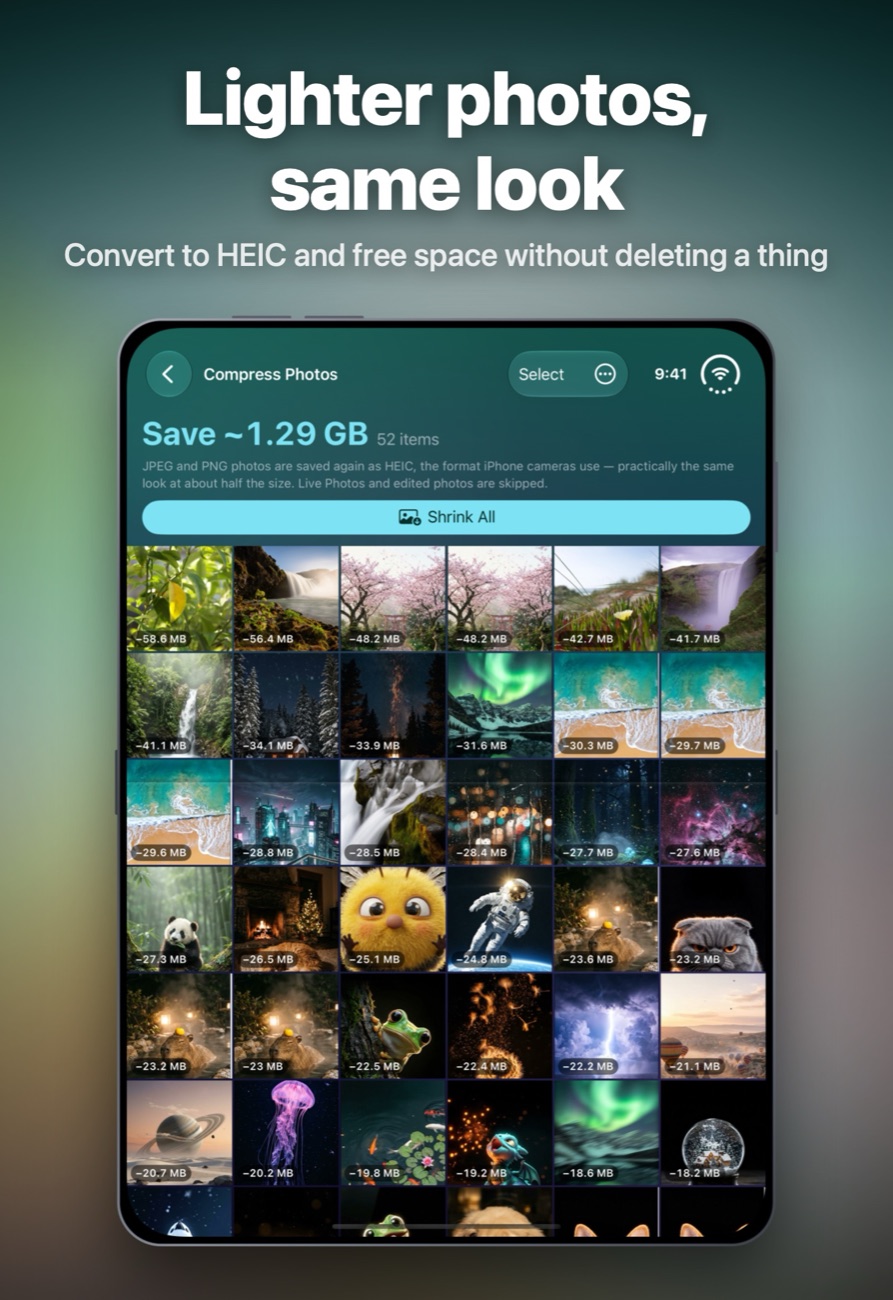
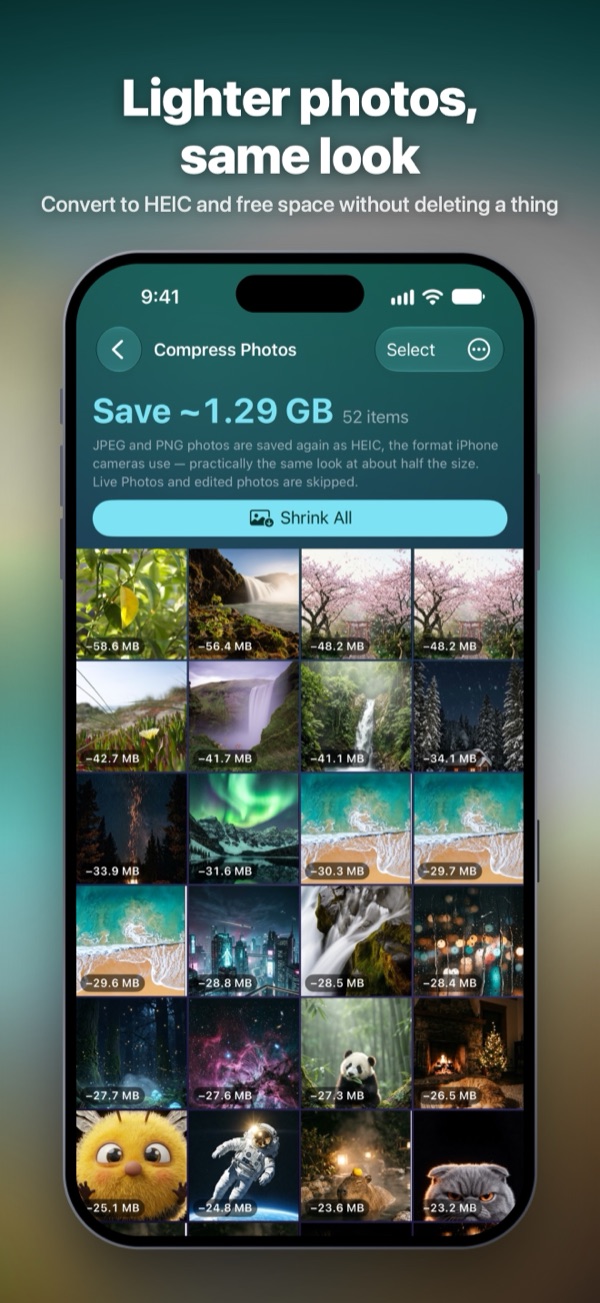
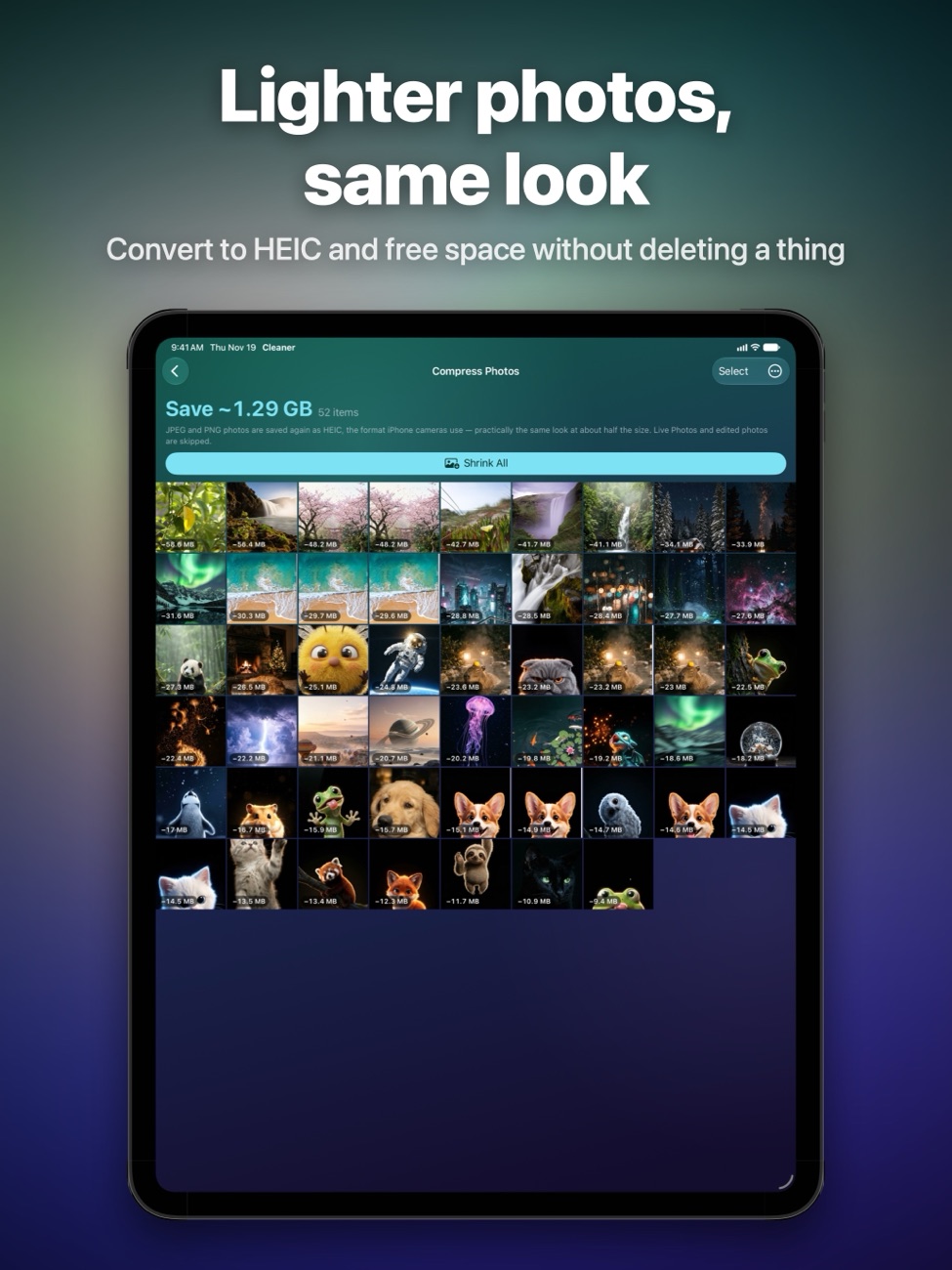
Lighter photos, same look
Convert JPEG and PNG photos to HEIC at about half the size, and turn Live Photos into stills when you don't need the motion.
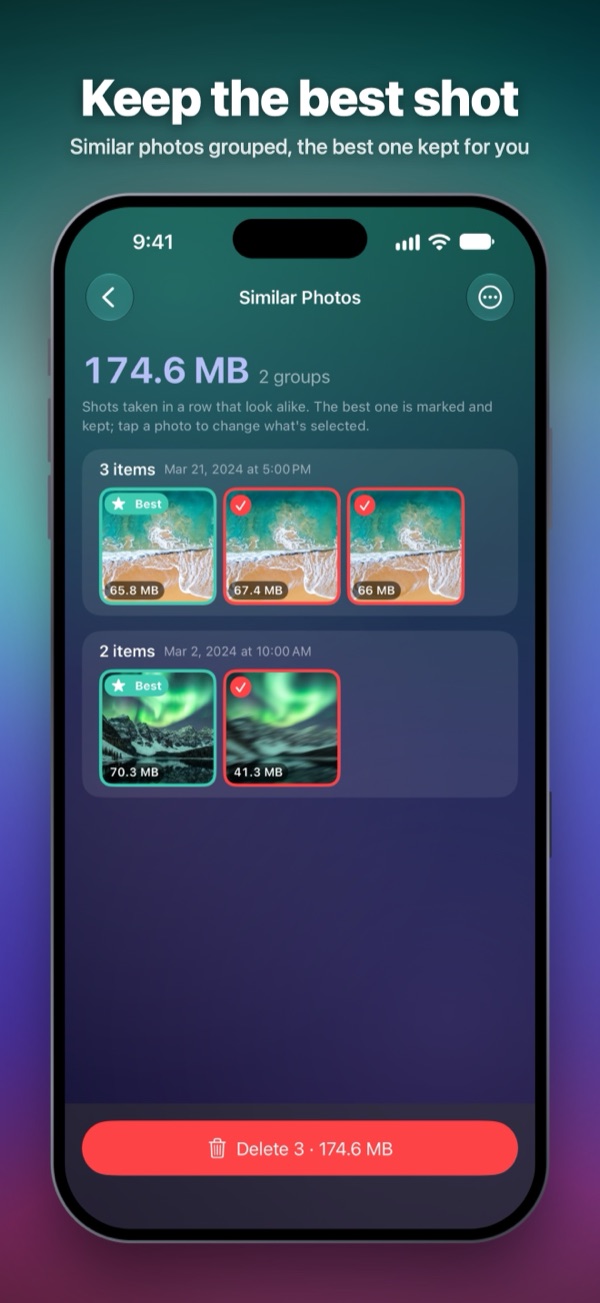
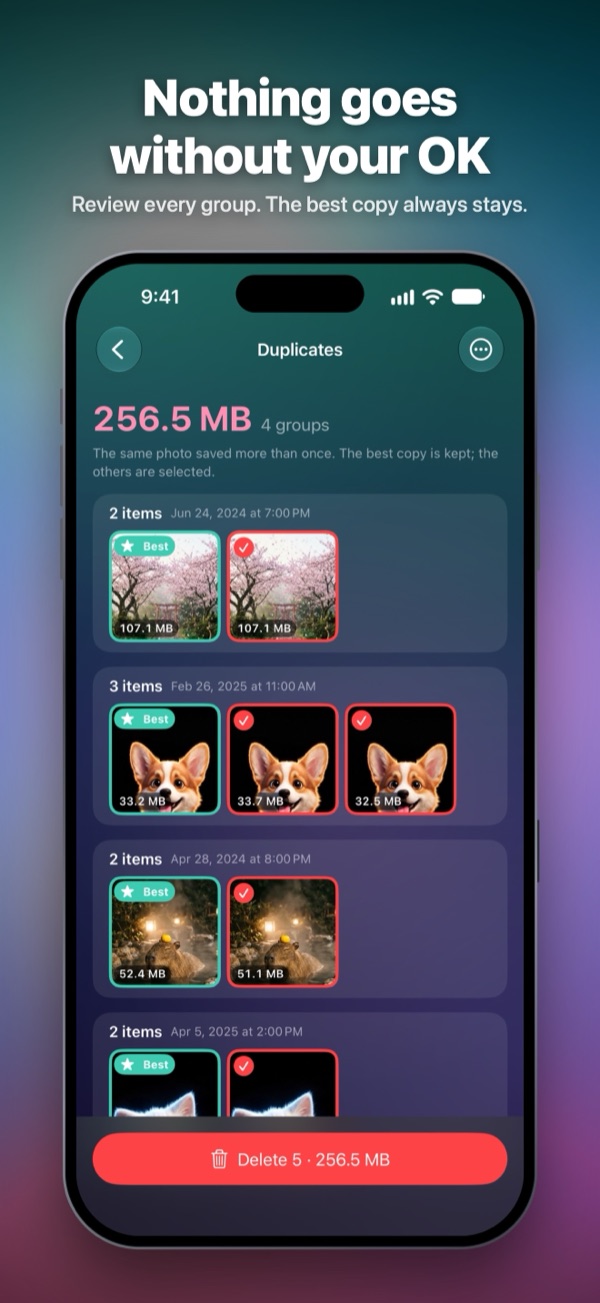
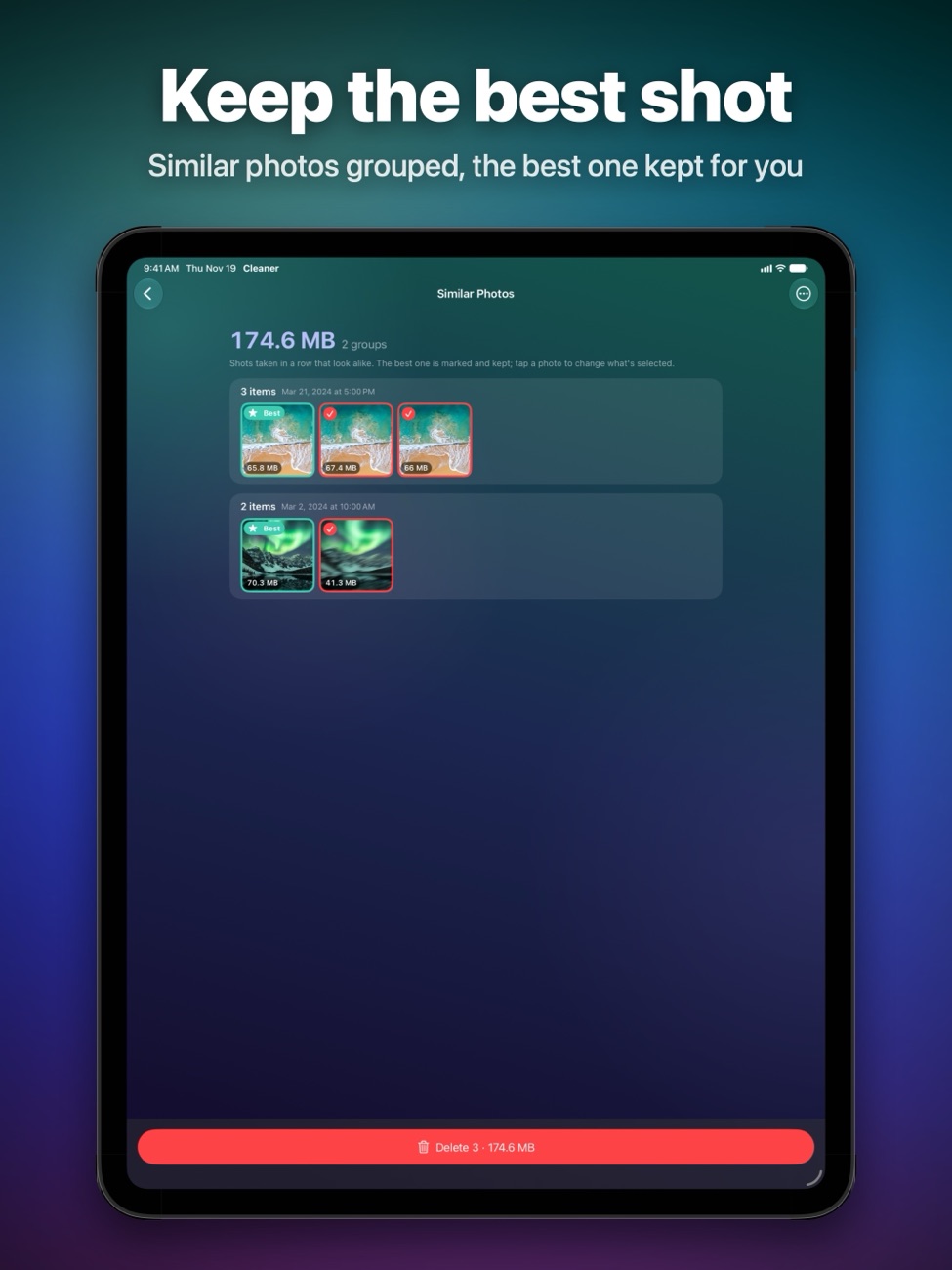
Duplicates and clutter
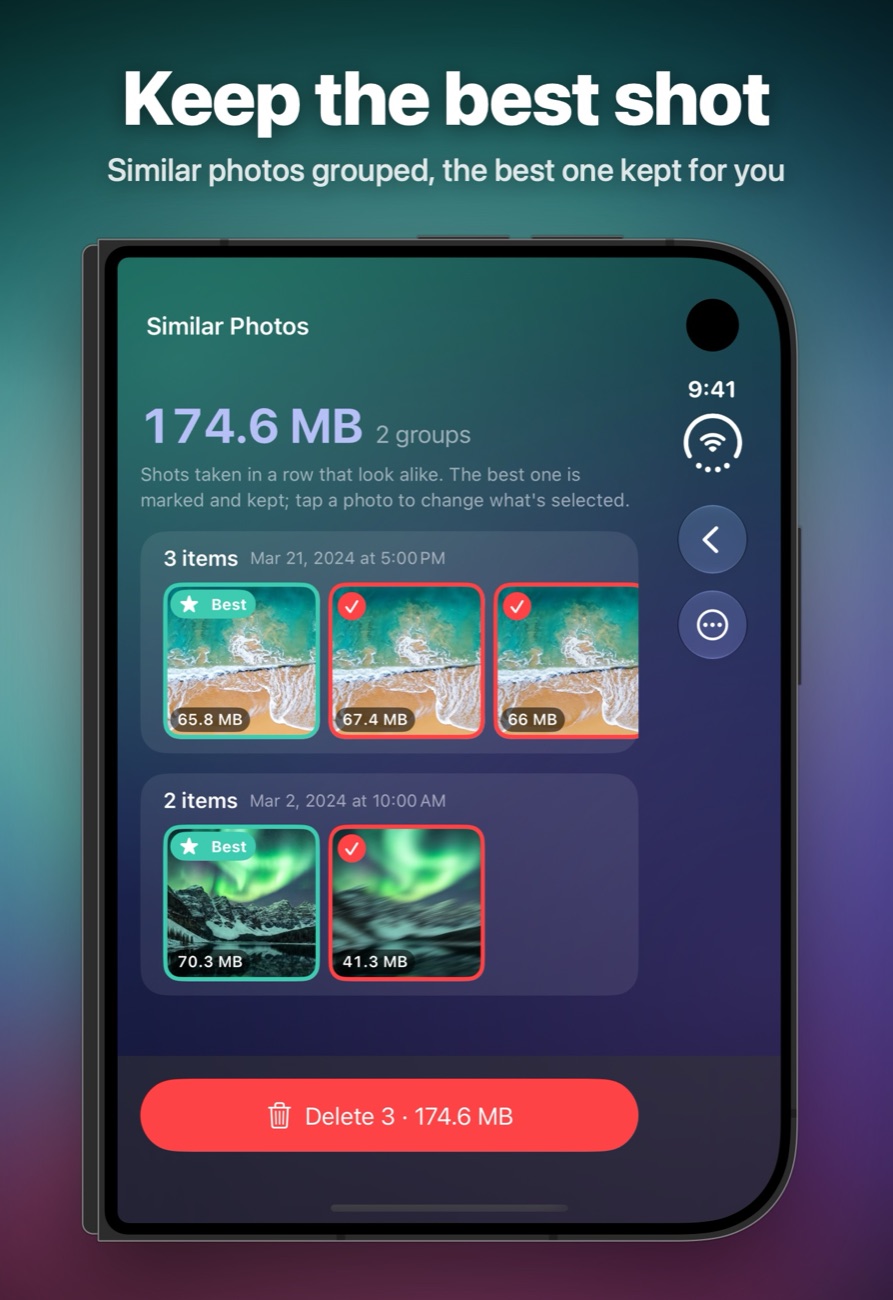
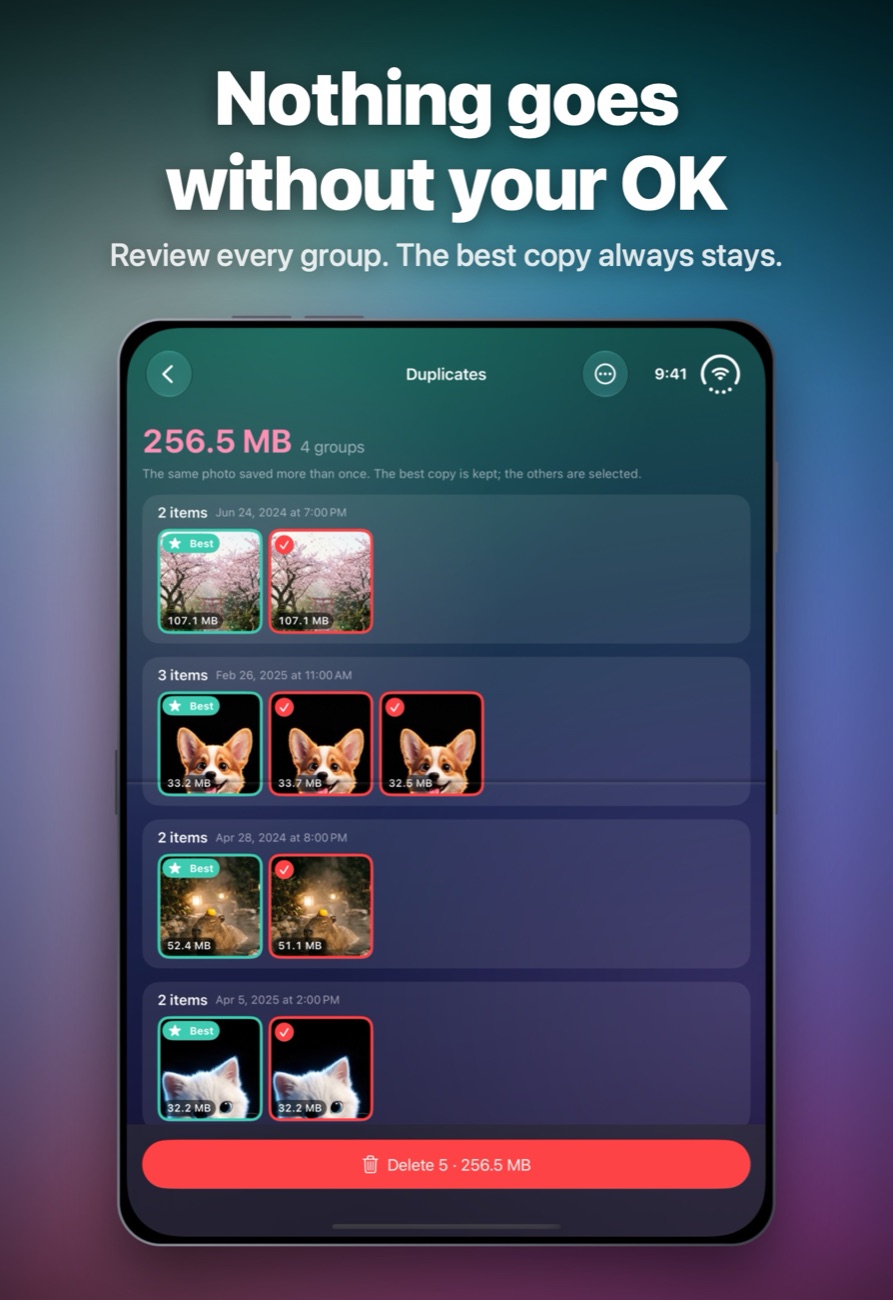
Duplicate photos, similar shots and unpicked burst frames, with the best one kept for you. Plus blurry and very dark photos, old screenshots and screen recordings.
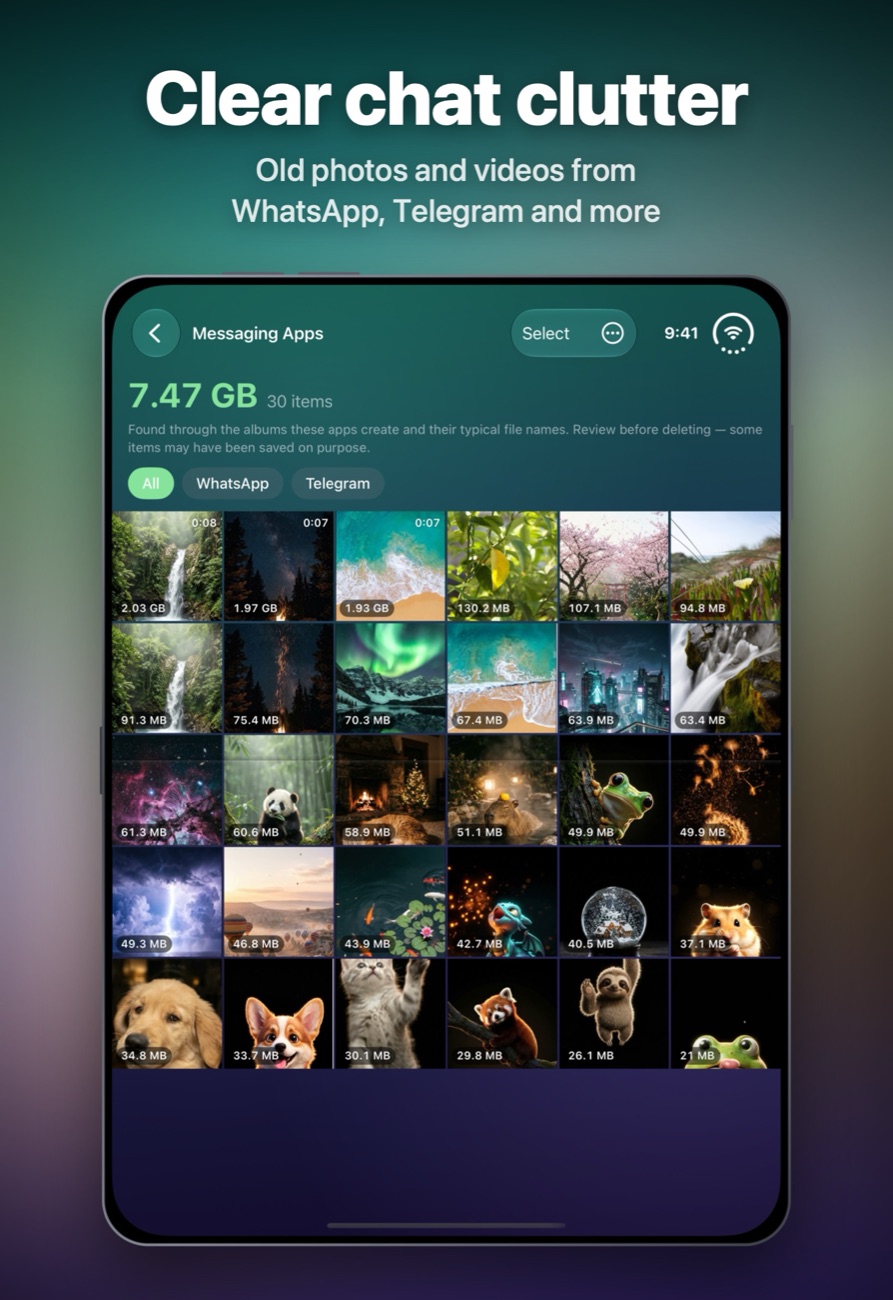
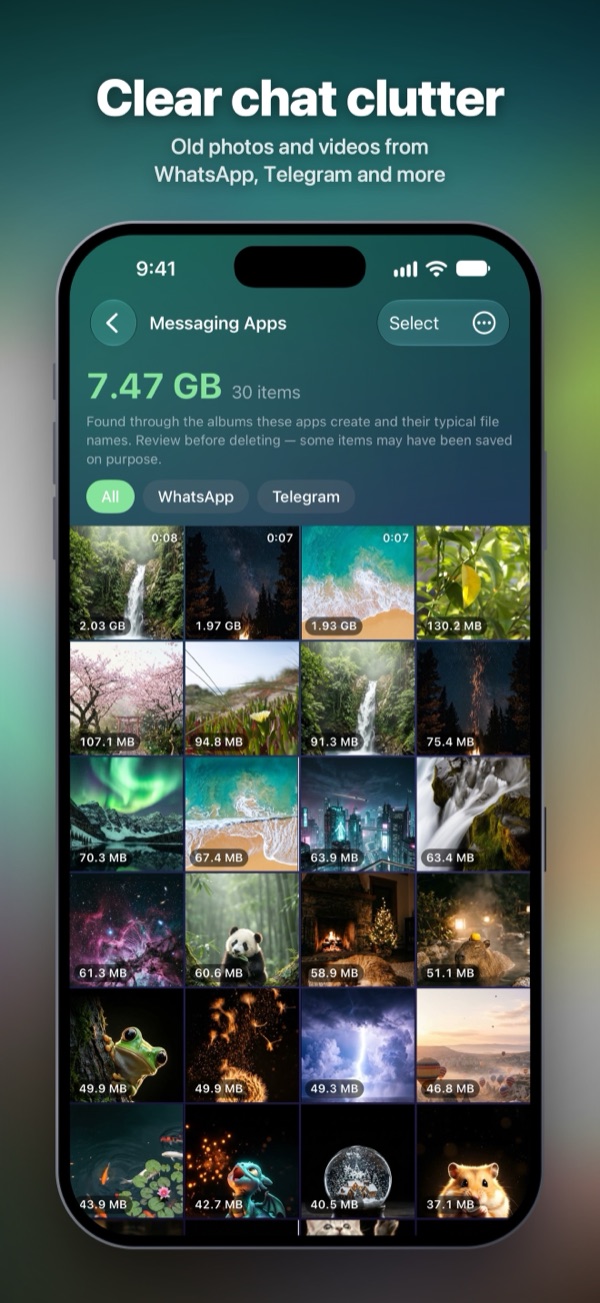
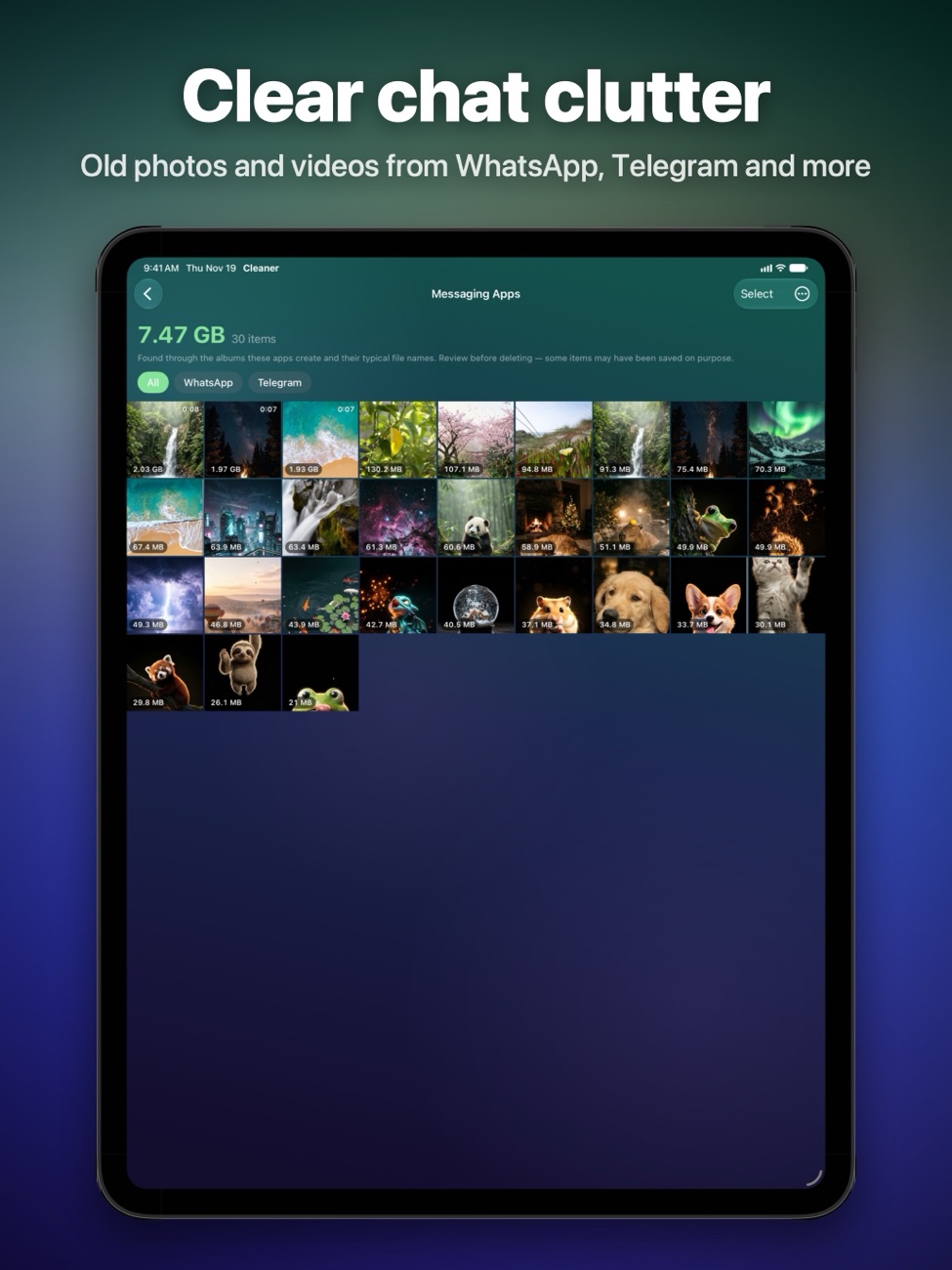
Clear chat clutter
Find old photos and videos saved from WhatsApp, Telegram and other messaging apps, and clear them in one go.
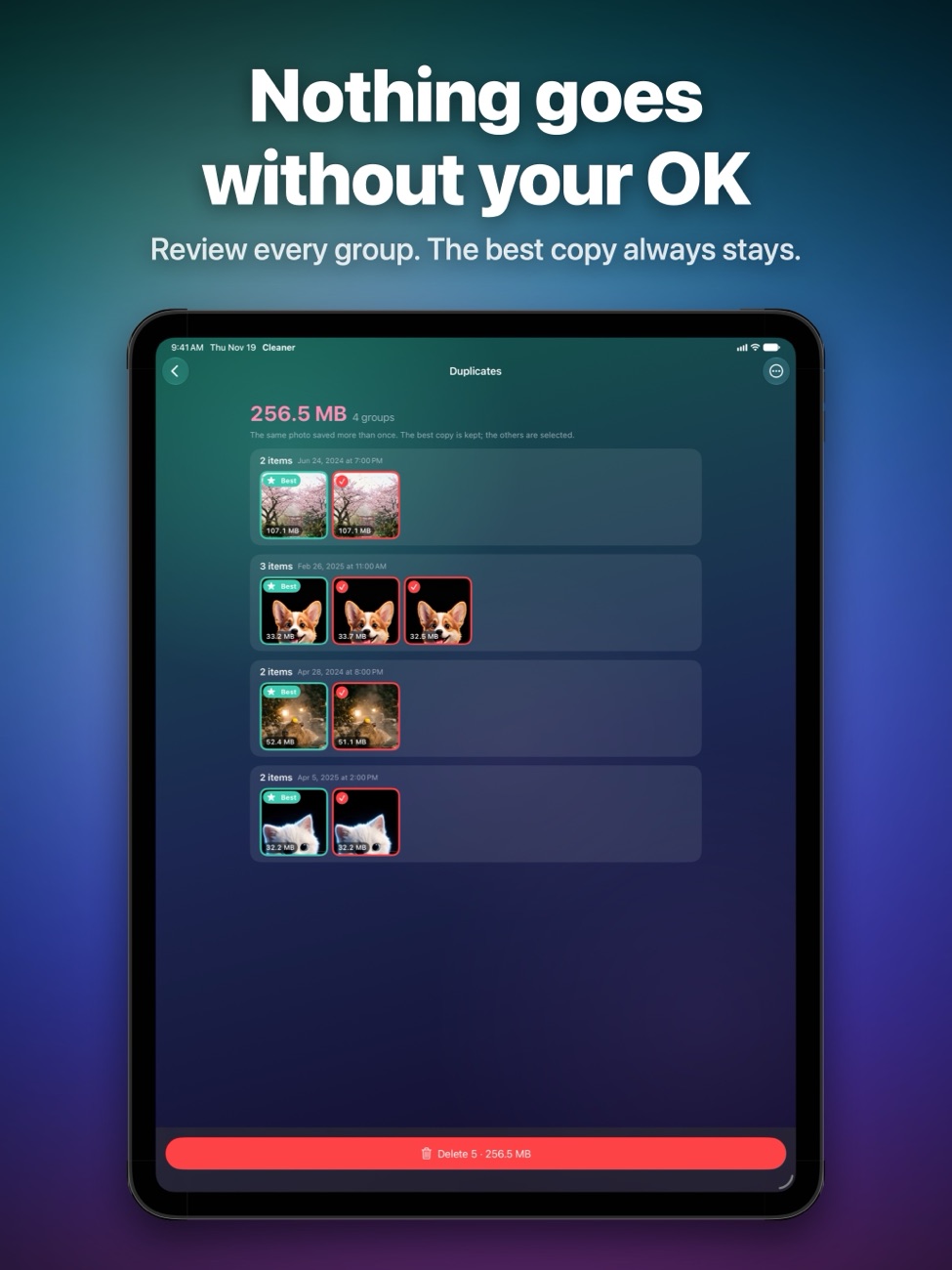
Nothing goes without your OK
Every group can be reviewed first. Favorites are never suggested, a Never Clean list protects what you always keep, and deleted items stay in Recently Deleted for 30 days.
Roomly for Mac
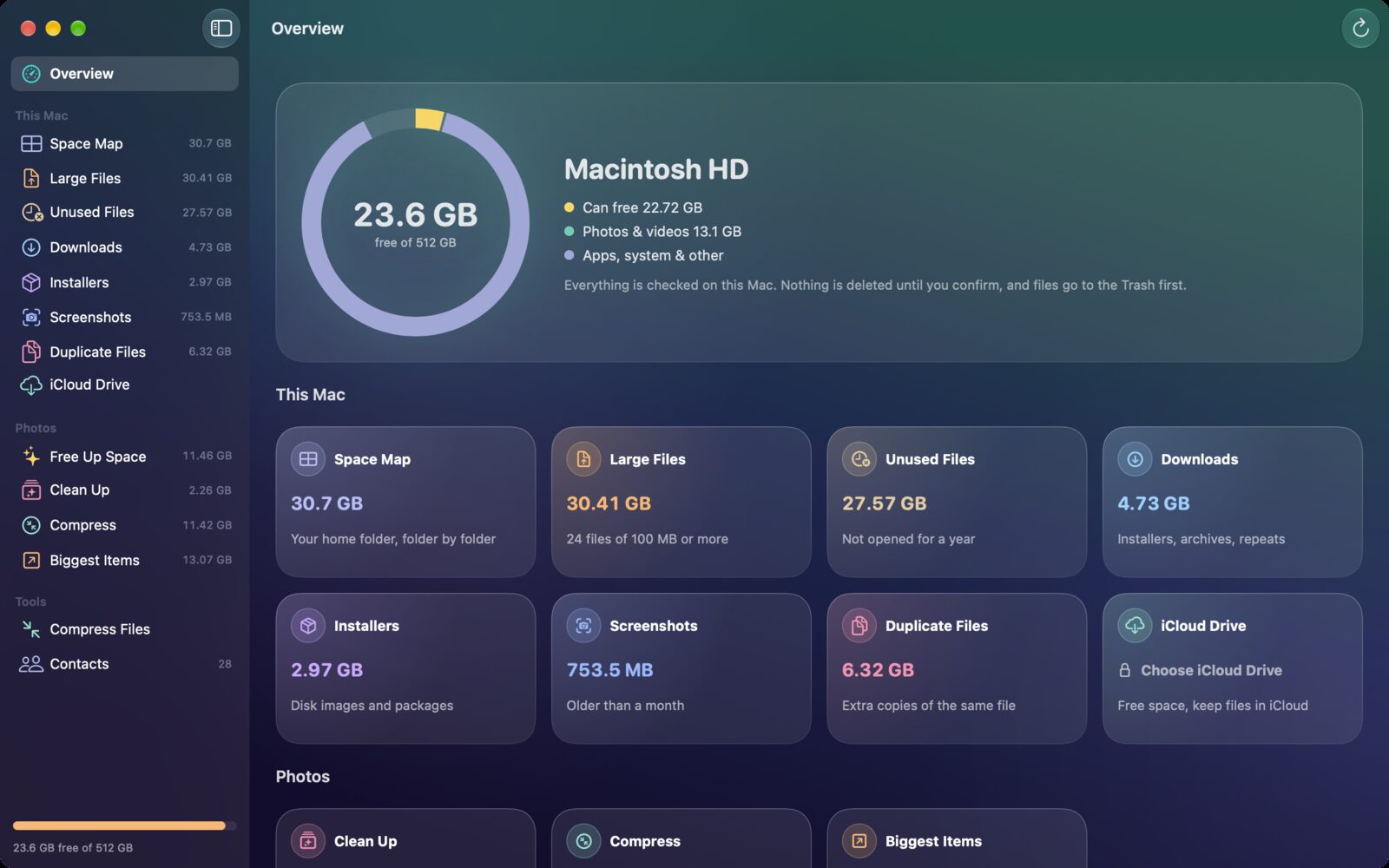
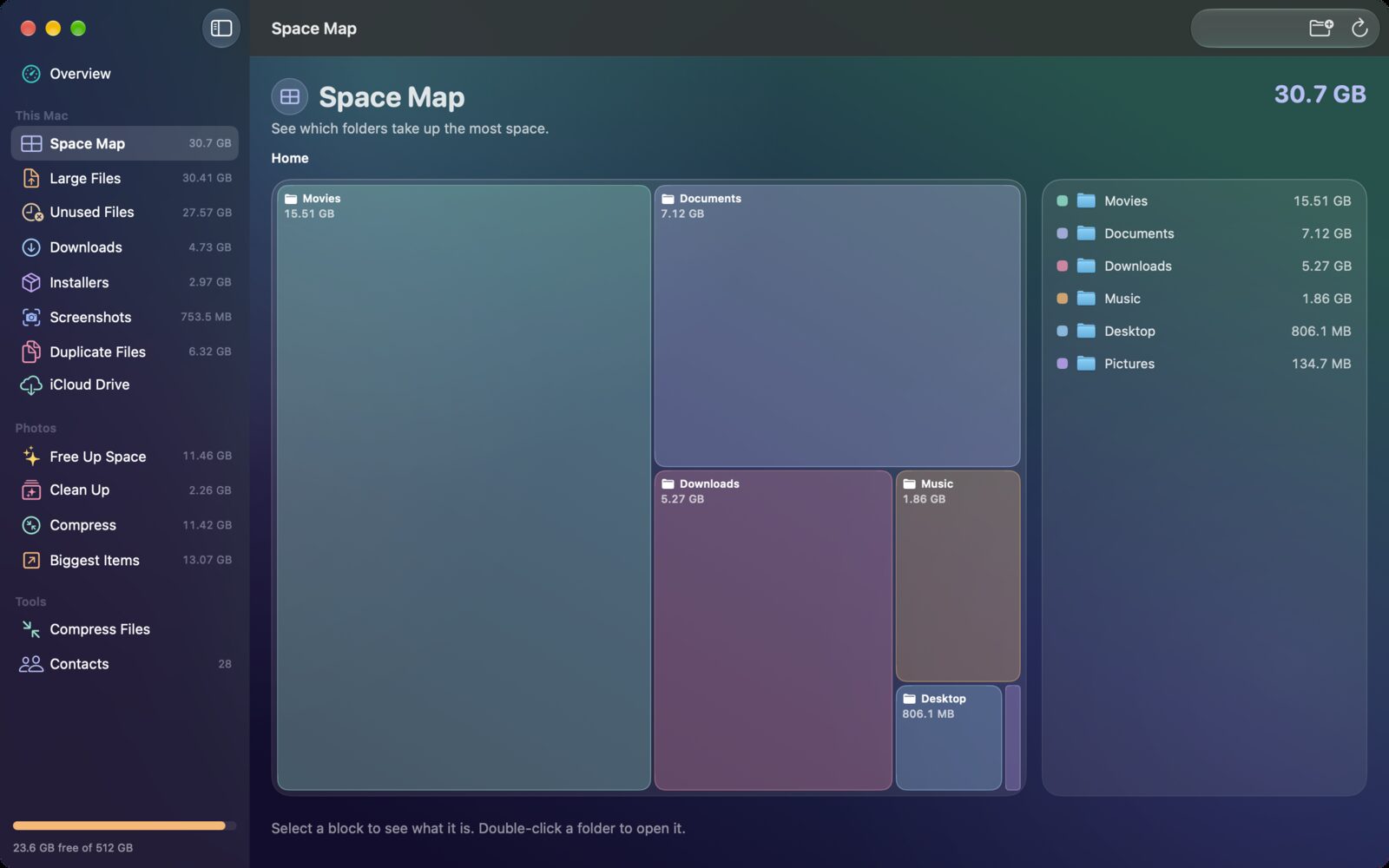
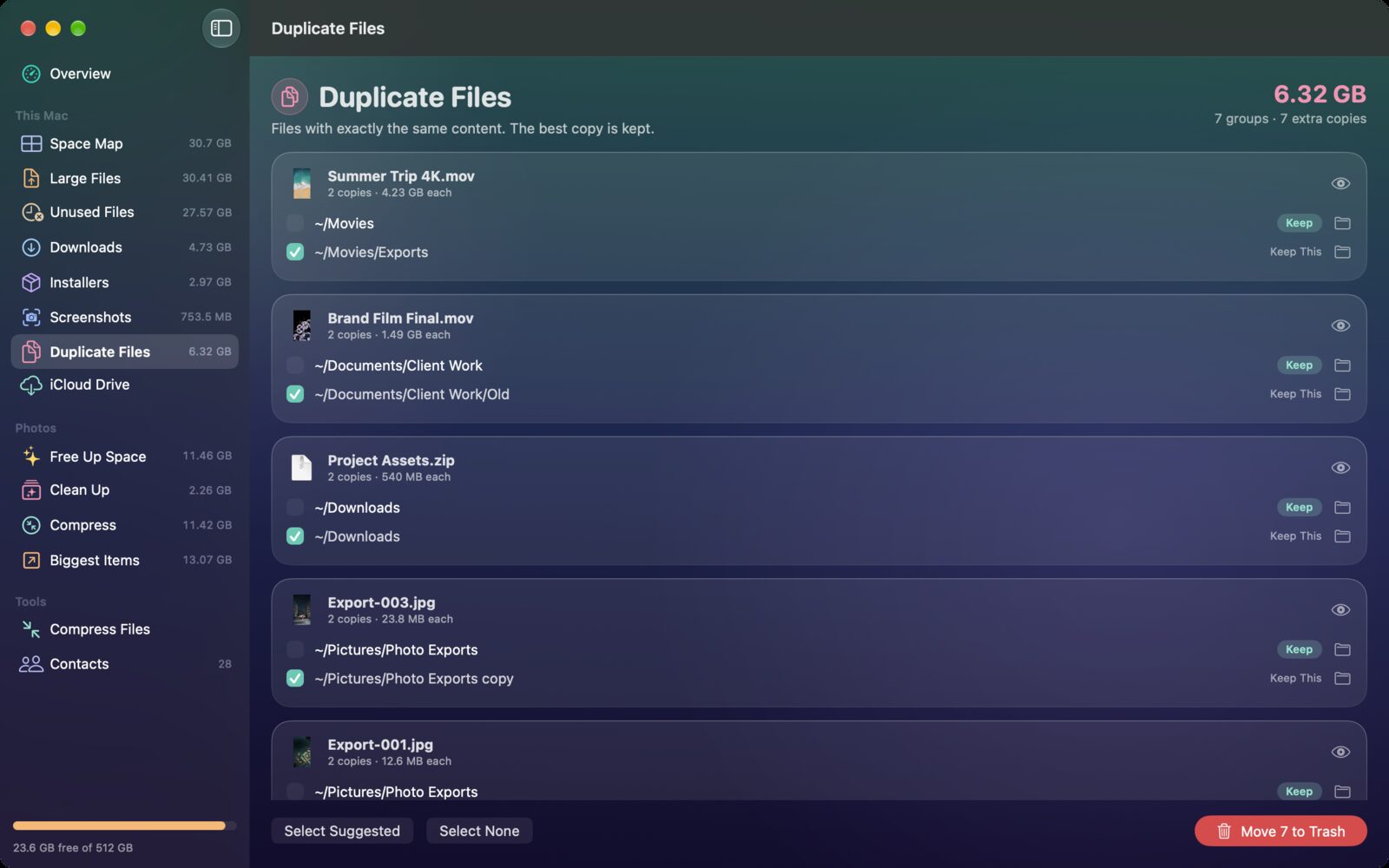
Roomly now has a Mac app too. It maps what fills your disk, finds big, forgotten and duplicate files, and cleans your Photos library, all on your Mac. Nothing is deleted until you confirm, and files go to the Trash first.
Coming soon to the Mac App StoreFree to download: see everything and free up to 3 GB. Pro for Mac is a separate one-time $4.99 purchase, with no subscription.
- Space MapSee which folders fill your Mac, block by block, and double-click any folder to look inside.
- Big and forgotten filesFiles of 100 MB or more, files you haven't opened for a year, installers, disk images and repeated downloads.
- Duplicate filesFiles with exactly the same content, with the best copy kept. Copies inside projects and apps are never ticked for you.
- Compress filesDrop videos and photos onto Roomly: videos become HEVC and photos HEIC, keeping their names and dates.
- Photos and contactsThe same photo clean-up, compression and contact tools as on iPhone, for the Photos library on your Mac.
- iCloud Drive and menu barRemove local copies of files that are safe in iCloud, and get an alert from the menu bar when your disk is almost full.
Screenshots
Roomly on iPhone Duo, iPhone and iPad.
Is it right for you?
An honest look at who Roomly is made for.
Great for
- A full iPhone that won't take updates or photos
- Shrinking big videos without losing them
- Clearing duplicates and WhatsApp clutter
- Backing up contacts before switching phones
Look elsewhere if you need
- Cleaning iCloud Photos on the web or other devices
- Deleting without reviewing (it always asks)
Details
- Developer
- Sensonet
- Price
- Free
- Category
- Productivity
- Version
- 2.0 · updated 2026-06-15
- Requires
- iOS 17.0 or later
- Languages
- 2
- Size
- 4 MB
- Age rating
- 4+
Privacy
Roomly works on your device. Your photos, videos, contacts and calendars are never uploaded to us, and there are no ads, accounts or analytics.
Questions
How do I free up storage on my iPhone without deleting photos?
Compress instead of deleting. Roomly re-encodes large videos with HEVC, often to less than half the size, and converts JPEG and PNG photos to HEIC at about half the size. The new copies keep their date, location, favorite status and albums.
How do I delete duplicate photos on iPhone?
Open Clean Up in Roomly. It groups duplicate photos, similar shots and unpicked burst frames, marks the best one to keep, and lets you review each group before anything is deleted.
How do I clear WhatsApp photos and videos from my iPhone?
Roomly finds old photos and videos saved to your library from WhatsApp, Telegram and other messaging apps, so you can review and clear them together.
Is Roomly free?
Roomly is free to download. You can see everything and free up to 1 GB in total for free. Roomly Pro is a one-time $2.99 purchase, not a subscription, that removes the limit and unlocks the contact and calendar tools.
Is it safe? Can I undo a deletion?
Nothing is deleted without your confirmation, favorites are never suggested, and deleted items stay in the Photos Recently Deleted album for 30 days, so you can recover them.
What happened to My Contacts Editor?
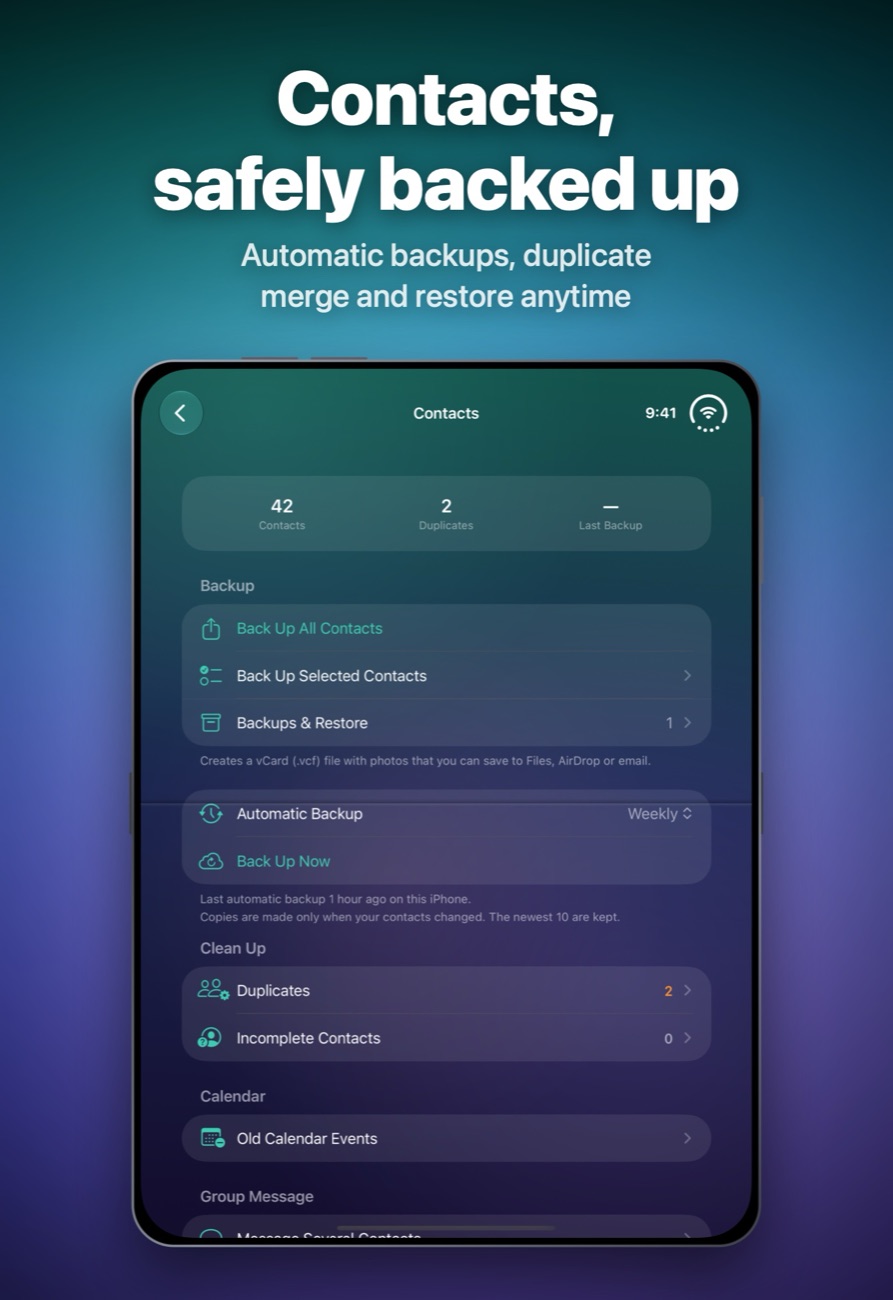
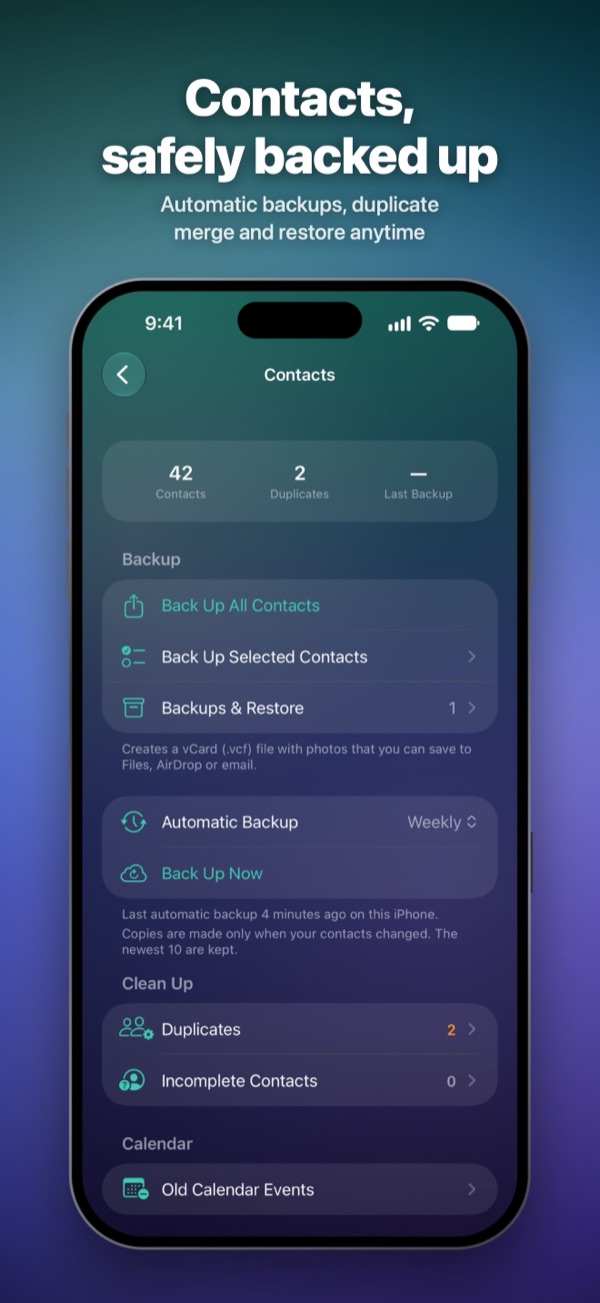
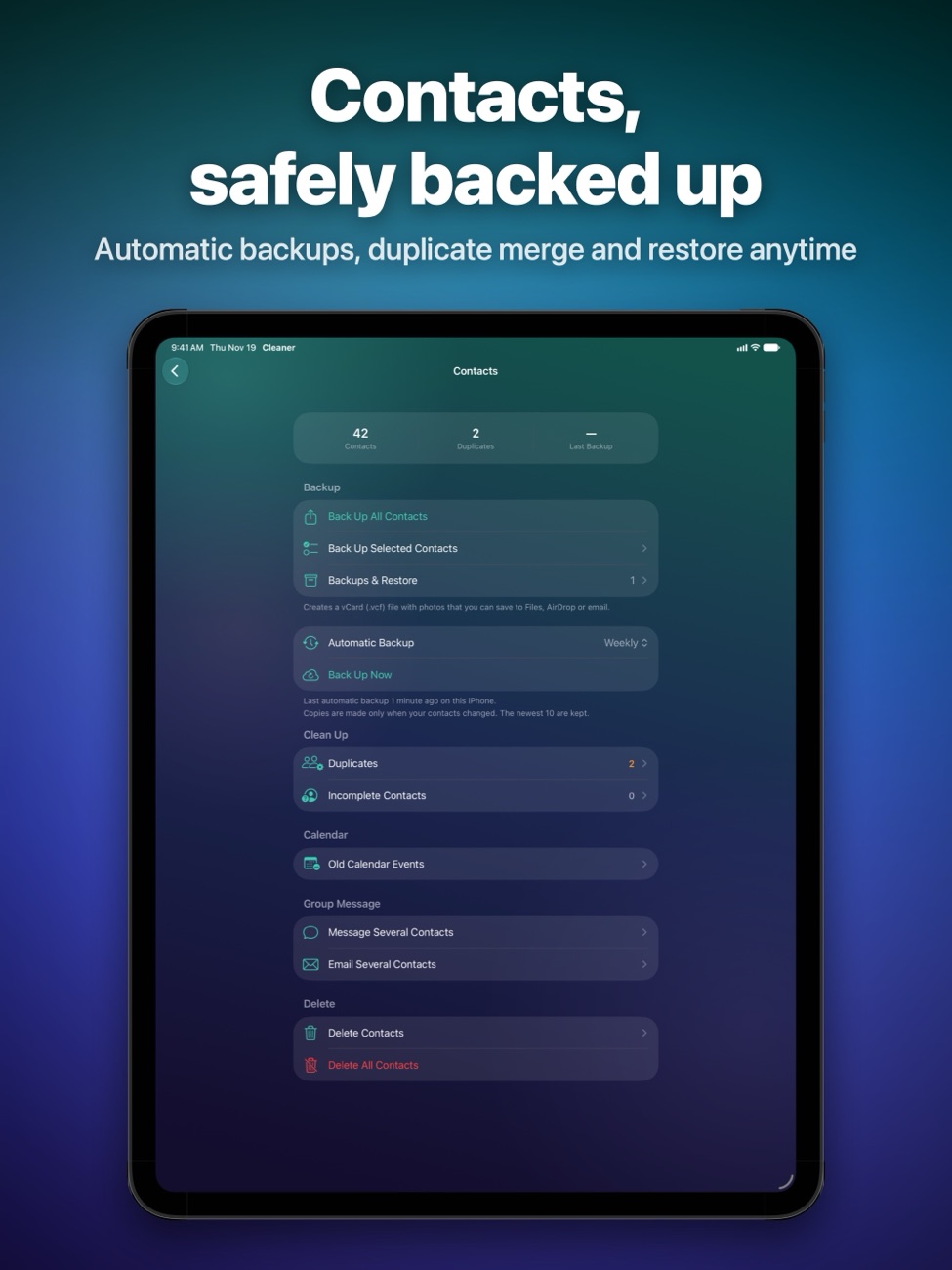
It became Roomly. The contact tools are still here: backups, automatic iCloud Drive backups, restore, duplicate merge and group messages. If you used My Contacts before, you keep the contact tools for free.
Is there a Roomly app for Mac?
Yes, Roomly for Mac is coming soon to the Mac App Store. It maps what fills your disk, finds large, unused and duplicate files, compresses videos and photos, and cleans your Photos library. It needs macOS 14 or later, frees up to 3 GB for free, and Pro for Mac is a separate one-time purchase.
How do I back up my iPhone contacts?
In Roomly's Contacts section, back up all or selected contacts as a vCard file with photos, then save it to Files, AirDrop it or email it. Pro users can also turn on automatic backups to iCloud Drive.
More apps from Sensonet


Roomly privacy policyPrivacy Policy — Roomly · Effective date: 19 November 2026
In short: Roomly does its work on your iPhone or iPad. Your photos, videos, contacts and calendars are never uploaded to us, and we don’t collect any personal data. There are no accounts, ads, analytics or tracking.
This policy covers Roomly: Phone Storage Cleaner (formerly My Contacts) for iPhone and iPad, published by Sensonet (“we”, “us”).
Information we collect
None. Roomly has no sign-in and contains no advertising, analytics, crash-reporting or tracking software. We do not run servers that receive data from the app, so we never receive your photos, videos, contacts, calendar events, device identifiers or usage data.
Permissions the app asks for
- Photos: to show what takes up space and to find large videos, duplicate and similar photos, burst frames, blurry or dark photos, screenshots, screen recordings and media saved from messaging apps. Photos are analysed on your device using Apple’s built-in frameworks. With your confirmation, Roomly saves compressed or converted copies to your library and deletes the items you choose.
- Contacts: to back up your contacts as a vCard file, restore them, find and merge duplicates, fix incomplete contacts and help you message or email the people you pick.
- Calendars: to find old one-off events you may want to clear. A copy of the events (.ics file) is saved on your device before anything is deleted.
Each permission is requested through the standard iOS prompt. You can change or revoke it at any time in Settings, and the features that don’t need it keep working.
Deleting and changing your items
Roomly never deletes or changes anything without your confirmation. Items you delete go to the Recently Deleted album in Photos, where iOS keeps them for 30 days. Favorites are never suggested for deletion, and you can add items to a Never Clean list.
Backups
Contact backups and calendar copies are saved in the app’s own folder on your device. If you turn on automatic backups and iCloud Drive is enabled, contact backups are saved to Roomly’s folder in your iCloud Drive, under your Apple Account and Apple’s privacy policy. Otherwise they stay on your device. A backup leaves your devices only if you choose to share it, for example with AirDrop, Mail or Files.
Messages and emails
When you message or email a group, Roomly opens Apple’s standard Messages or Mail screen with the recipients filled in. You review and send it yourself; we never see it.
Information stored on your device
To work, Roomly keeps your settings, your Never Clean list, a record of space it has freed, scan results and its backups on your device. The amount of space freed with the free allowance is kept in the device’s secure keychain so that the allowance isn’t reset by reinstalling. None of this is sent to us. Deleting the app removes its data from your device, except backups you saved to iCloud Drive or elsewhere.
Purchases
Roomly Pro is a one-time in-app purchase handled by Apple. We do not receive your payment details. To recognise people who used My Contacts before, the app checks settings left on the device by the earlier version; this check happens on the device.
Children
Roomly does not collect personal information from anyone, including children.
Changes to this policy
If the app’s data practices change, we will update this policy and its effective date before the change takes effect.
Contact
Questions about this policy or your privacy can be sent to info@theappverdict.com. If you email us, we receive your email address and whatever you choose to write, and we use it only to reply.
Published by Sensonet, the developer of Roomly. This page is the current version of the policy.