 Brick Builder · Photo to brick model, with instructions
Brick Builder: Photos into
brick builds.
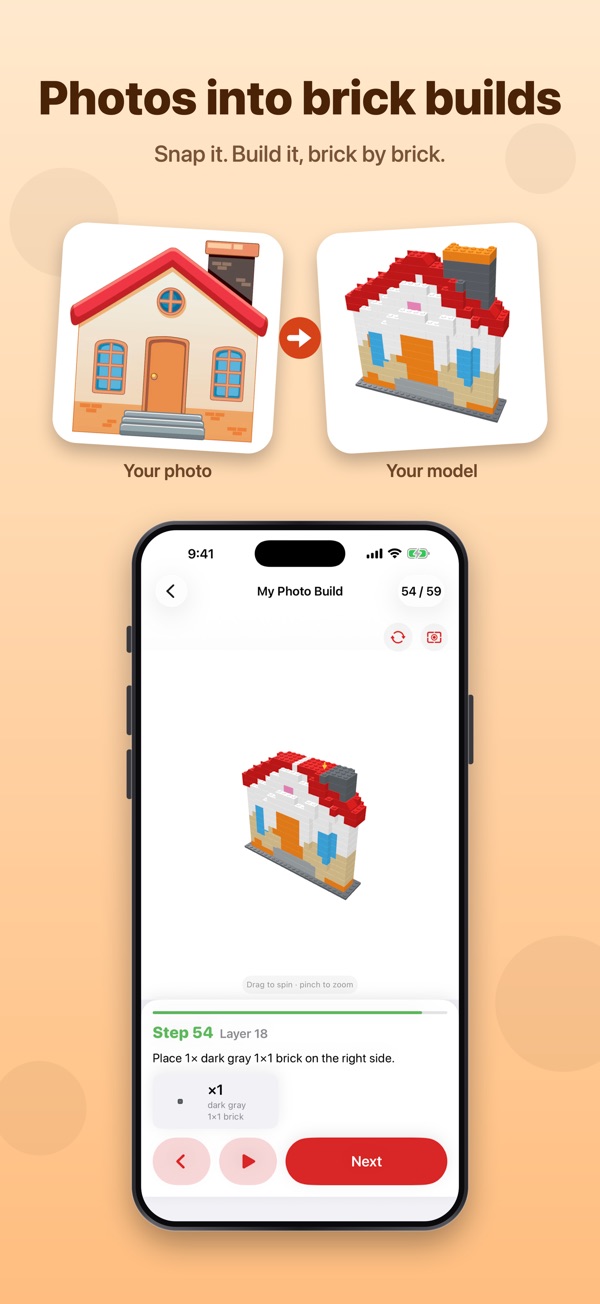
Take a clear photo of a toy, a pet or a car and get a simplified brick model with animated 3D instructions and a parts list.
From photo
to build night.
A starting point for your next build, or a use for the pile of bricks you already own.
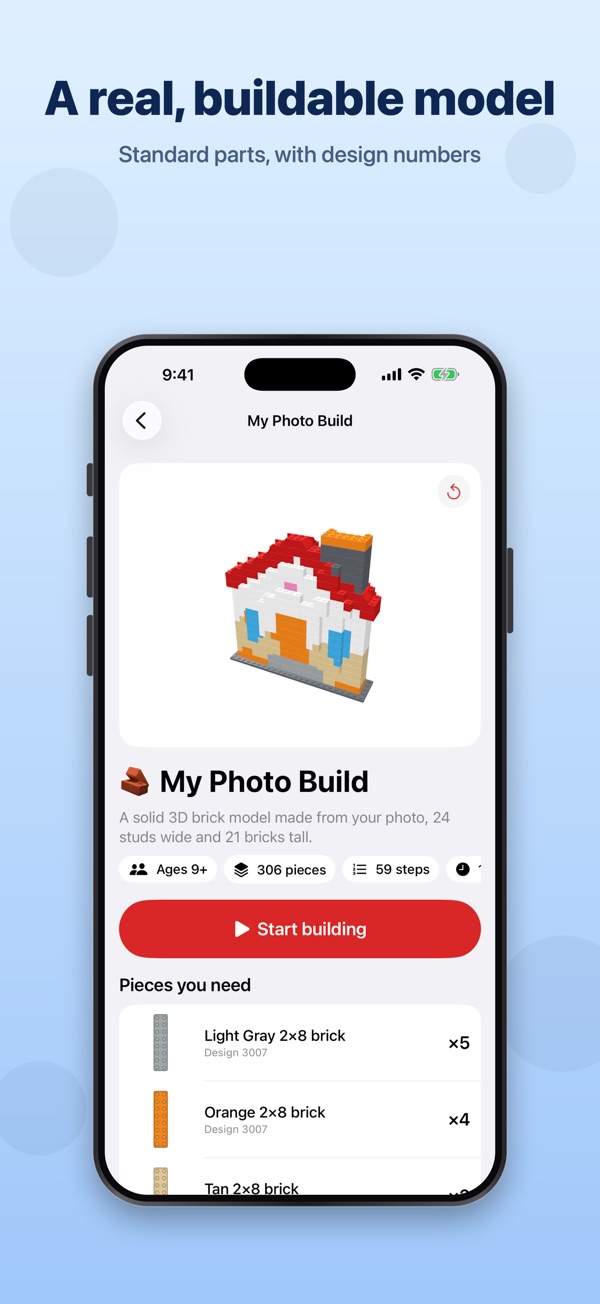
Build from a photo
Choose a solid 3D model, a standing figure or a flat mosaic. Use one clear image, or add front and side photos to guide the shape.
Car display models
Sports car, rally car, SUV or open-wheel racer, coloured from your photo.
What can I build?
Photograph your loose bricks to estimate what you have, then see which builds match and what's missing.
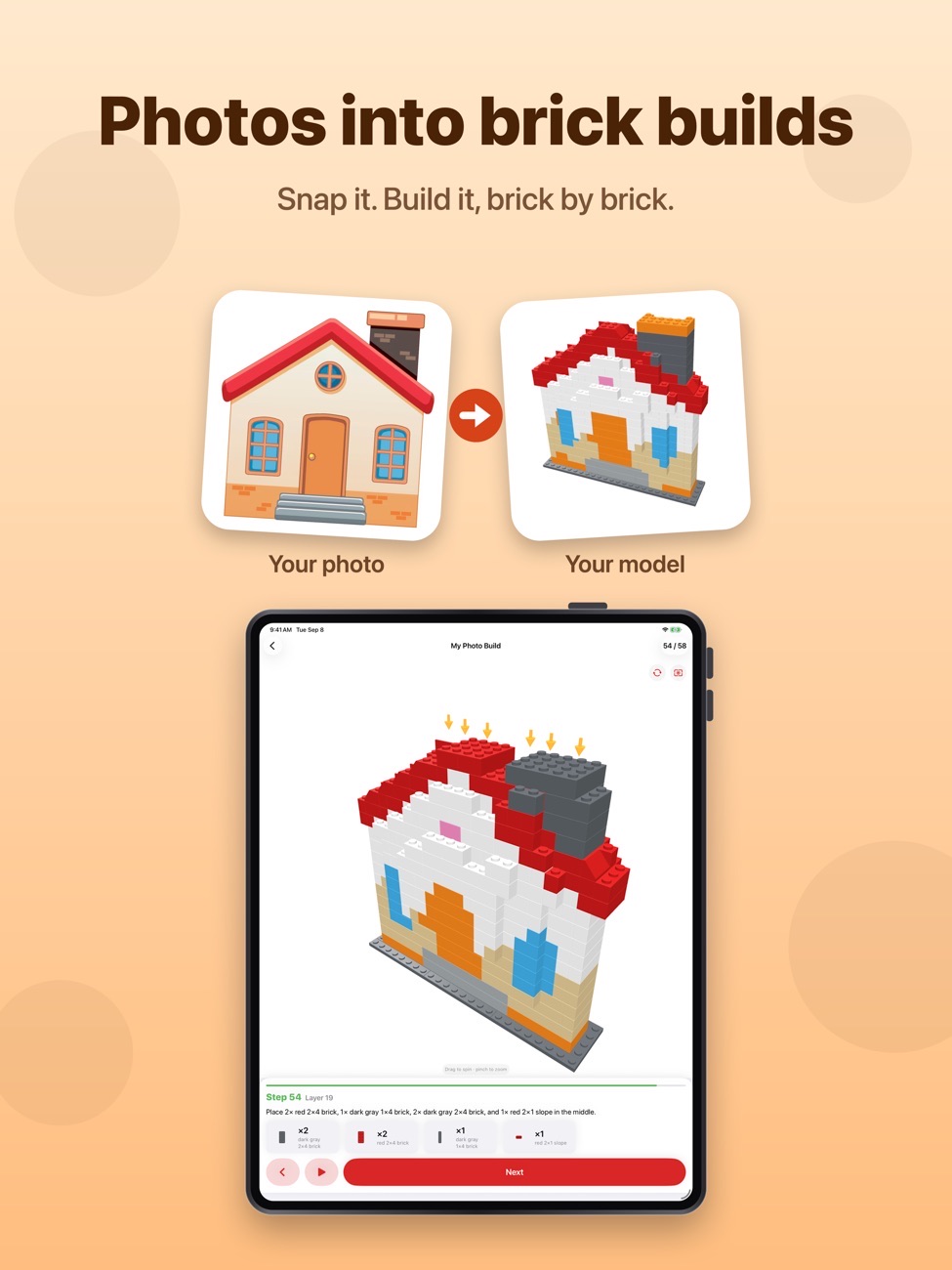
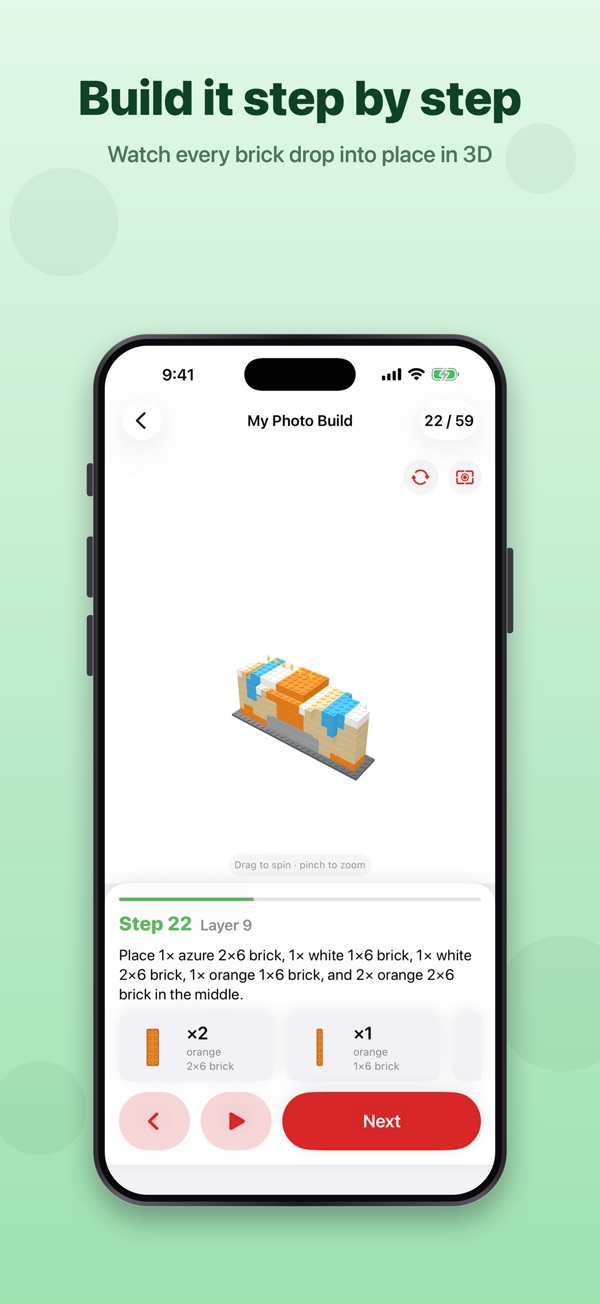
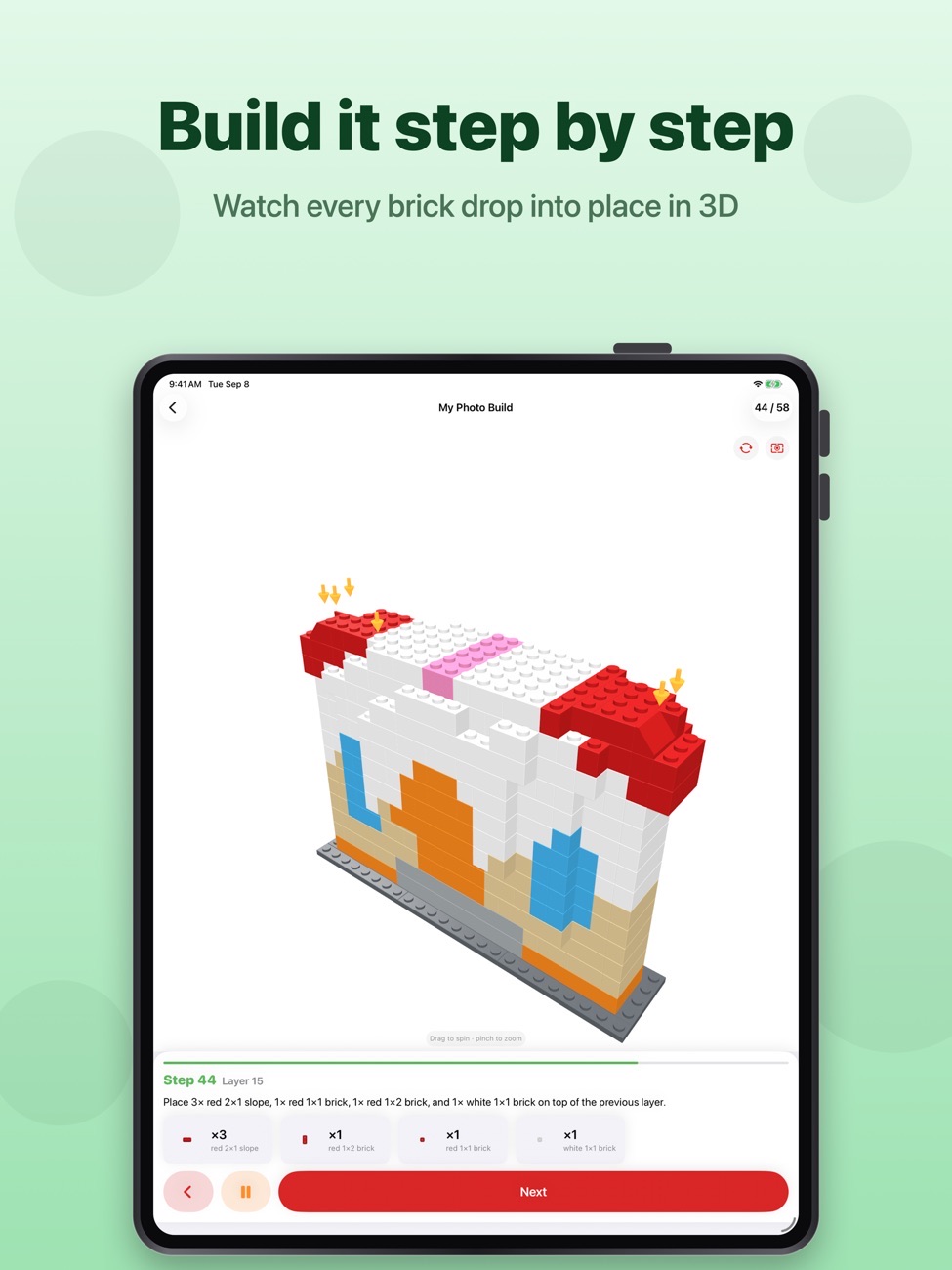
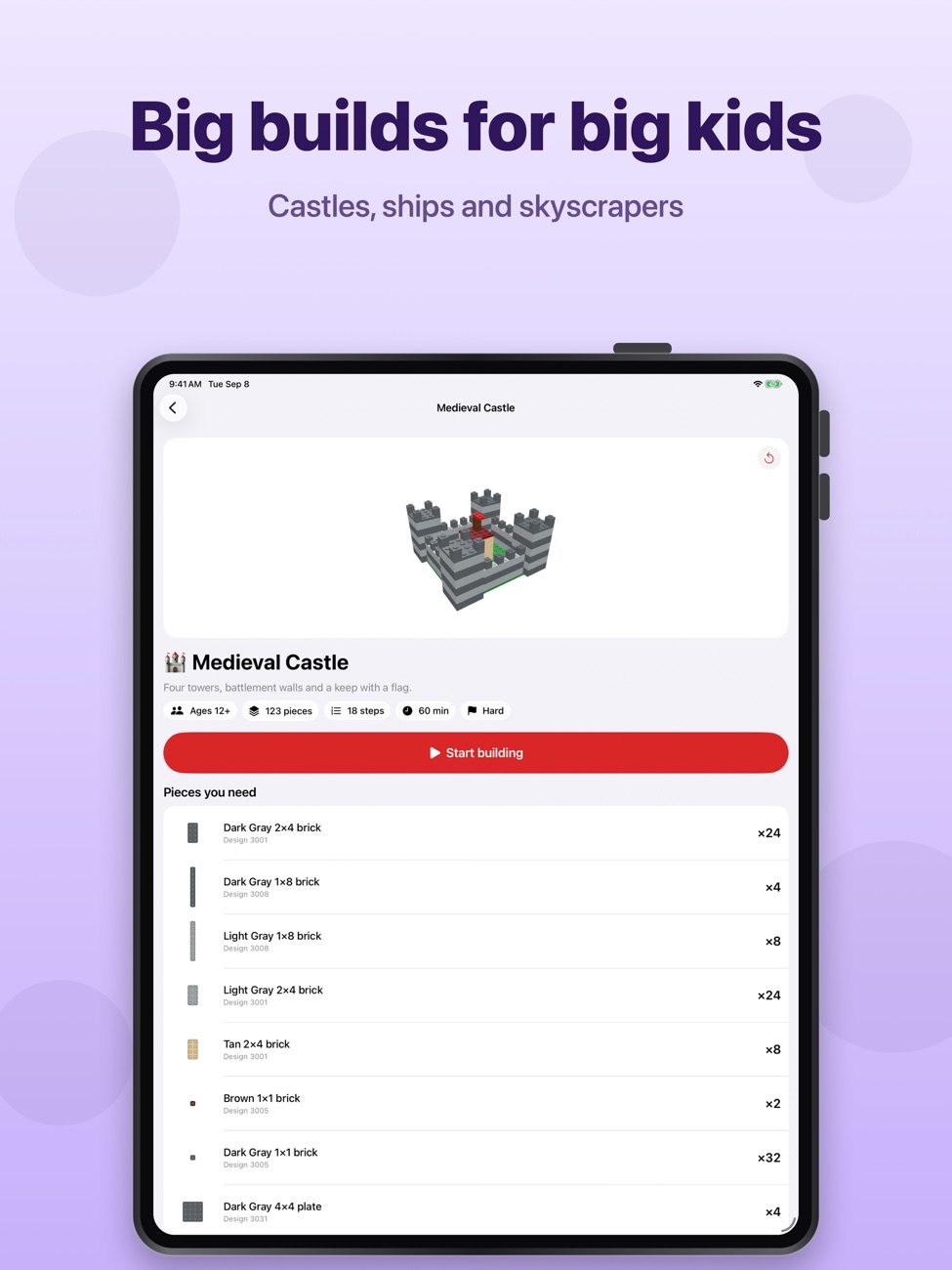
Animated 3D instructions
Rotate and zoom the model and follow each placement step by step.
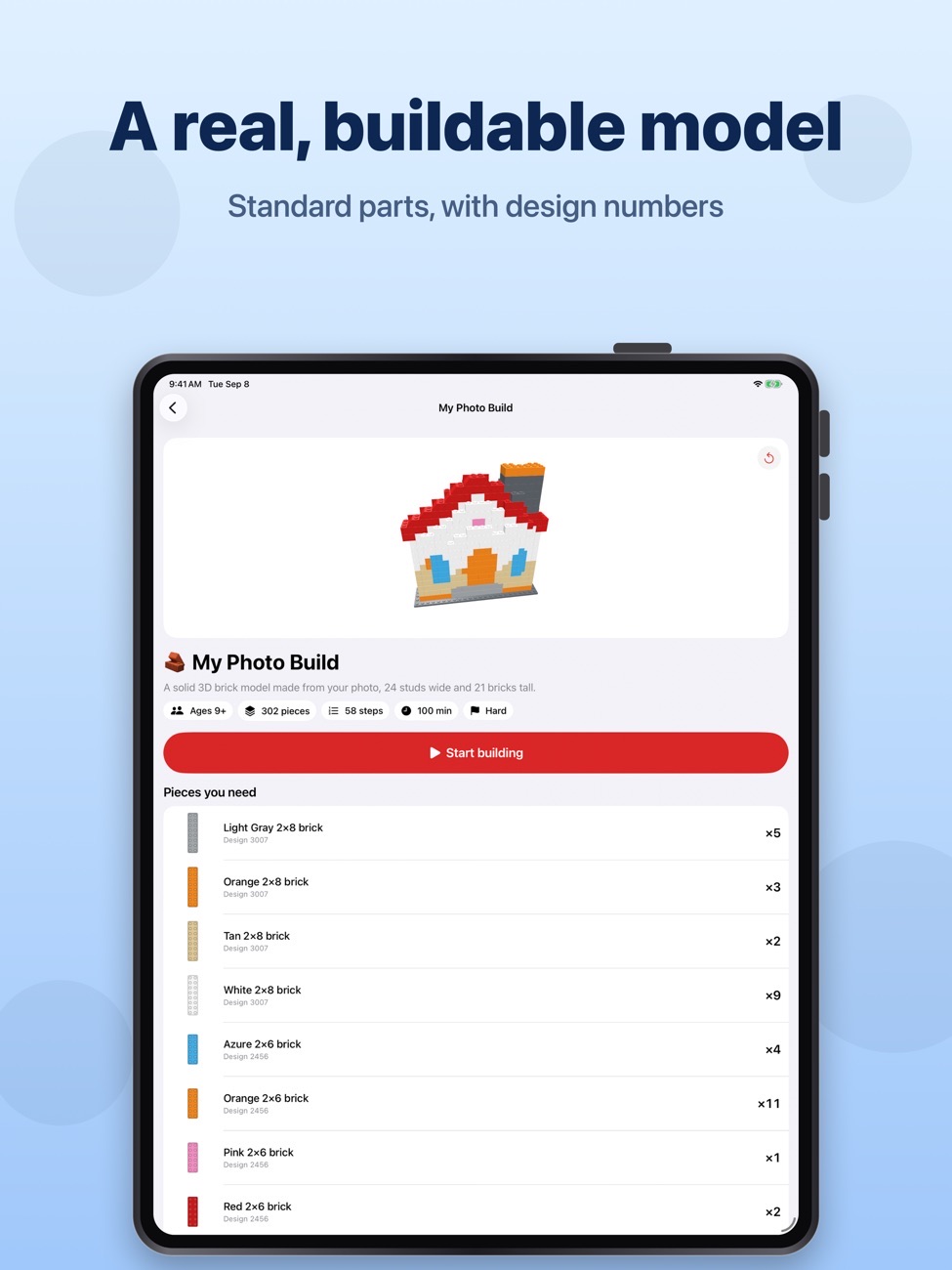
Parts lists
Standard design numbers and adjustable pieces per step.
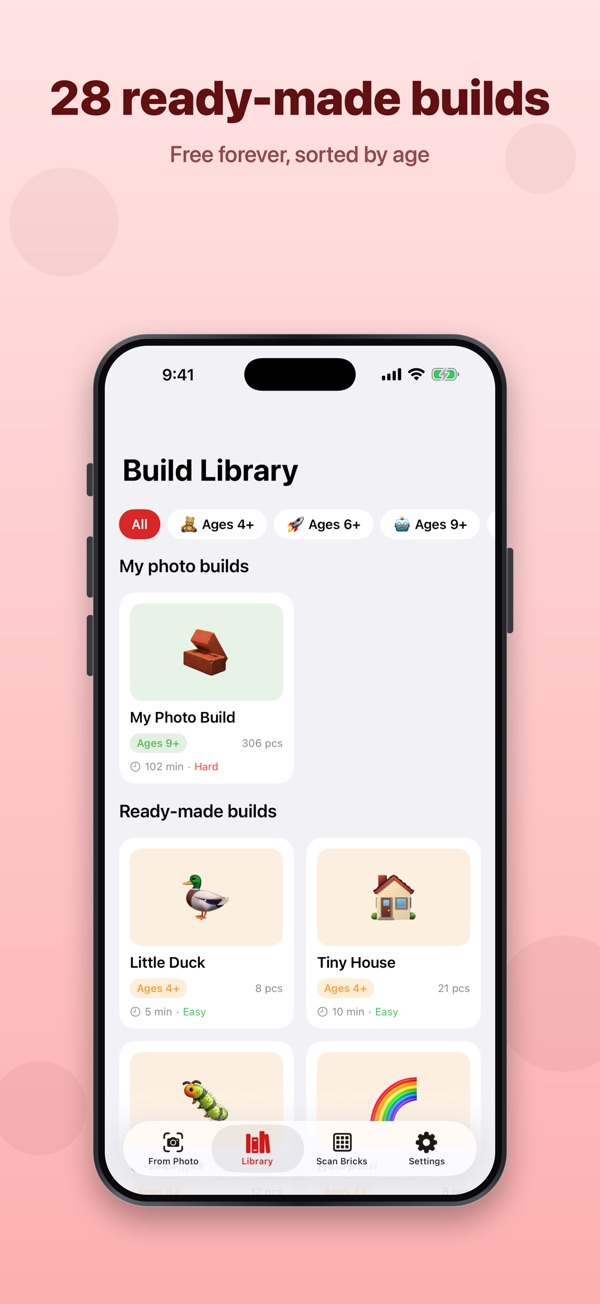
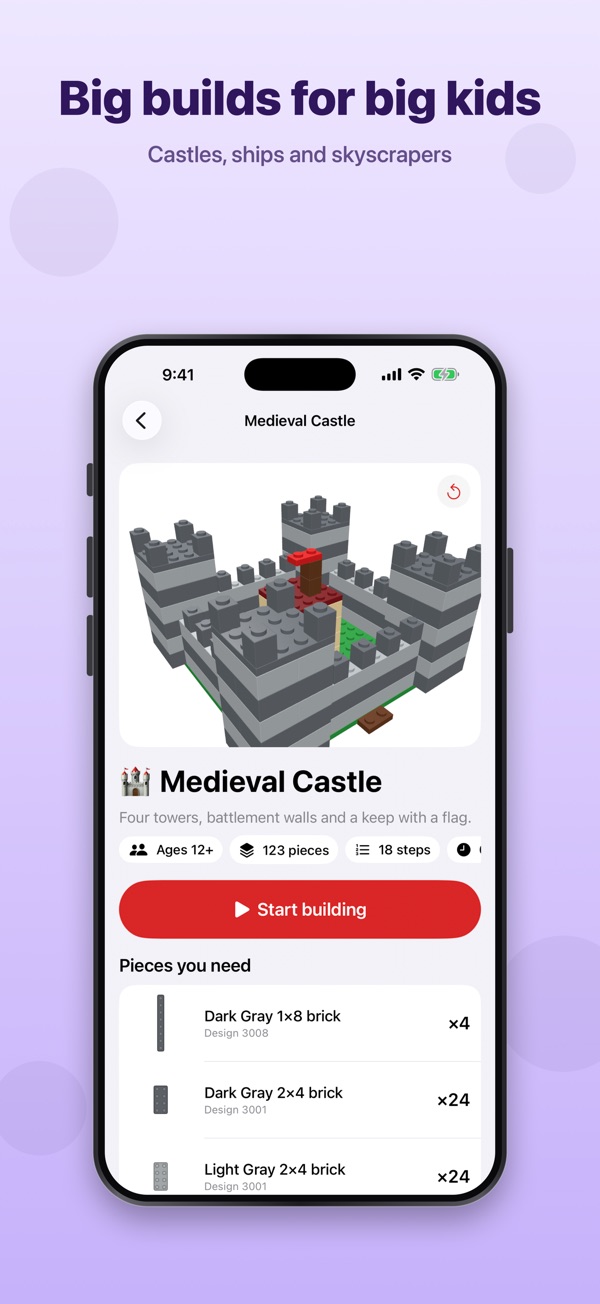
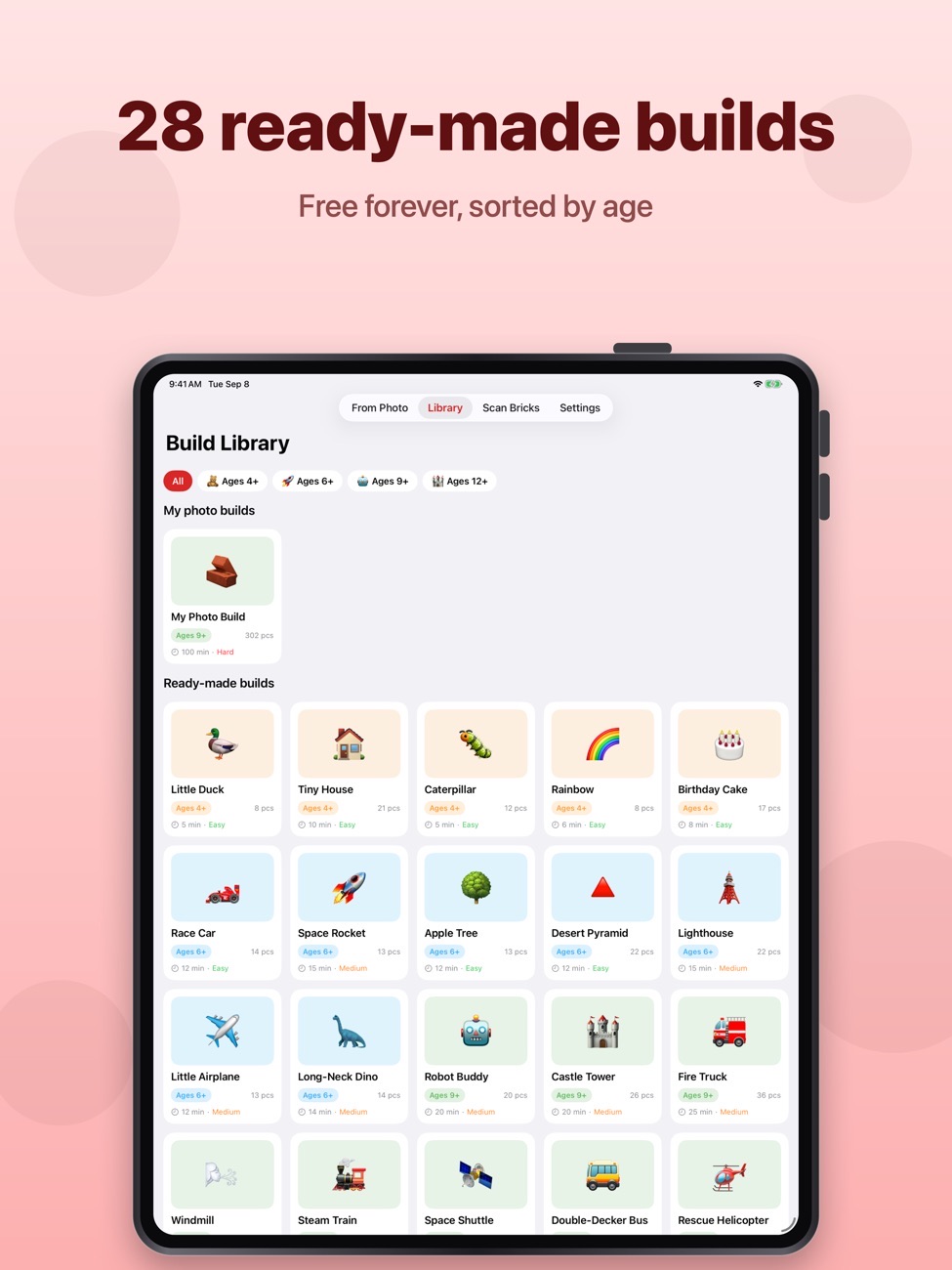
28 ready-made models
From quick builds to detailed structures, free.
Processed on your device
Photos are analysed on your iPhone or iPad, not uploaded. No account, ads or tracking.
Screenshots
Brick Builder on iPhone and iPad.
Is it right for you?
An honest look at who Brick Builder is made for.
Great for
- Families with a big box of mixed bricks
- Turning a favourite toy or pet into a model
- Kids who want new ideas
Look elsewhere if you need
- Exact replicas (models are stylised)
- Official set instructions
Details
- Developer
- Sensonet
- Price
- Free
- Category
- Entertainment
- Version
- 1.0 · updated 2026-09-14
- Requires
- iOS 17.0 or later
- Languages
- 10
- Size
- 4 MB
- Age rating
- 4+
Privacy
Photo analysis runs on your device and photos aren't uploaded. No account, ads or tracking.
Questions
Can I turn a picture into a LEGO-style model?
Yes. Brick Builder makes a simplified brick model from a clear photo, with instructions and a parts list. A single subject against a plain background works best.
Can it tell me what to build with my bricks?
Yes. Photograph your separated bricks and it estimates your inventory, then suggests builds you can make.
Is Brick Builder free?
The 28 ready-made models and the brick scanner are free, and you can try five photo builds. Pro adds unlimited photo builds.


Brick Builder privacy policyPrivacy Policy — Brick Builder · Effective date: 9 September 2026 · Last updated: 9 September 2026
The short version. Brick Builder does not collect, transmit, or store any personal information. There are no user accounts, no analytics, no advertising, and no third-party trackers. Your photos are analysed entirely on your own device and are never uploaded anywhere.
This Privacy Policy explains how the Brick Builder mobile application (the “App”) handles information. It applies to the App on iPhone and iPad. Please read it before using the App. By using the App, you agree to the practices described here.
1. Who we are
For any question about this policy or about privacy in the App, contact us at info@theappverdict.com.
2. Information we do not collect
We want to be explicit about this, because it is unusual. We do not collect:
- Names, email addresses, phone numbers, or any other contact details;
- Accounts, usernames, or passwords — the App has no sign-in of any kind;
- Your photographs, or anything derived from them;
- Location data;
- Device identifiers, advertising identifiers (IDFA), or fingerprinting signals;
- Usage analytics, event logs, or crash reports gathered by us;
- Contacts, calendars, health data, or files outside the App.
The App contains no advertising, no advertising networks, and no third-party analytics or tracking software development kits. We do not track you across other apps or websites, and we do not sell or share any information for advertising purposes, because we hold none.
3. Photos and the camera
The core feature of the App turns a picture of an object into brick-building instructions. This is worth describing in detail:
- Everything happens on your device. Image analysis and the generation of building instructions run locally, using the operating system’s own on-device image-processing frameworks. No artificial-intelligence service, cloud service, or remote server is involved at any point.
- Your photos are never uploaded. The App has no server of its own and does not send images, or any data extracted from them, off your device.
- Your photos are not saved by the App. A selected or captured picture is held in memory only for as long as it takes to compute a model, and is then discarded. A saved build stores only the resulting brick layout — piece shapes, colours, positions, and step text. The original image is not part of it.
- Permissions. If you choose to take a new picture, iOS asks for camera access. The photo library is accessed through the system picker, which hands the App only the single picture you pick and gives the App no access to the rest of your library. You can review or withdraw these permissions at any time in the iOS Settings app.
4. Information stored on your device
The App saves a small amount of data locally, inside its own private storage area on your device. This data is not transmitted to us or to anyone else.
What is stored
Why
Your saved builds (brick positions, colours, step instructions, title, creation date)
So you can reopen a model you generated earlier
Preferences (default age group, build style, text size, animation speed, whether you have seen the tutorial)
So the App behaves the way you set it up
A counter of how many free photo builds you have used
To apply the free allowance described in the App
This data lives only on your device. If your device backs up to iCloud or to a computer, this data may be included in that backup, under Apple’s terms and your own backup settings. Deleting the App removes all of it from the device.
5. Purchases
The App offers optional in-app purchases that unlock unlimited photo builds. All purchases are processed by Apple through the App Store using Apple’s own in-app purchase system.
- We never see, receive, or store your payment card details, billing address, or Apple Account credentials. That information goes to Apple, not to us.
- The App asks Apple’s on-device StoreKit framework whether a valid purchase exists, and unlocks features accordingly. This exchange is between your device and Apple.
- Apple’s handling of your purchase information is governed by Apple’s Privacy Policy.
- Apple provides us with aggregated, anonymous sales and download reports. These contain no information that identifies any individual.
To restore a previous purchase on a new device, use the “Restore Purchases” option in the App; this queries Apple for purchases already tied to your Apple Account.
6. Children’s privacy
The App is designed to be suitable for children, including builders under the age of 13. Because the App collects no personal information whatsoever, it does not knowingly or unknowingly collect personal information from children.
There is no sign-up, no chat, no social feature, no user-generated content shared with others, no advertising, and no external link that leads a child out of the App other than the legal links on the purchase screen. We believe this satisfies the requirements of the U.S. Children’s Online Privacy Protection Act (COPPA), the UK Age Appropriate Design Code, and Article 8 of the EU General Data Protection Regulation. In-app purchases can be restricted using Apple’s Screen Time and Family Sharing controls.
7. Your rights
Privacy laws such as the EU and UK General Data Protection Regulation (GDPR) and the California Consumer Privacy Act (CCPA/CPRA) give you rights over personal data held about you — including the right to access, correct, delete, or port that data, and to object to its processing.
We are not able to act on such a request in the usual way, for a simple reason: we hold no personal data about you at all. There is no database, no server, and no profile to retrieve or erase. All data created by the App stays on your device, under your own control, and you can erase it at any time by deleting a saved build within the App or by deleting the App itself.
Under the CCPA, we do not sell or share personal information, and we have not done so in the preceding twelve months.
8. Data retention
Since we receive no data, we retain none. Data stored locally by the App is kept until you delete the relevant build, reset the App, or uninstall it.
9. Security
App data is stored in the App’s private container, protected by the operating system’s sandboxing and by your device’s encryption when a passcode is set. Because nothing is transmitted, there is no data in transit to intercept. We recommend keeping a passcode enabled and iOS up to date.
10. Third parties
The App bundles no third-party analytics, advertising, attribution, or crash-reporting libraries. The only third party involved in your use of the App is Apple, in its role as the distributor of the App and the processor of any purchase you make.
11. Changes to this policy
We may update this policy if the App changes — for instance, if a future version adds a feature that requires handling data differently. The revised policy will be posted at this address with an updated “Last updated” date. Material changes will also be noted in the App’s release notes. Continued use of the App after a change takes effect constitutes acceptance of the revised policy.
12. Contact
Questions, concerns, or requests regarding privacy and this policy can be sent to info@theappverdict.com. We aim to respond within 30 days.
Published by Sensonet, the developer of Brick Builder. This page is the current version of the policy.