 Cooking Timer · Kitchen timers and a meal planner for iPhone
Cooking Timer: Every dish.
Ready at once.
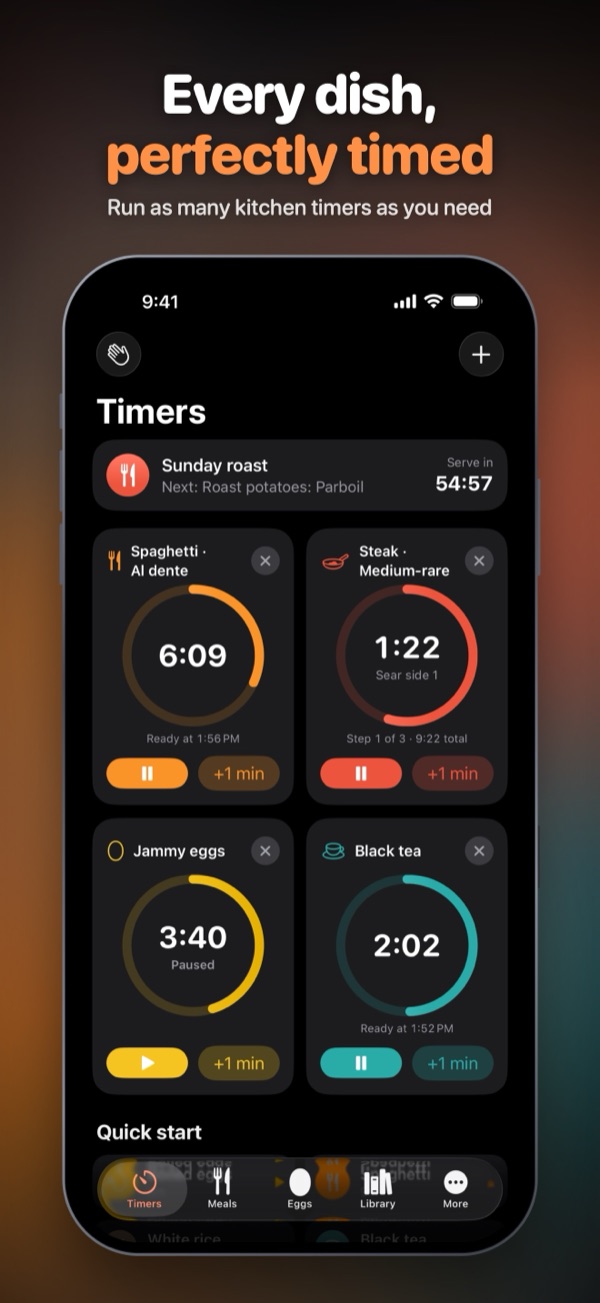
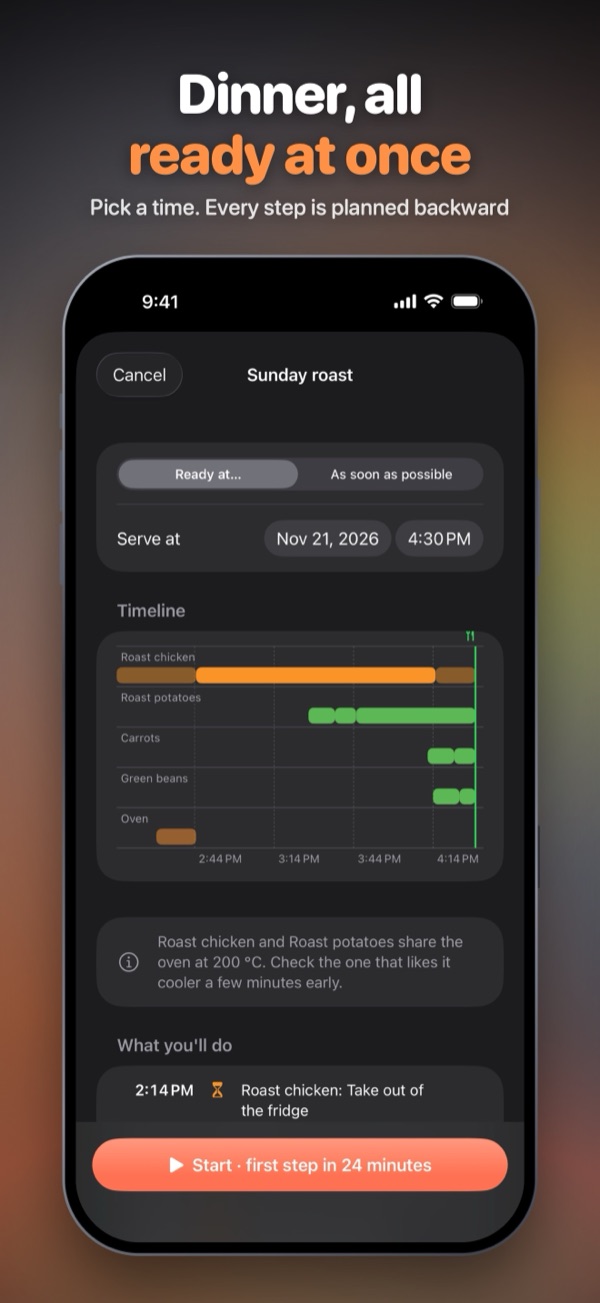
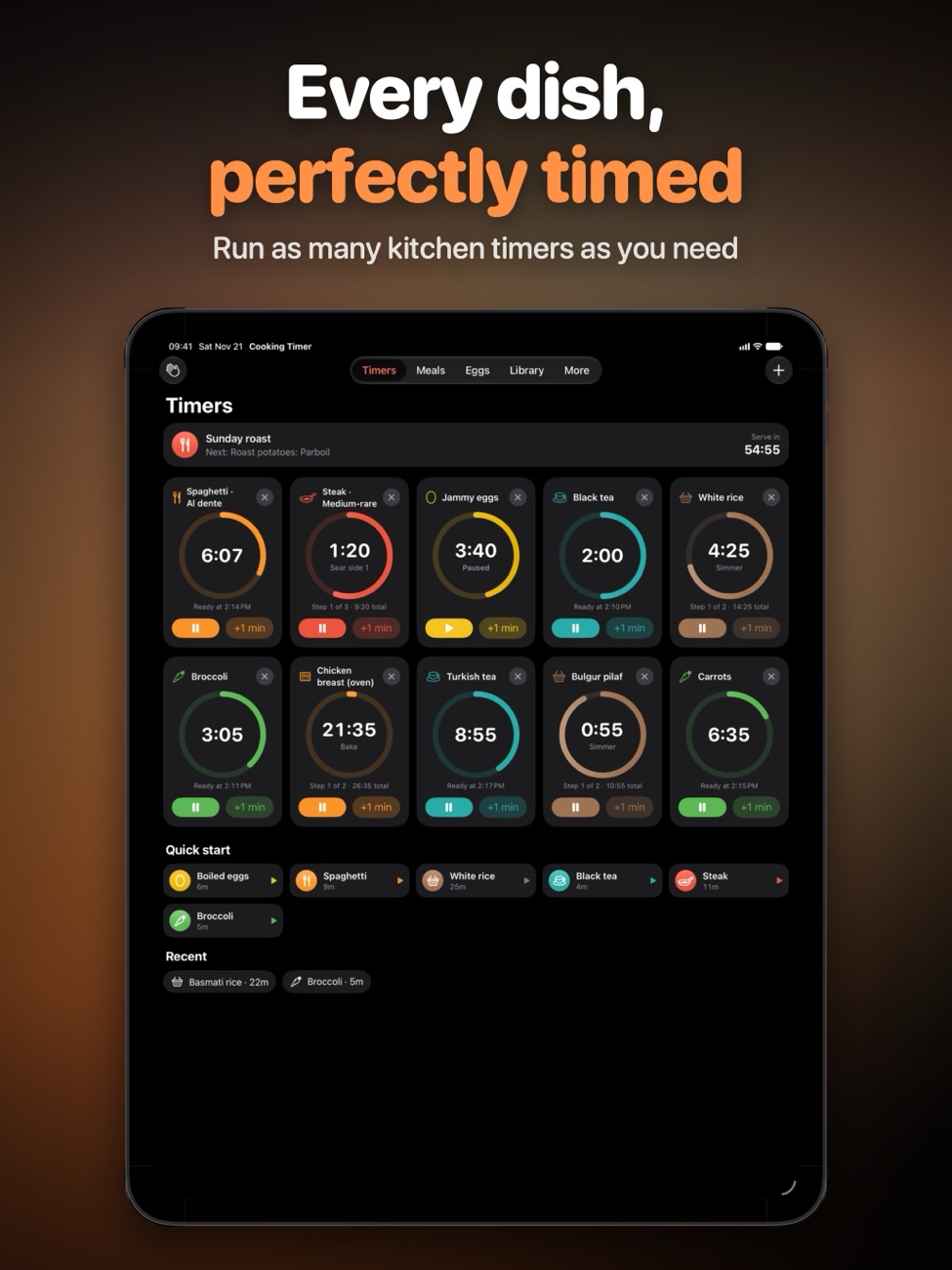
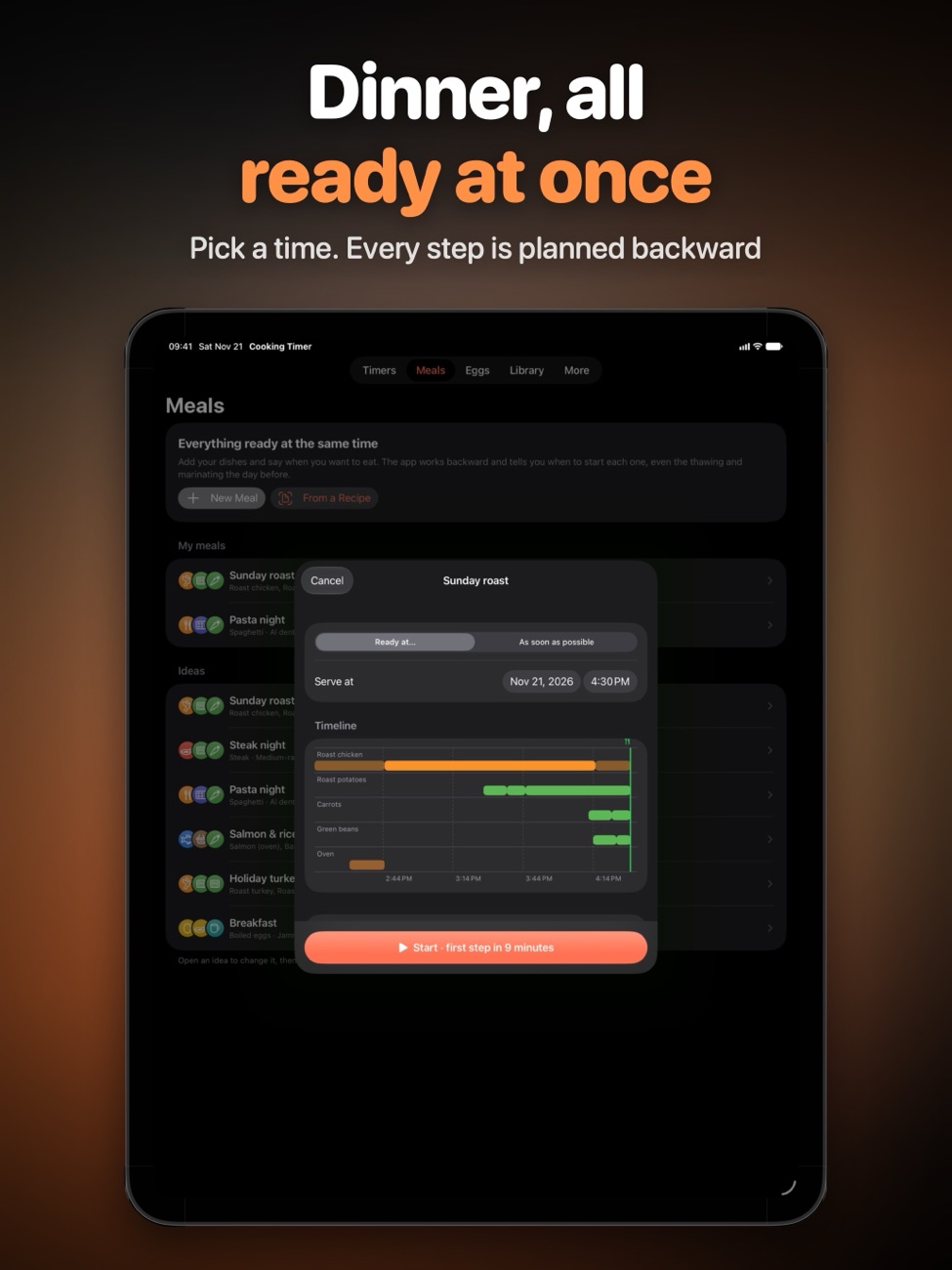
Run as many kitchen timers as you need, or pick a serving time and let the app plan the whole meal backward. It tells you when to start each dish, so everything lands on the table together.
Dinner, on time.
Every time.
Kitchen timers, a meal planner and an egg timer in one app, with no subscription and no in-app purchases.
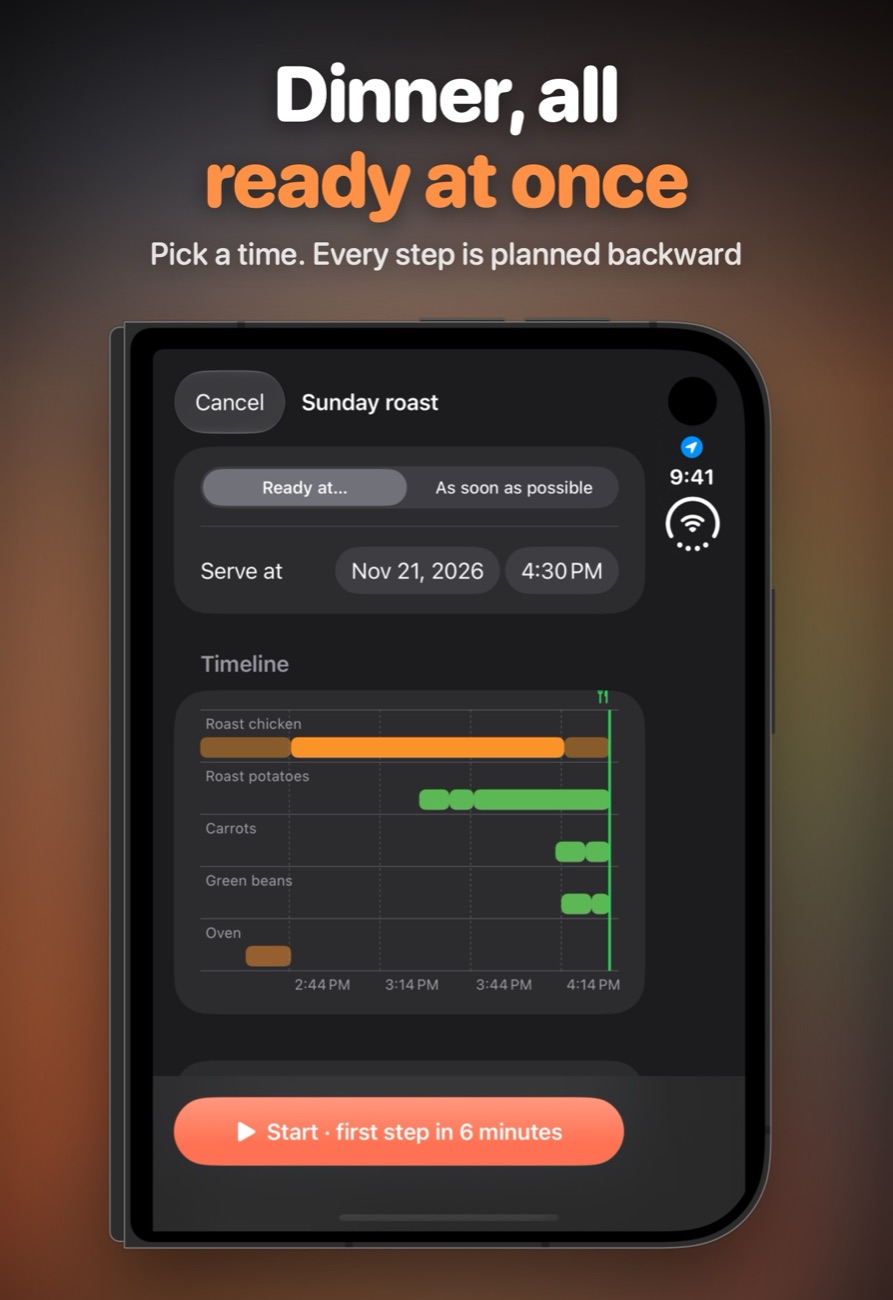
Plan dinner backward
Pick a serving time, or choose as soon as possible. Add your dishes and the app works out when each step starts, even the day before: thawing, soaking beans, marinating and taking meat out of the fridge.
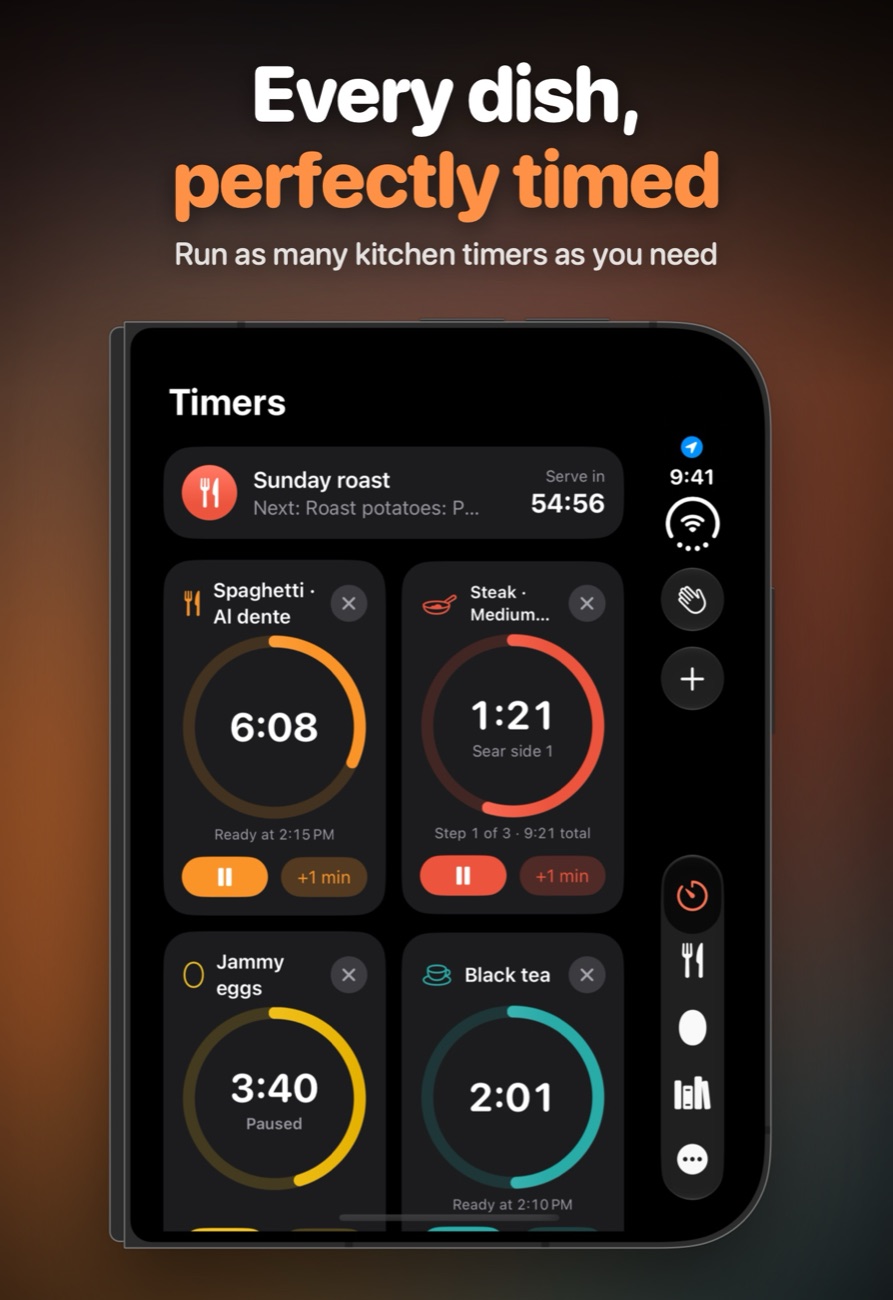
As many timers as you need
Name and colour each one, pause it, add a minute or restart it. Multi-step timers handle sear, flip, sear and rest, and repeat timers remind you to stir. On iOS 26 they can ring like an alarm, even on silent.
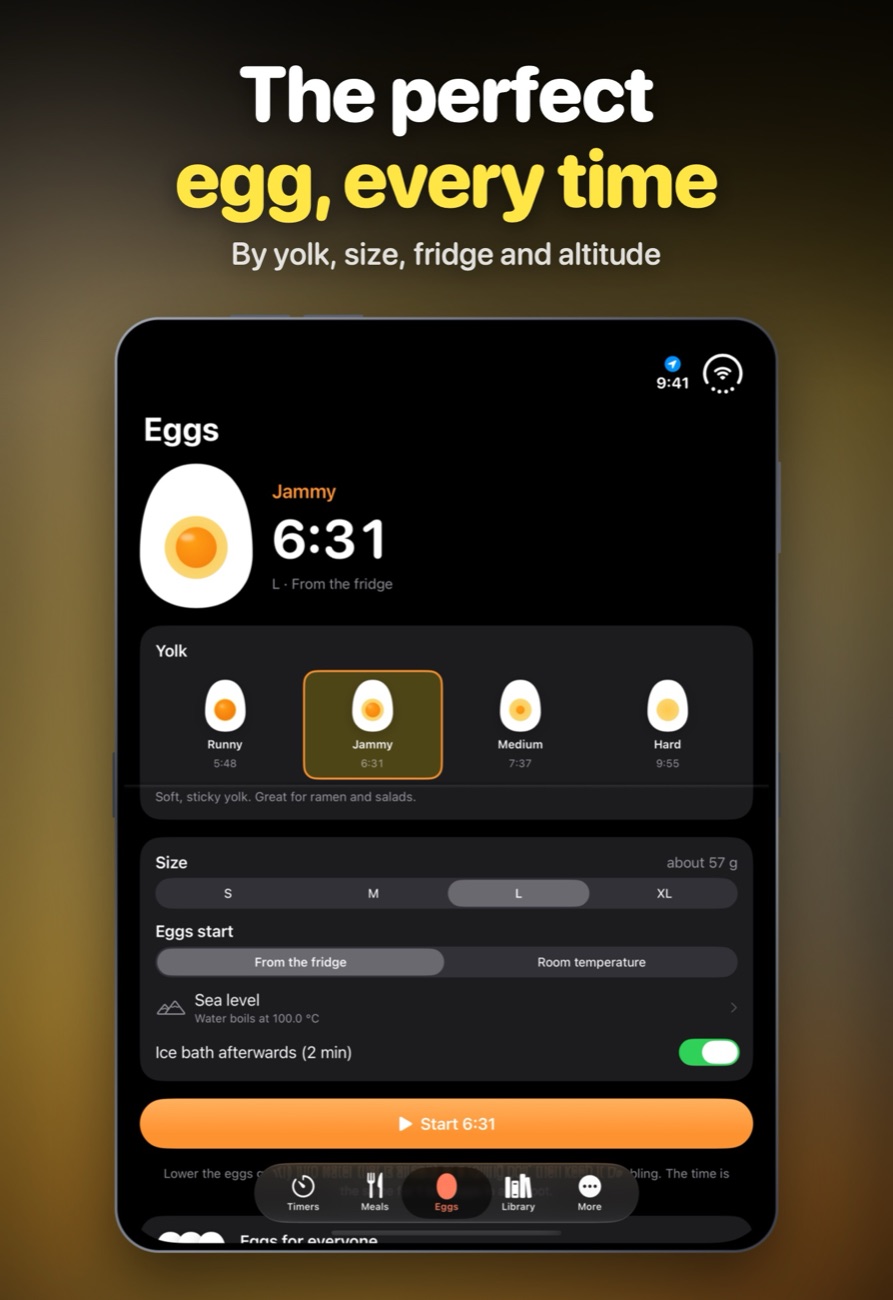
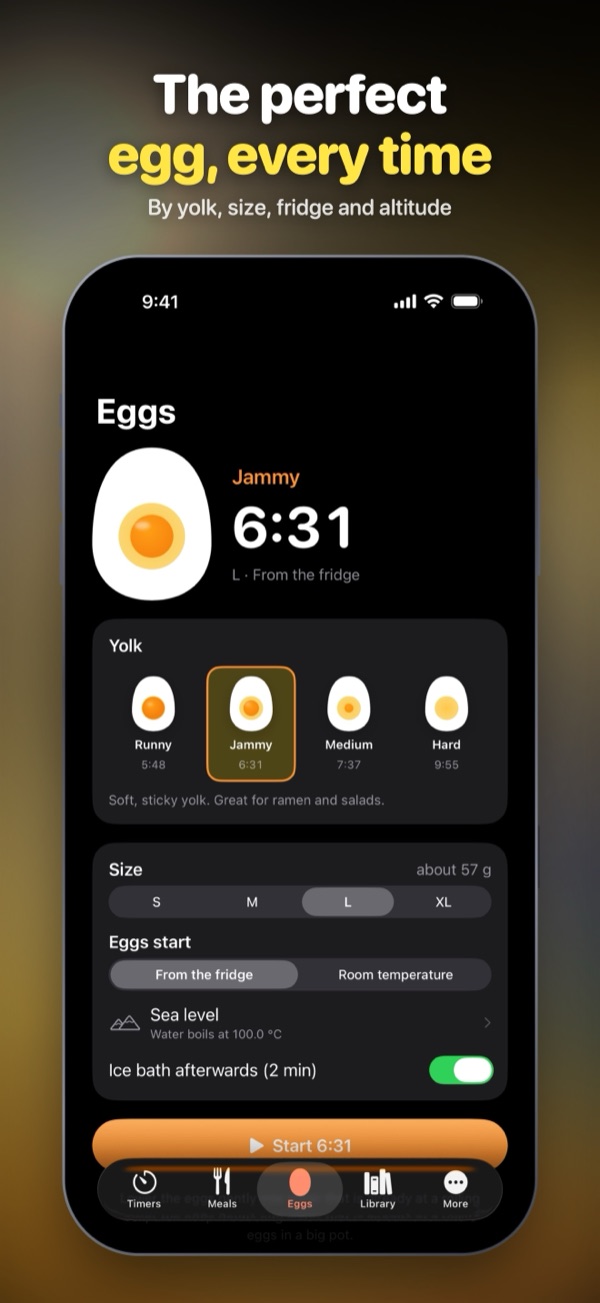
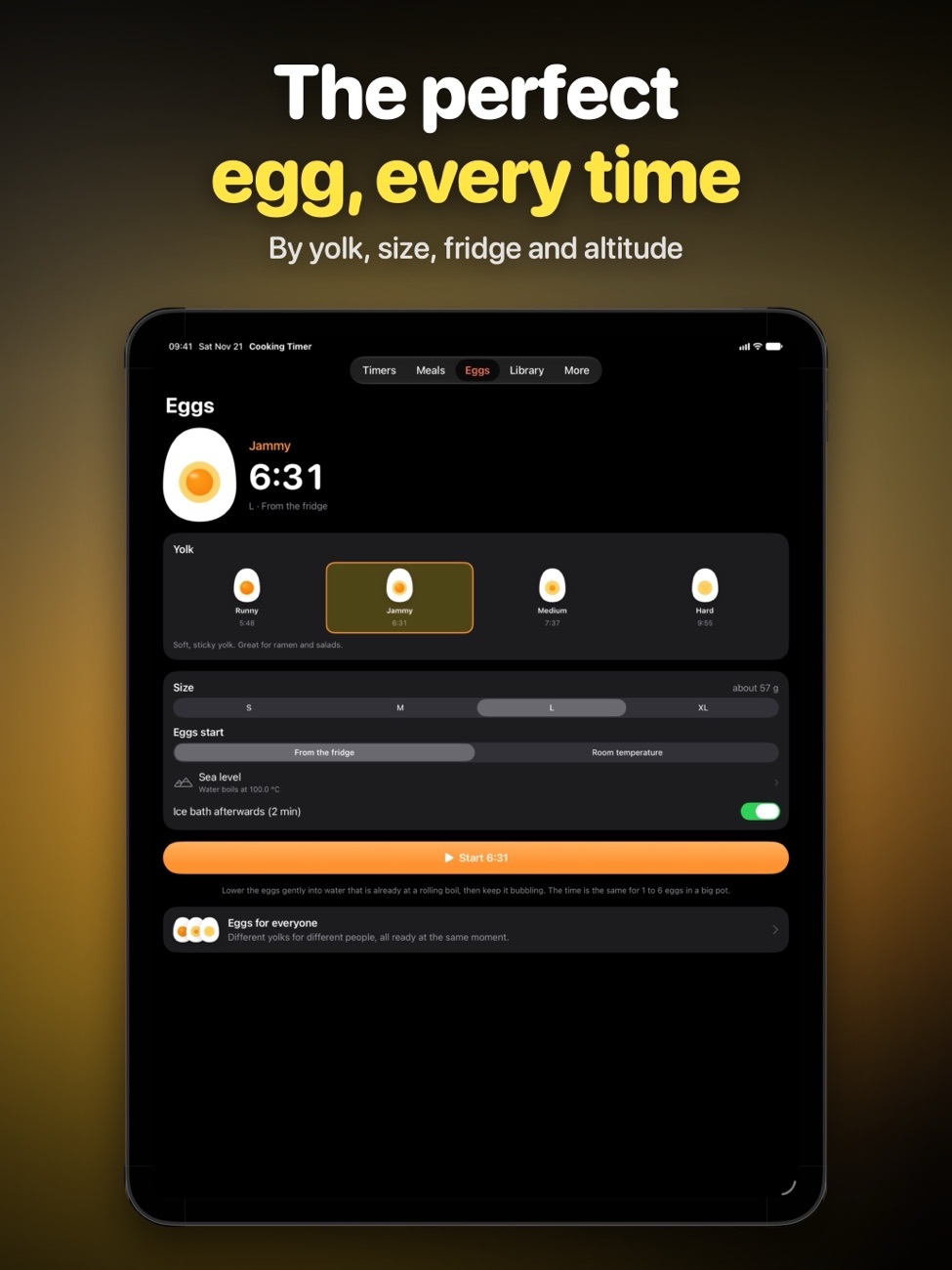
The perfect egg
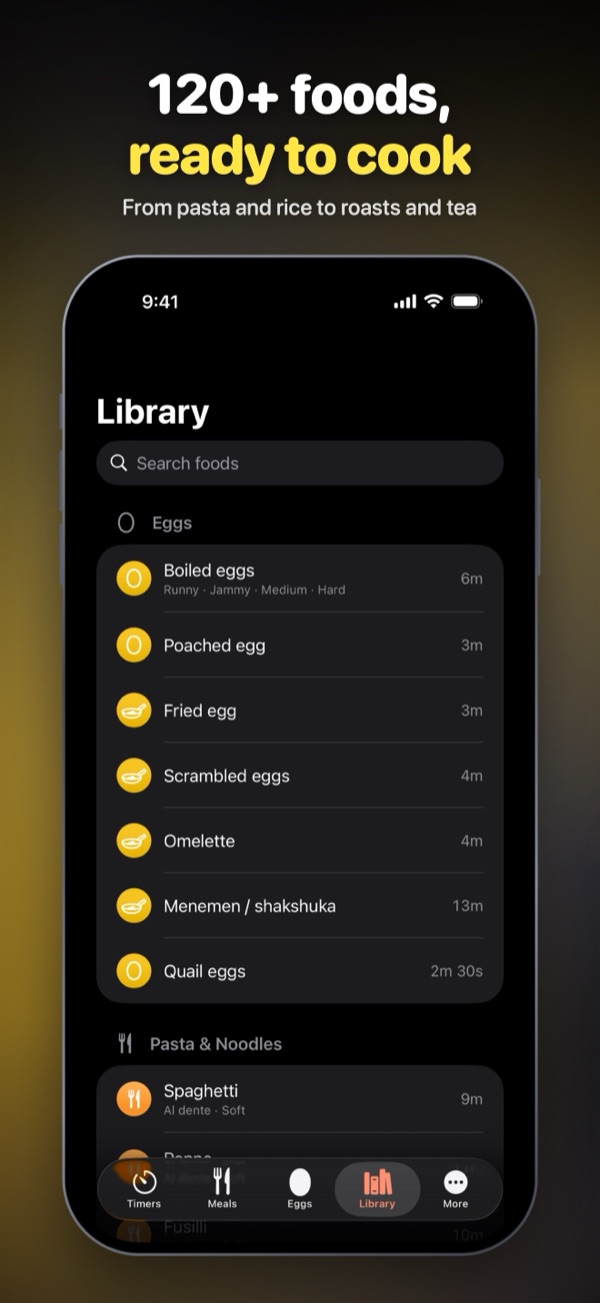
Choose runny, jammy, medium or hard, then the size, whether the eggs come from the fridge and your altitude. The time adjusts to match, with an optional ice bath.
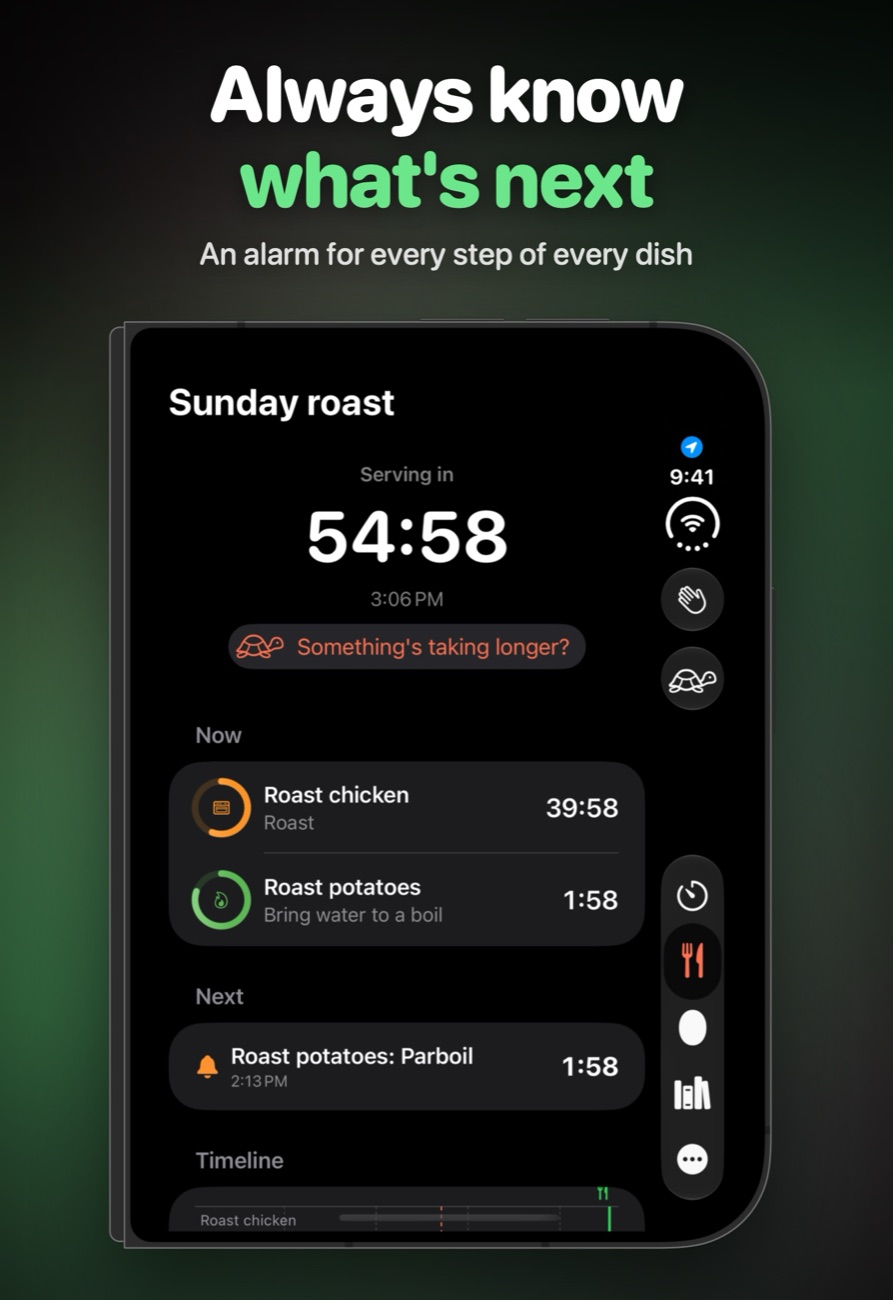
Always know what's next
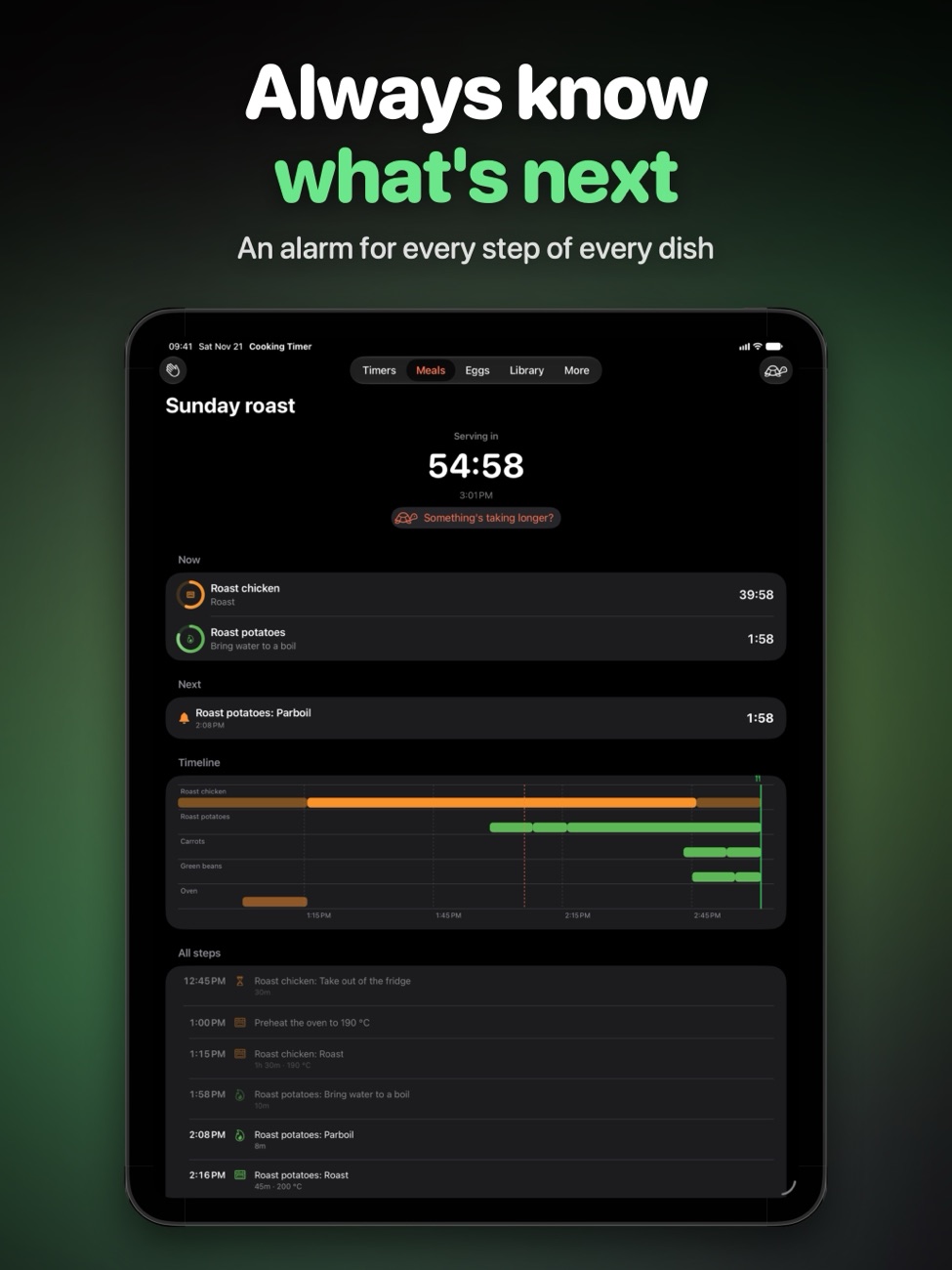
Each step gets its own alert. The meal screen shows what to do now and what comes next, and warns you when two dishes share the oven at different temperatures.
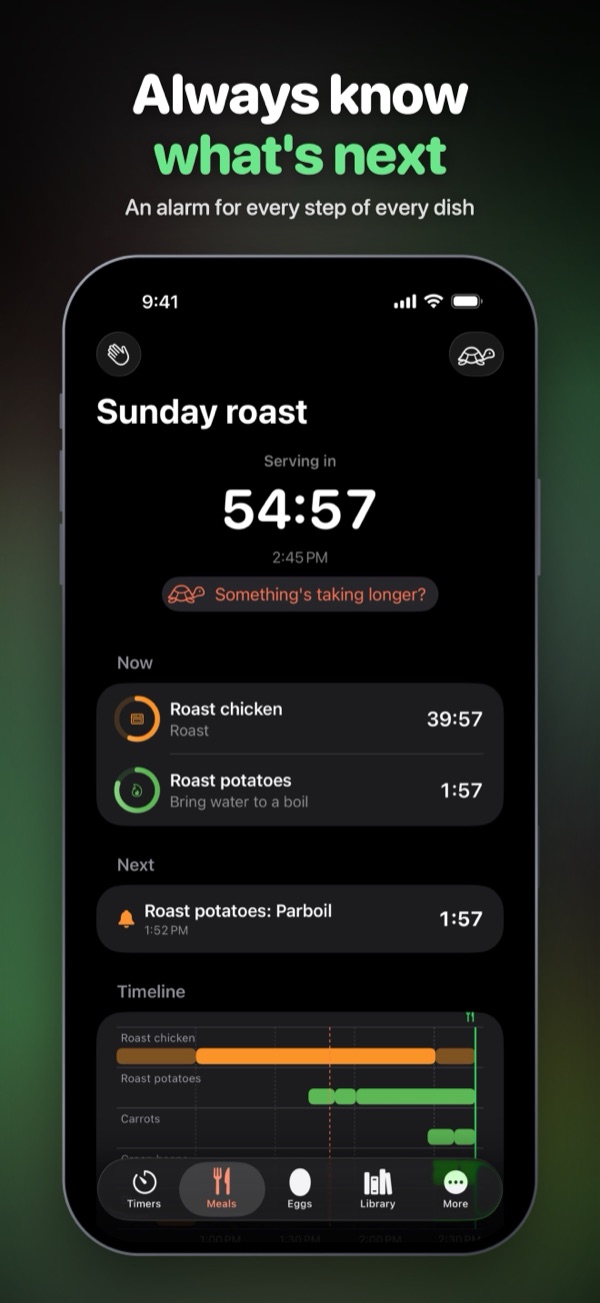
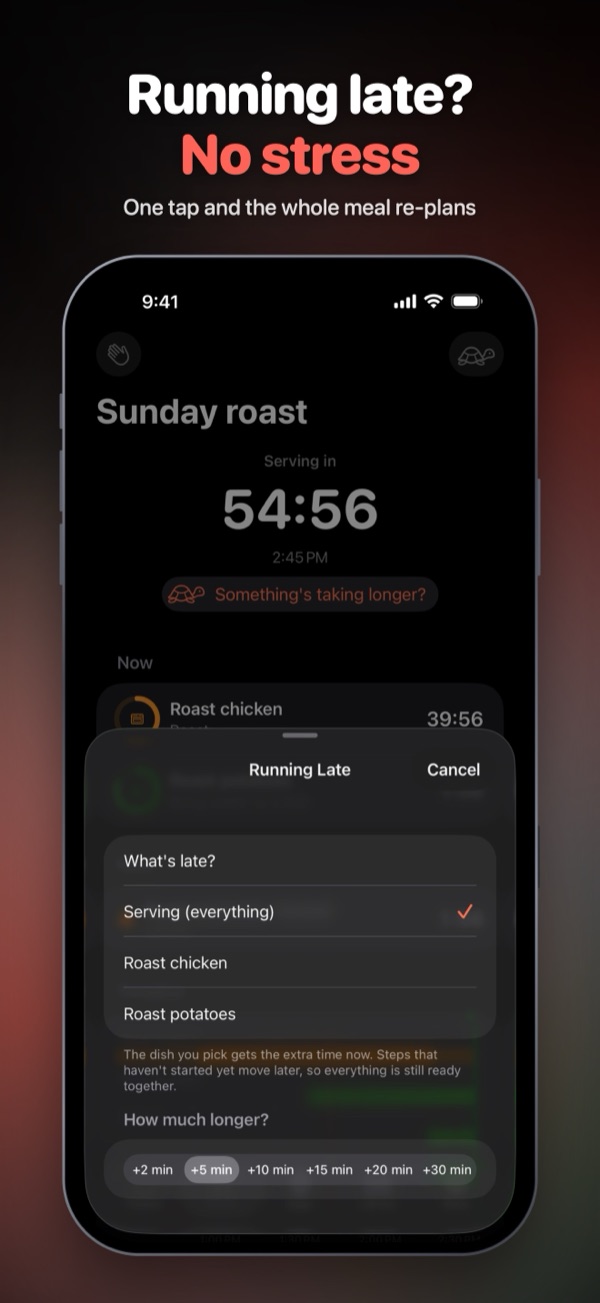
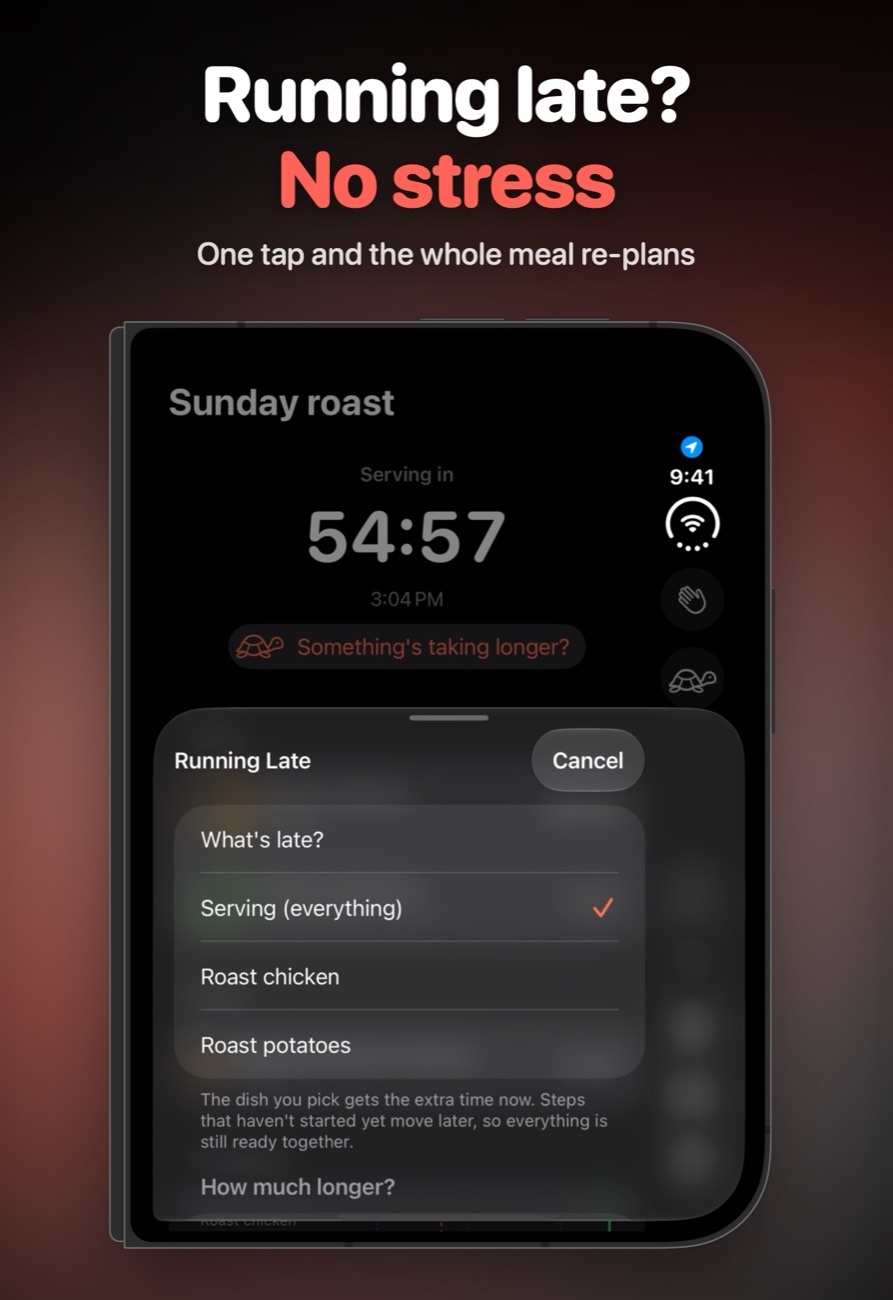
Running late? Re-plan in one tap
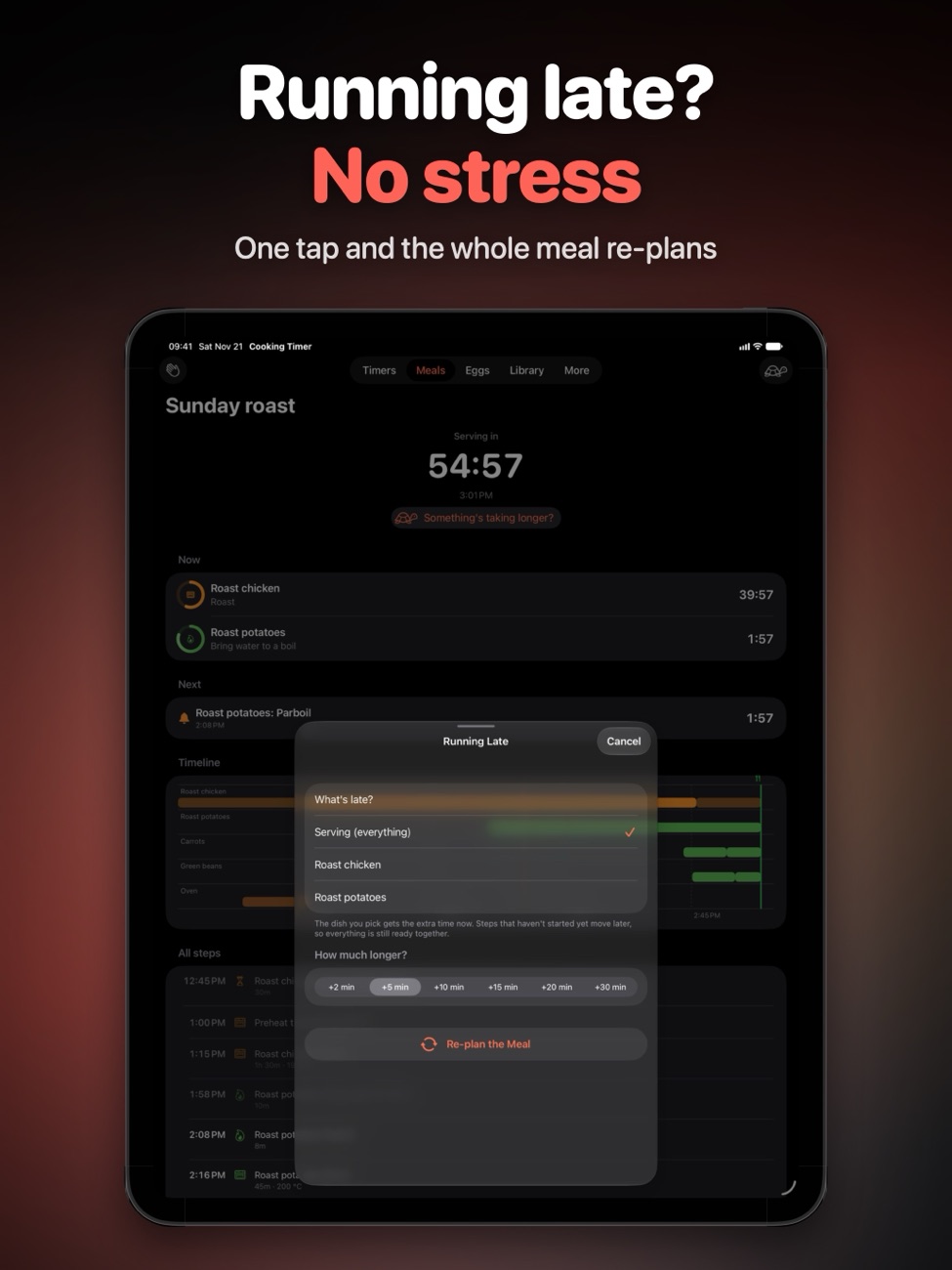
If the roast needs ten more minutes, tap it. Steps that haven't started move later so the meal still finishes together, and anything that can't wait is kept warm.
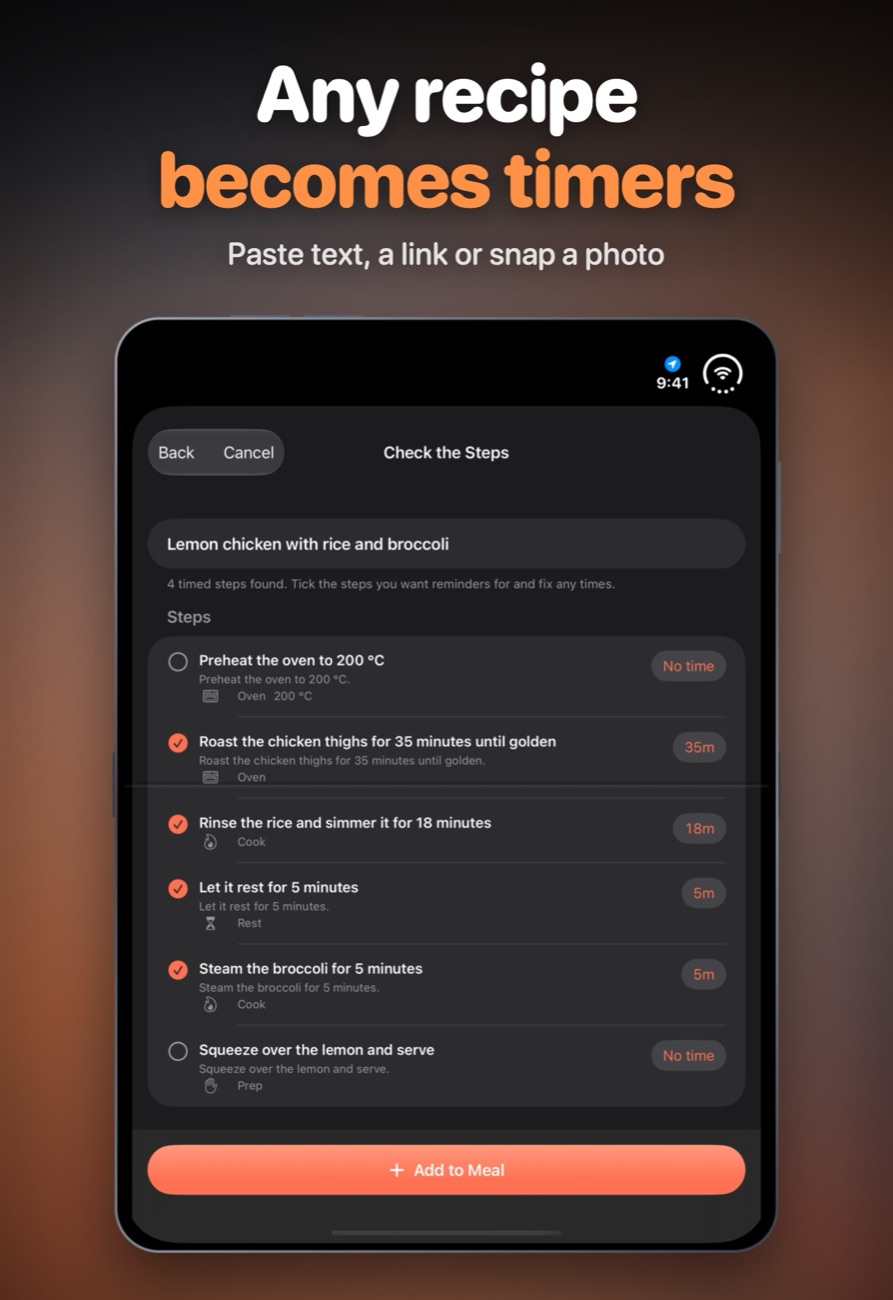
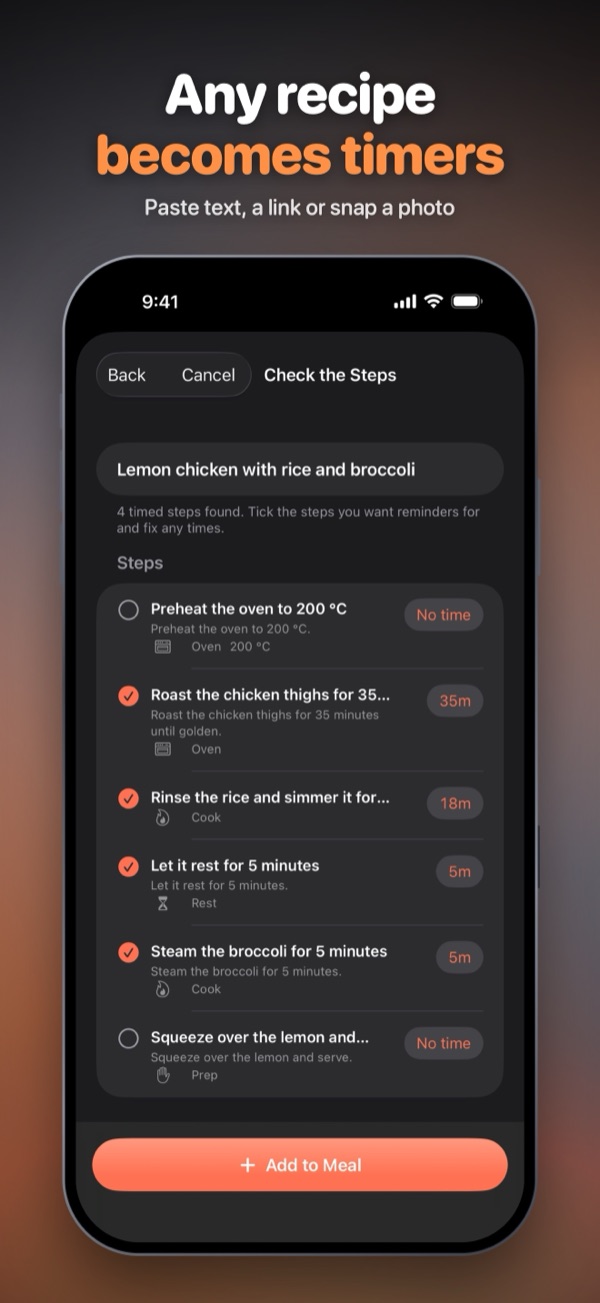
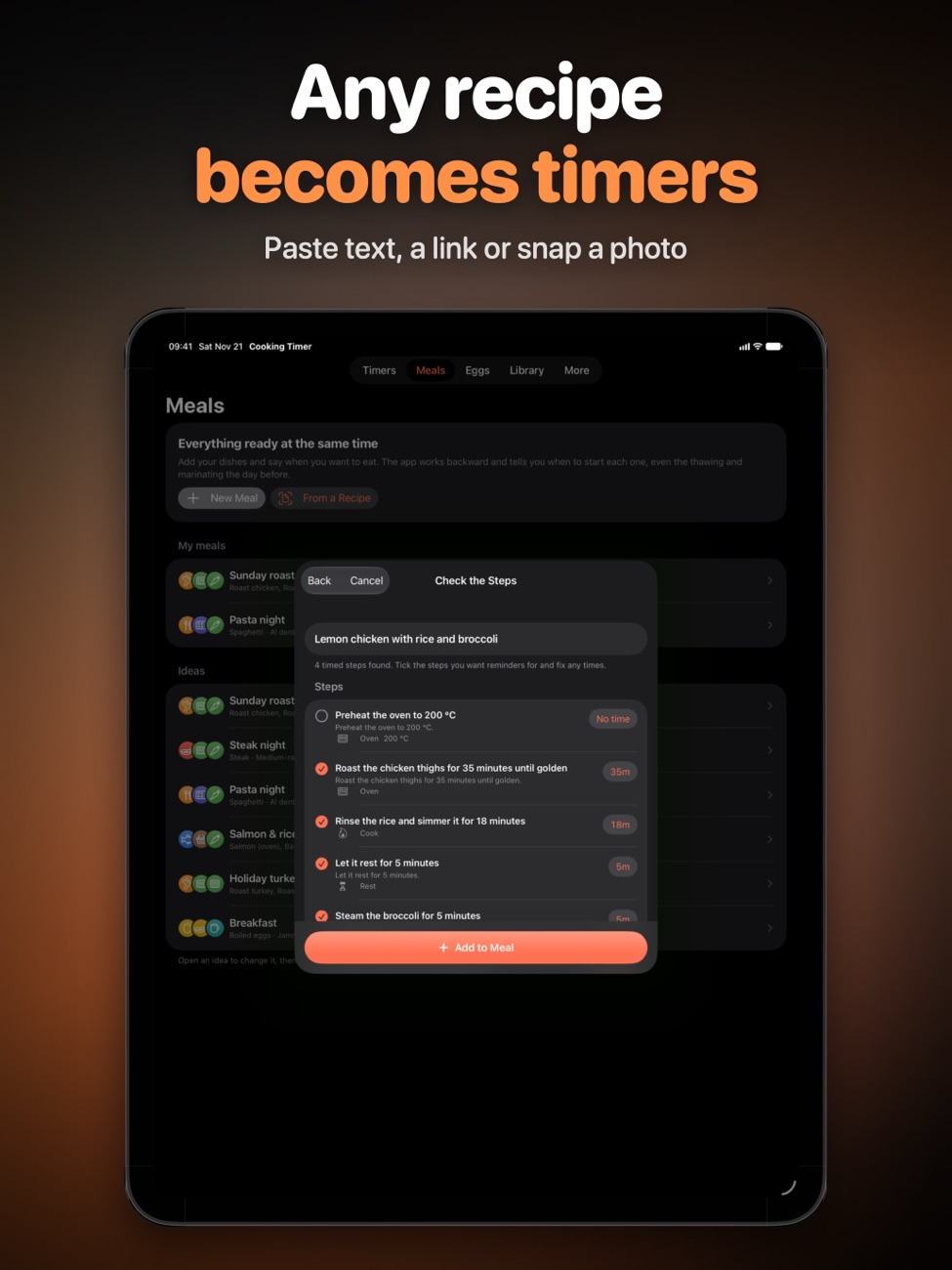
Any recipe becomes timers
Paste recipe text or a link, or photograph a cookbook page. The app finds the timed steps, lets you check them, and adds them to a meal.
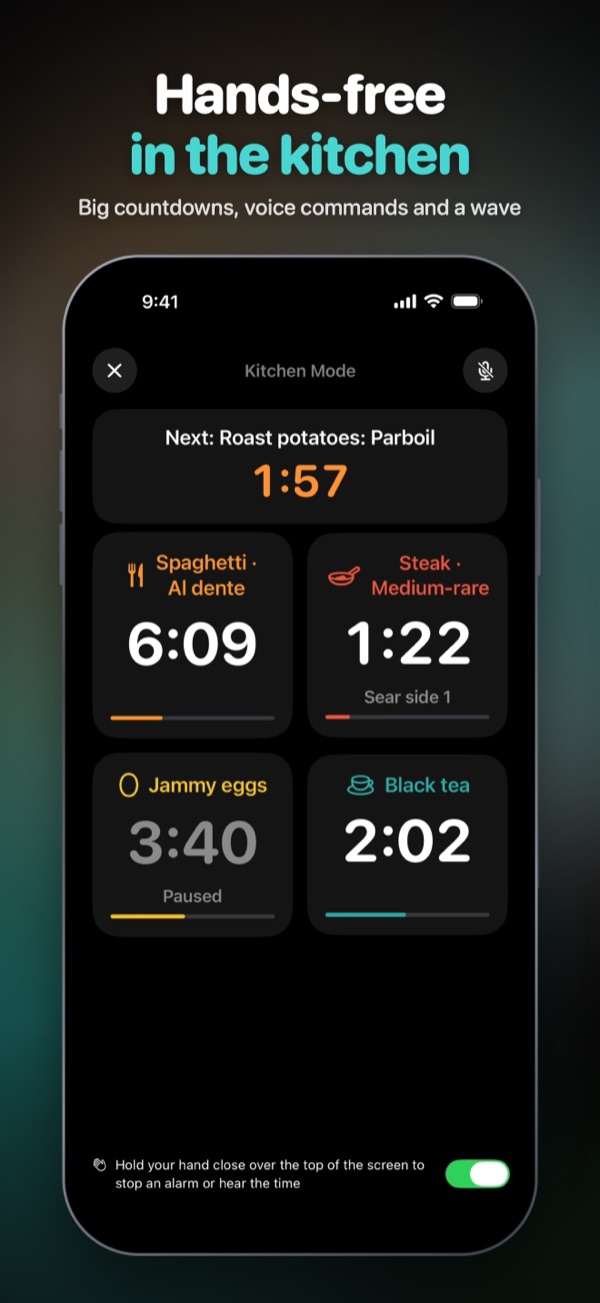
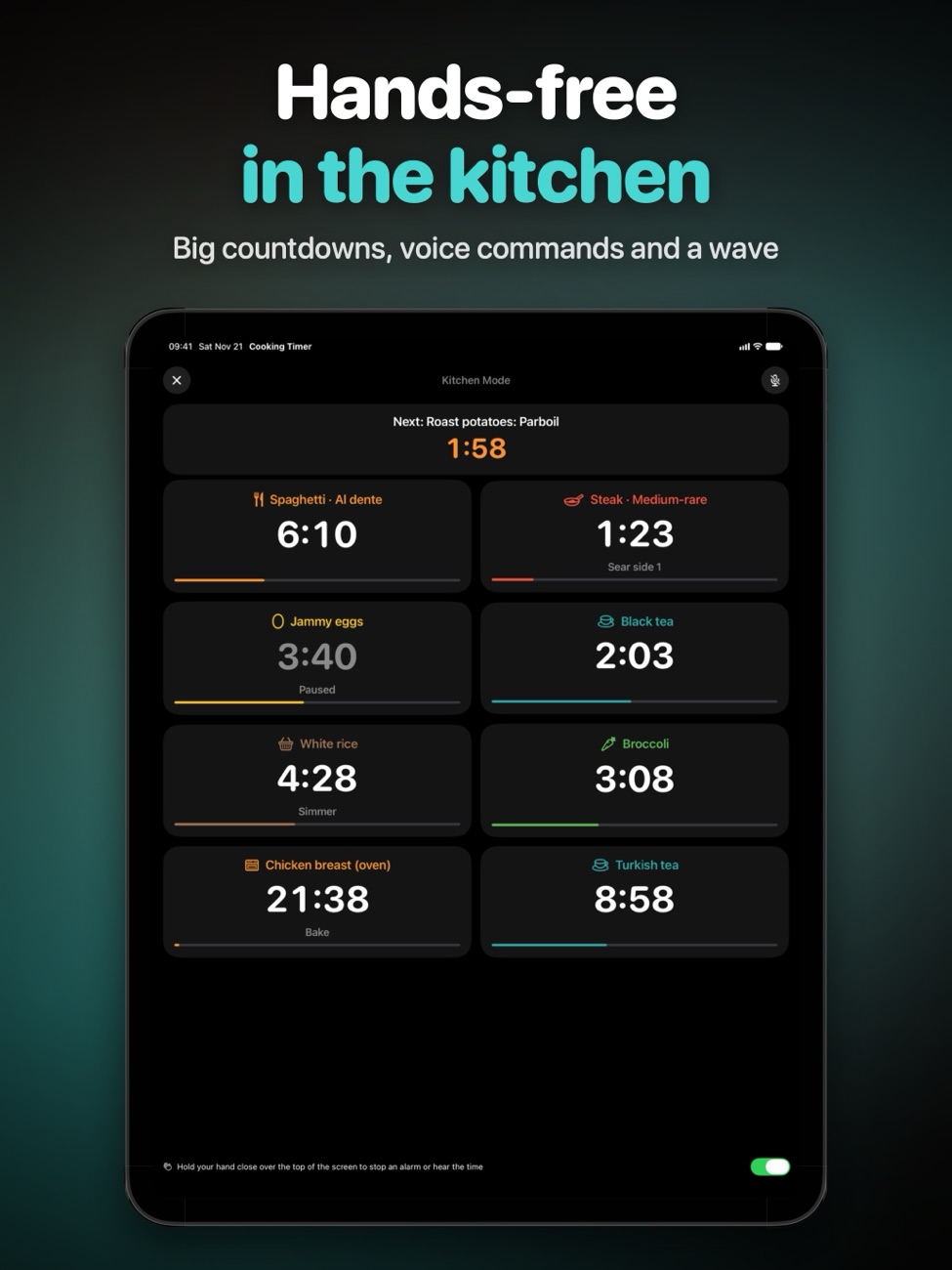
Hands-free, everywhere
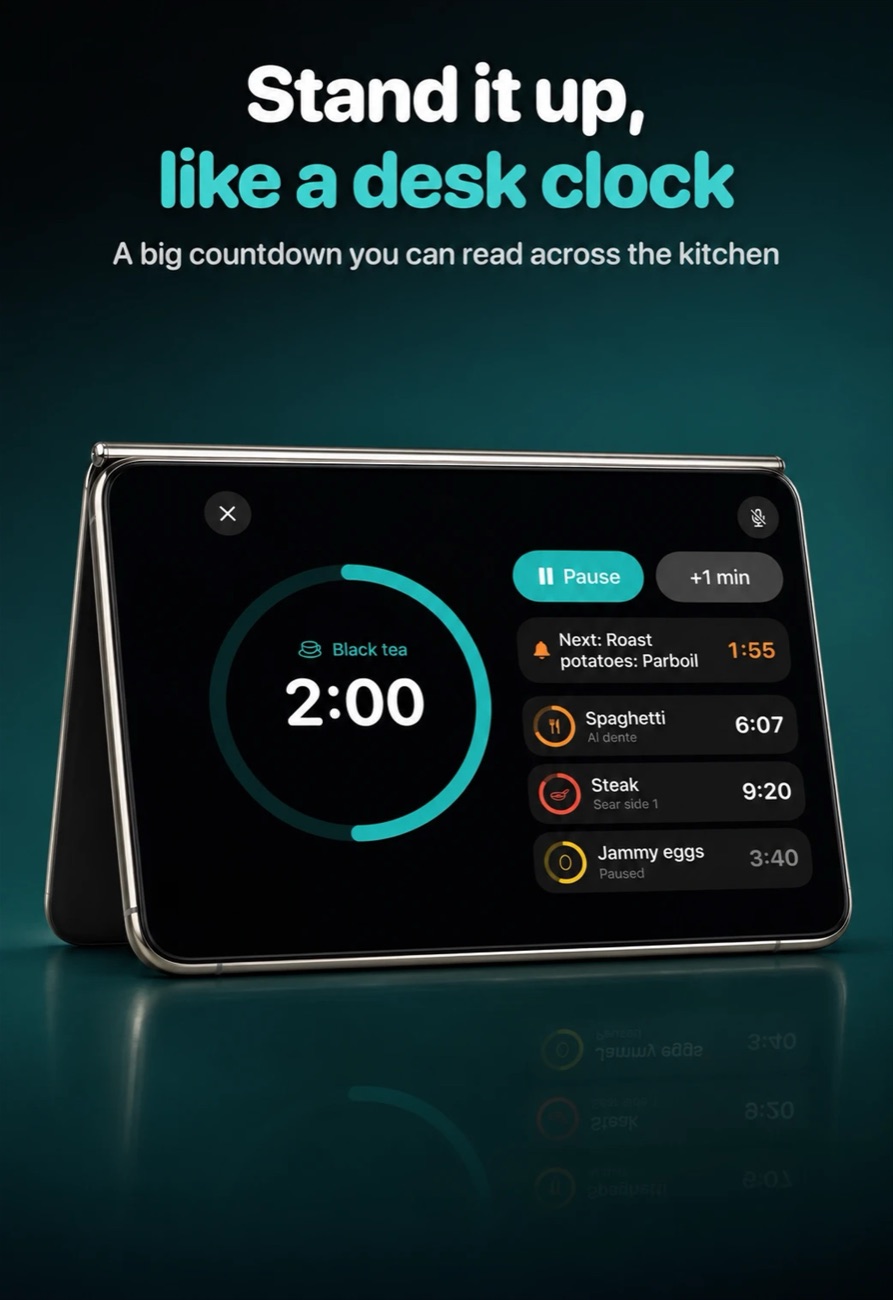
Kitchen Mode shows big countdowns and keeps the screen on. Wave over the phone to stop an alarm, or use your voice. Live Activities, widgets, Siri and an Apple Watch app keep timers in view.
Screenshots
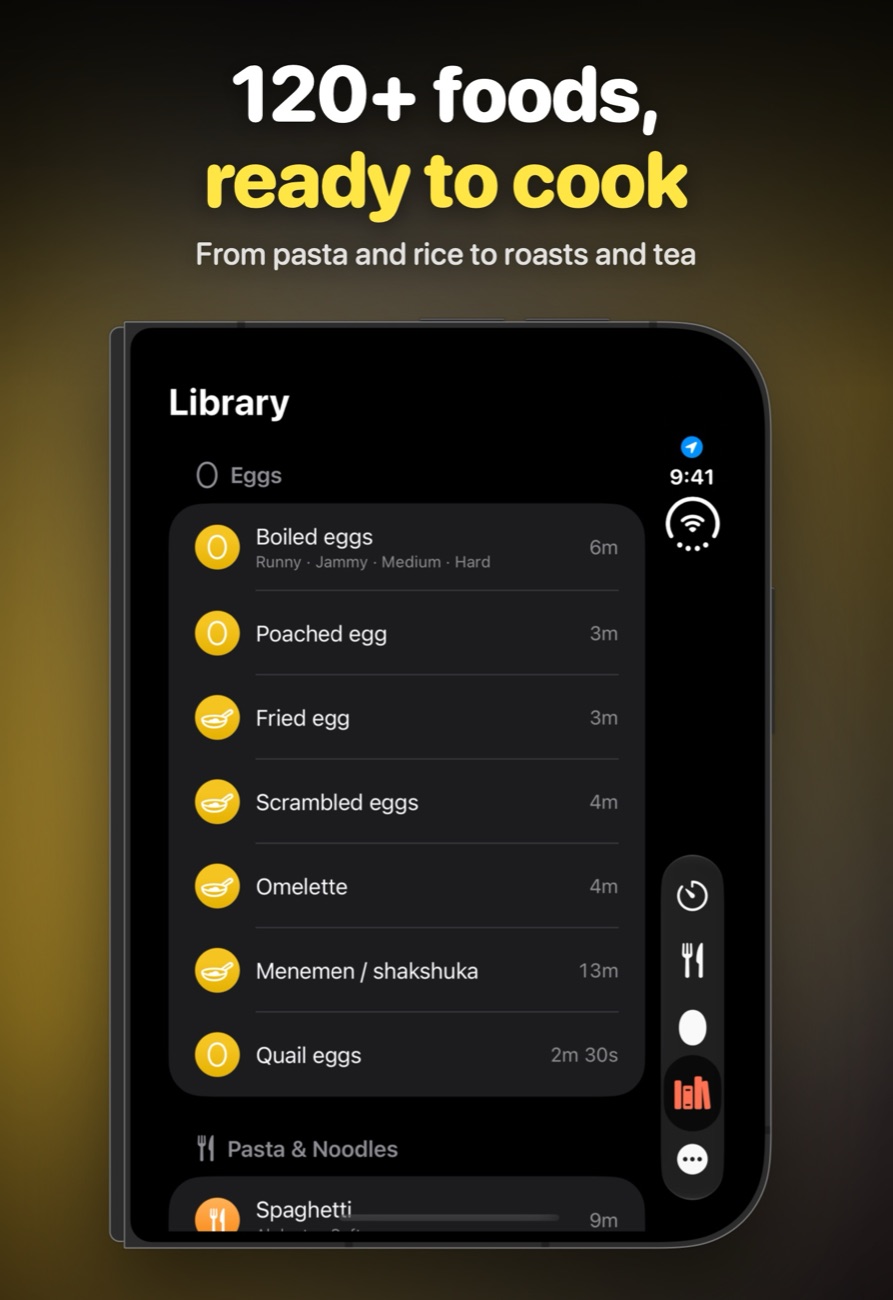
Cooking Timer on iPhone Duo, iPhone and iPad.
Is it right for you?
An honest look at who Cooking Timer is made for.
Great for
- Cooking several dishes that should finish together
- Sunday roasts and holiday dinners
- Perfect boiled eggs
- Cooking with messy hands
Look elsewhere if you need
- A recipe collection or shopping lists
- Smart oven or thermometer control
Details
- Developer
- Sensonet
- Price
- $1.99
- Category
- Food & Drink
- Version
- 2.0 · updated 2026-11-21
- Requires
- iOS 18.0 or later
- Languages
- 14
- Size
- 10 MB
- Age rating
- 4+
Privacy
Cooking Timer works on your device. Timers, meals and recipes stay on your iPhone, voice commands are processed on the device where supported, and there are no ads, accounts or analytics.
Questions
How do I time several dishes so they're ready together?
Open Meals, choose a serving time and add your dishes. The app plans each step backward from that time and alerts you when to start each one. You can also choose to have everything ready as soon as possible.
What if one dish takes longer than planned?
Tap “Something's taking longer?”, choose the dish and how many minutes. Steps that haven't started move later so everything still finishes together, and the app tells you what changed.
Do the timers ring when my iPhone is on silent?
On iOS 26 and later, turn on “Ring like an alarm” and timers ring like the Clock app's alarms, even on silent. On iOS 18 to 25 they use time-sensitive notifications, which follow your sound settings.
How long should I boil an egg?
It depends on the yolk you want, the egg's size, whether it comes from the fridge and your altitude. Pick those in the Eggs tab and the app calculates the time. A large egg from the fridge at sea level takes about 6½ minutes for a jammy yolk.
Can it turn a recipe into timers?
Yes. Paste the text or a link, or take a photo of a cookbook page. The app finds the steps with times, lets you check them, and adds them to a meal.
Is there a subscription?
No. Cooking Timer & Meal Planner is a one-time $1.99 purchase with everything included and no in-app purchases.
What happened to Egg Timer +?
It became Cooking Timer & Meal Planner. Version 2.0 is a complete rebuild: the egg timer is still there, now joined by multiple timers, a meal planner and hands-free Kitchen Mode.


Cooking Timer privacy policyPrivacy Policy — Cooking Timer & Meal Planner · Effective date: 21 November 2026
In short: Cooking Timer & Meal Planner does not collect, store or share any personal data. Your timers, meals and recipes stay on your devices, and nothing is sent to us.
This policy covers Cooking Timer & Meal Planner (formerly Egg Timer +) for iPhone, iPad and Apple Watch, including its widgets, Live Activities, Control Center controls and Siri shortcuts, published by Sensonet (“we”, “us”). It describes version 2.0 and later.
Information we collect
None. The app has no accounts, no advertising, no analytics and no third-party tracking or data-collection software. We have no servers for the app, and we never receive your timers, meals, recipes, voice, photos or location.
Permissions the app asks for
The app asks before using any of these, and you can change your answer at any time in iOS Settings.
- Notifications and alarms: so timers, meal steps and leftover reminders can alert you when the app is closed. On iOS 26 and later, timers can also ring like an alarm through Apple’s AlarmKit.
- Location (optional): used only to read your altitude, so egg and boiling times can be adjusted, because water boils at a lower temperature up high. The app asks for an approximate location at most every six hours and keeps only the altitude in metres. Your location itself is not stored. You can enter the altitude by hand instead.
- Microphone and Speech Recognition (optional): used only for voice commands while Kitchen Mode is open. Speech is recognised on your device where your iPhone supports it; otherwise Apple’s speech recognition service processes it under Apple’s Privacy Policy. Audio is never recorded or stored by the app.
- Camera (optional): used only when you photograph a cookbook page to turn its steps into timers. The photo is read on your device and not kept.
Choosing a photo from your library uses Apple’s photo picker, which gives the app only the photo you pick, without access to the rest of your library. The proximity sensor, used to stop an alarm with a wave, needs no permission and nothing is stored.
Recipe import
When you paste recipe text or pick a photo, the steps are found on your device, using Live Text and, on iOS 26 devices that support it, Apple’s on-device language model. When you paste a link, the app downloads that web page directly from the website it points to, as a browser would, so that website receives an ordinary request from your device. Nothing passes through us.
Information stored on your devices
Your timers, presets, meal plans, saved meals, leftovers, history and settings, such as sounds, units and altitude, are stored on your device in storage shared only with the app’s own widgets. They are removed when you delete the app. The app does not sync them to any cloud service.
Apple Watch, widgets and Siri
The Apple Watch app shows and controls your timers by passing them between your own iPhone and Apple Watch through Apple’s Watch Connectivity framework. Widgets and Live Activities read the same data on your device. Siri and Shortcuts requests are handled by Apple. Spoken timer alerts use Apple’s speech on your device.
Purchases and ratings
The app is a one-time purchase handled entirely by Apple through the App Store, with no in-app purchases. We don’t receive your name, payment details or Apple Account. The app may occasionally show Apple’s standard rating prompt; any rating you give is handled by Apple.
Children
The app does not collect personal data from anyone, including children under 13.
Changes to this policy
If the app’s data practices change, we will update this policy and its effective date before the change takes effect.
Contact
Questions about this policy or your privacy can be sent to info@theappverdict.com. If you email us, we receive your email address and whatever you choose to write, and we use it only to reply.
Published by Sensonet, the developer of Cooking Timer. This page is the current version of the policy.